Bolt X Quick Start Guide
41
Setting Bolt X Back to Remote Mode
1. Switch the key in Safety PLC back to vertical position.
2. Switch the key in the teach pendant back to “Network” position.
3. If you are using the Bypass Estop box [20529] instead of Safety PLC,
replace it with Safety PLC.
4. If you still cannot engage and move the robot in Flair, restart Flair.
Bolt X Recalibration
The robot should never lose calibration. However, the following are the
examples of situations that the robot might lose calibration:
After a hardware crash.
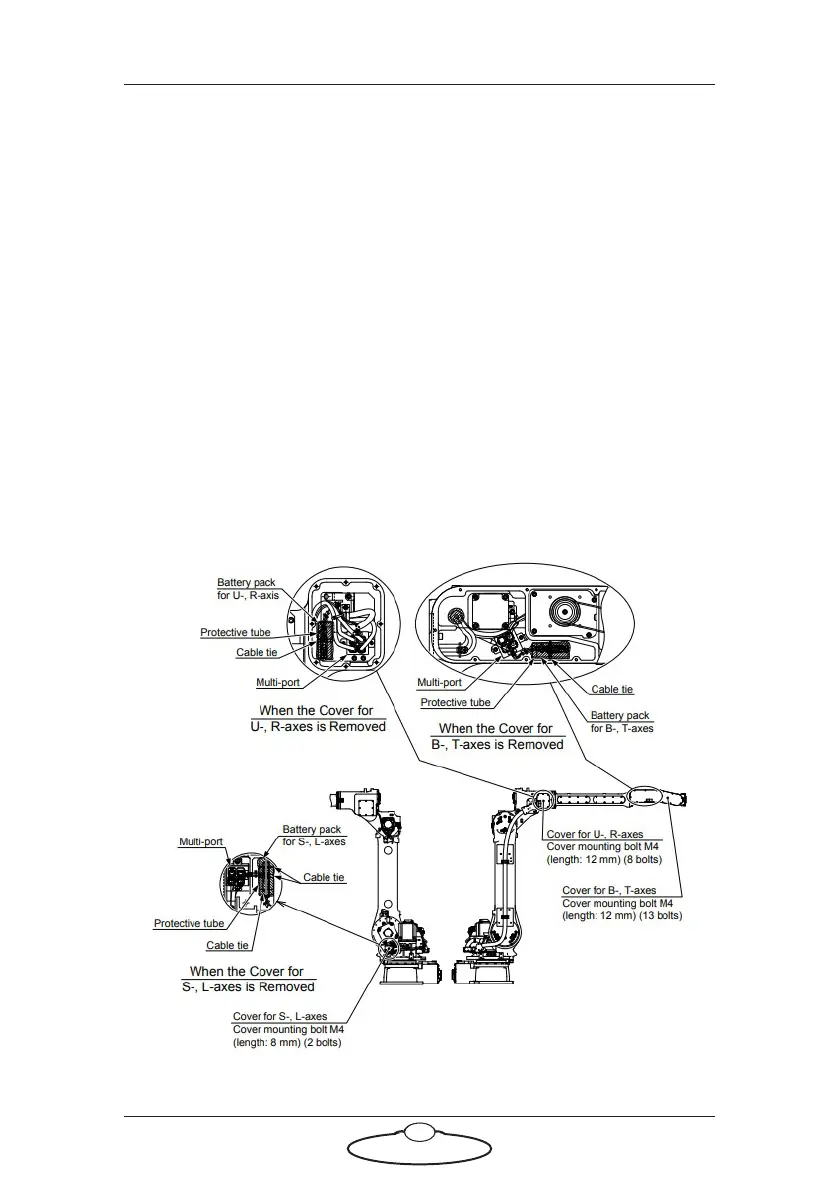
The batteries inside the encoder keep the encoder position
saved at all times even when the power to the robot is off. If the
batteries run out then the encoder position will be lost.
Locations of battery pack



 To Next Page