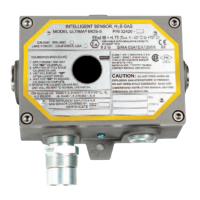
There are two types of Duct Mount Kits:
• Single Module Model
• Dual Module Model
The Single module Duct Mount Kit:
• Places the entire Ultima Gas Monitor on the duct.
The sensor is then wired to the controller, ventilation or other
safety equipment.
The Remote Sensor Module Duct Mount Kit:
• Allows the sensor portion of the unit to be mounted on the duct
(perhaps in an inaccessible location), while the read-out and
calibration portion are placed in an easily accessible location to:
• save valuable maintenance time and money
• enhance calibrator safety.
If moving an existing, installed Ultima Gas Monitor to a duct with
a Duct Mount Kit, additional parts are necessary. Contact MSA to
obtain the additional materials.
Mounting
General
Mounting the Ultima Gas Monitor on a duct is easily done with
the Duct Mount Kit. The proper location on the duct will permit
your sensor to operate up to its potential.
Choose a location on the duct:
• Where the duct is flat or level:
• The Duct Mount Kit will not mount on a diameter of less
than eight inches (203 mm) of rounded or
curved duct work.
• Additional gasketing may be necessary to properly seal
the unit.
• As far away from any bends or tees as possible, as those
locations may have additional turbulence
• Where reasonable access is possible to enable
sensor replacement
• That keeps the sensor pointing downward:
• It is good practice to mount the sensor on horizontal run
of the duct.
Appendix A, Optional Ultima Duct Mount Kit
A-2



 To Next Page