For Catalytic Combustible Ultima Gas Monitor:
To disconnect the sensor wiring from the termination printed
circuit board within the module, pull up on the connector
inserted into TB2 (FIGURE 1-22).
9. To avoid damage, completely remove the black SensorGard
by unscrewing the black plastic ring (FIGURE 1-4).
10. Using a strap wrench or pipe wrench, carefully unscrew the
sensor body from the module; carefully remove the sensor
assembly from the sensor body.
• Ensure that the wires and connector do not break when
removing the sensor body.
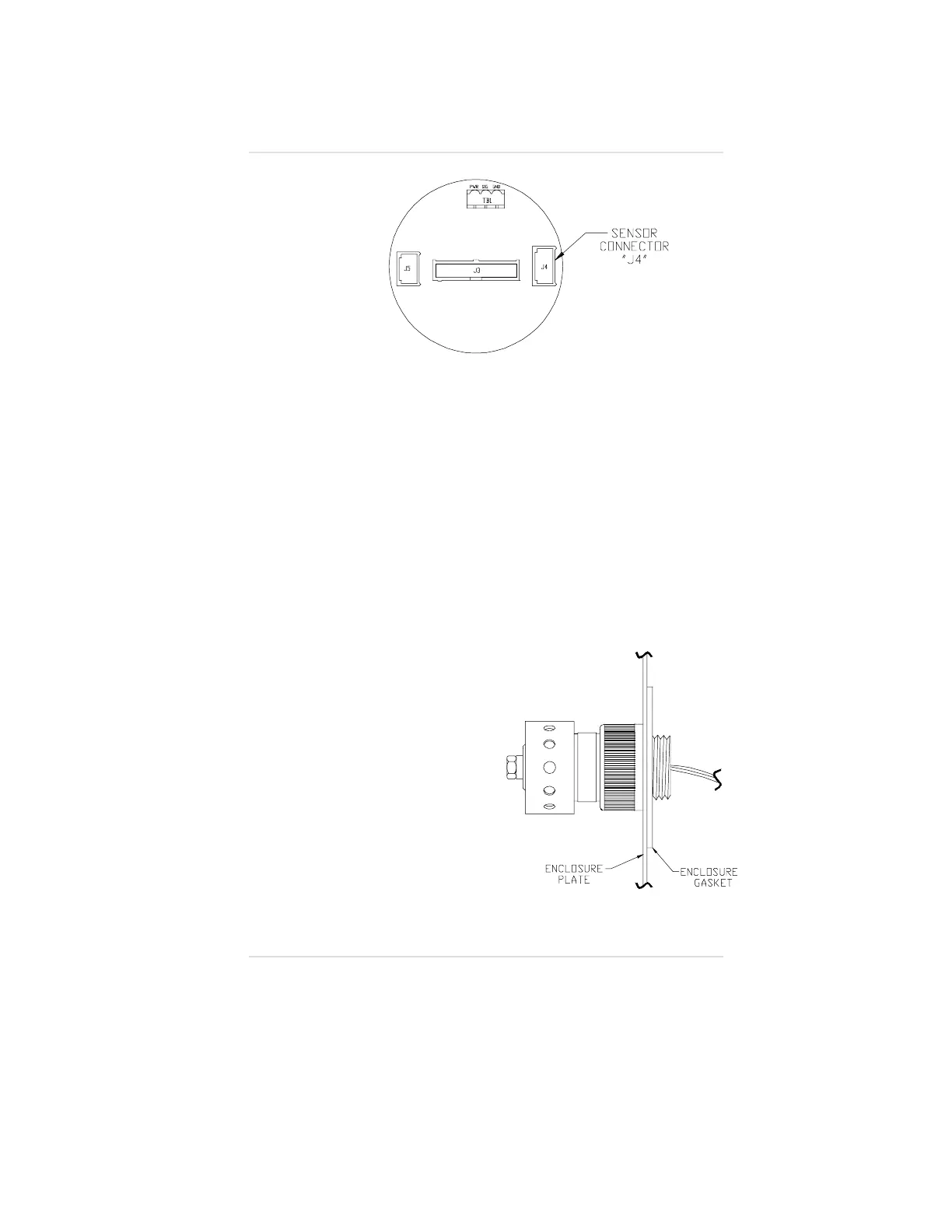
11. Place the enclosure plate
and gasket from the Duct
Mount Kit on the sensor
body threads as shown in
FIGURE A-10.
12. Carefully feed the sensor
wires from the sensor body
back into the module
opening.
13. Using a strap wrench or a
pipe wrench, carefully
screw the sensor body
back into the module.
• Ensure gasket is
centered, not folded
on sensor threads.
Figure A-9.
Toxic or Oxygen Ultima Gas Monitor Termination Board
Figure A-10.
Sensor
Appendix A, Optional Ultima Duct Mount Kit
A-7



 To Next Page