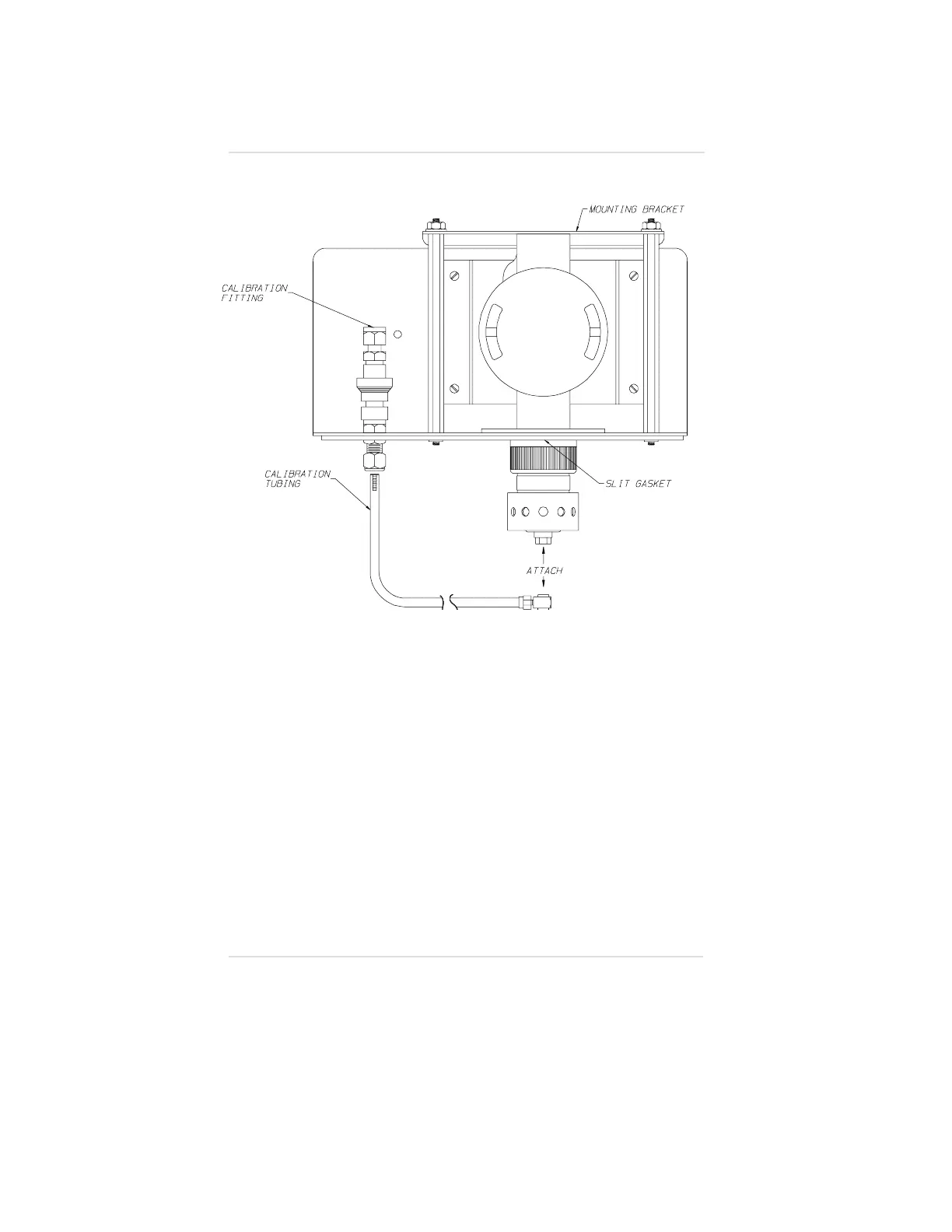
24. Remove the protective paper backing from the gasket found
on the bottom of the Duct Mounting flange.
25. Install the entire assembly on the duct. Use proper fasteners
to secure the Ultima Gas Monitor Duct Mount to the duct.
26. If necessary, tape or seal around the sensor gasket to
prevent leaks.
27. Remove the top half of the calibration fitting and connect it to
your calibration tubing.
• When calibrating, push the calibration fitting into
its mate.
Figure A-15.
Duct Mount and Sensor
Appendix A, Optional Ultima Duct Mount Kit
A-14



 To Next Page