XR21S59 CHU 183
1/2018
113813003
Hooklift Multilift XR21S59 CHU
Service Manual
OK
4.
5.
6.
>>>
>>>
OK
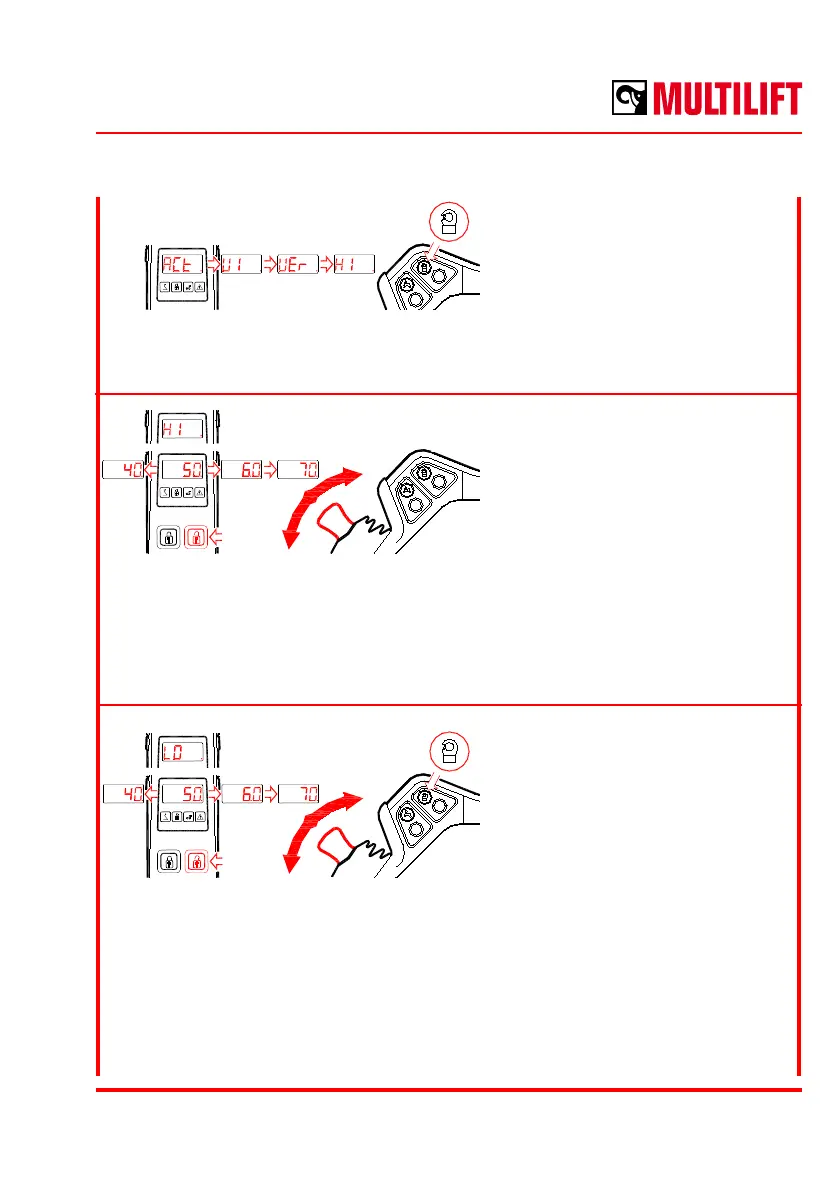
Text “ACt” will be shown in the
display.
Press the hook safety lock button
to scroll down the menu: ACt -> UI
-> UEr -> HI.
When text “HI” is shown wait until a
value is shown.
Move the joystick forwards or
backwards to adjust the active
illumination strength between
0 - 100 %.
When you have the desired illumination level press the top right button (locks open)
to save the value.
Press the hook safety lock button
to show the “LO” in the display and
wait until a value is shown.
Move the joystick forwards or
backwards to adjust the inactive
illumination strength between 0 -
100%.
When you have the desired illumination level press the top right button (locks open)
to save the value.



 To Next Page