Installation ValueCut USER MANUAL
18
VC2E-A-00
Step 4
Position the stand beam perpendicularly to part (1) and put the screws into the holes and tighten them as
Figure 2-5. Then the complete picture of stand will be like Figure 2-4.
Step 5
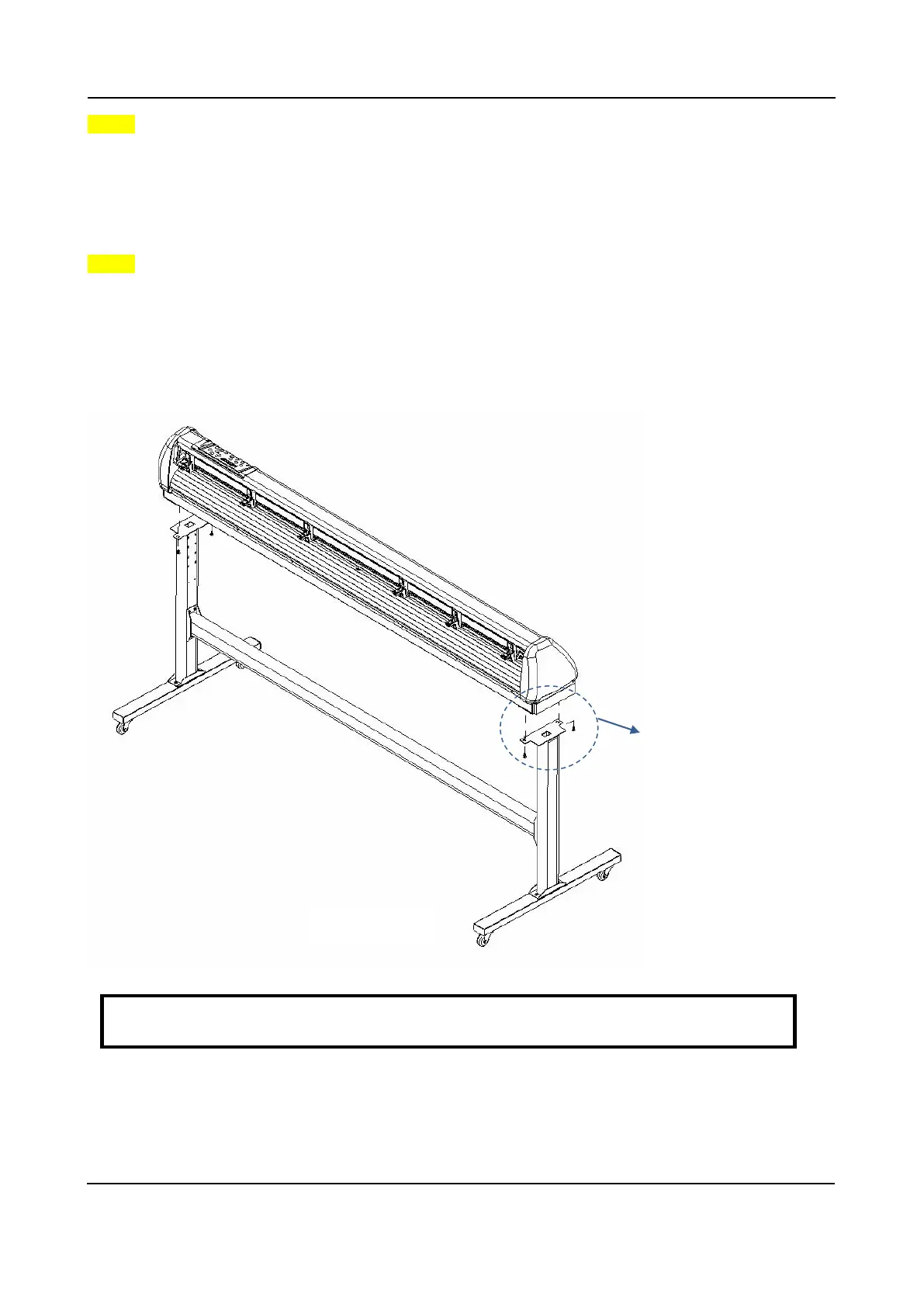
Remove the cutting plotter from the carton. Position your stand under the plotter, on the bottom of the
plotter, there is one hole on each side in the position corresponding to the locating pins, so the locating
pins can be located into the holes. Then insert the screws into the holes on the stand to fix the plotter
and tighten them up as shown in Figure 2-6.
Screw (M6)
Figure 2-6
Note: The cutting plotter needs to be assembled by at least two people.







 To Next Page