20
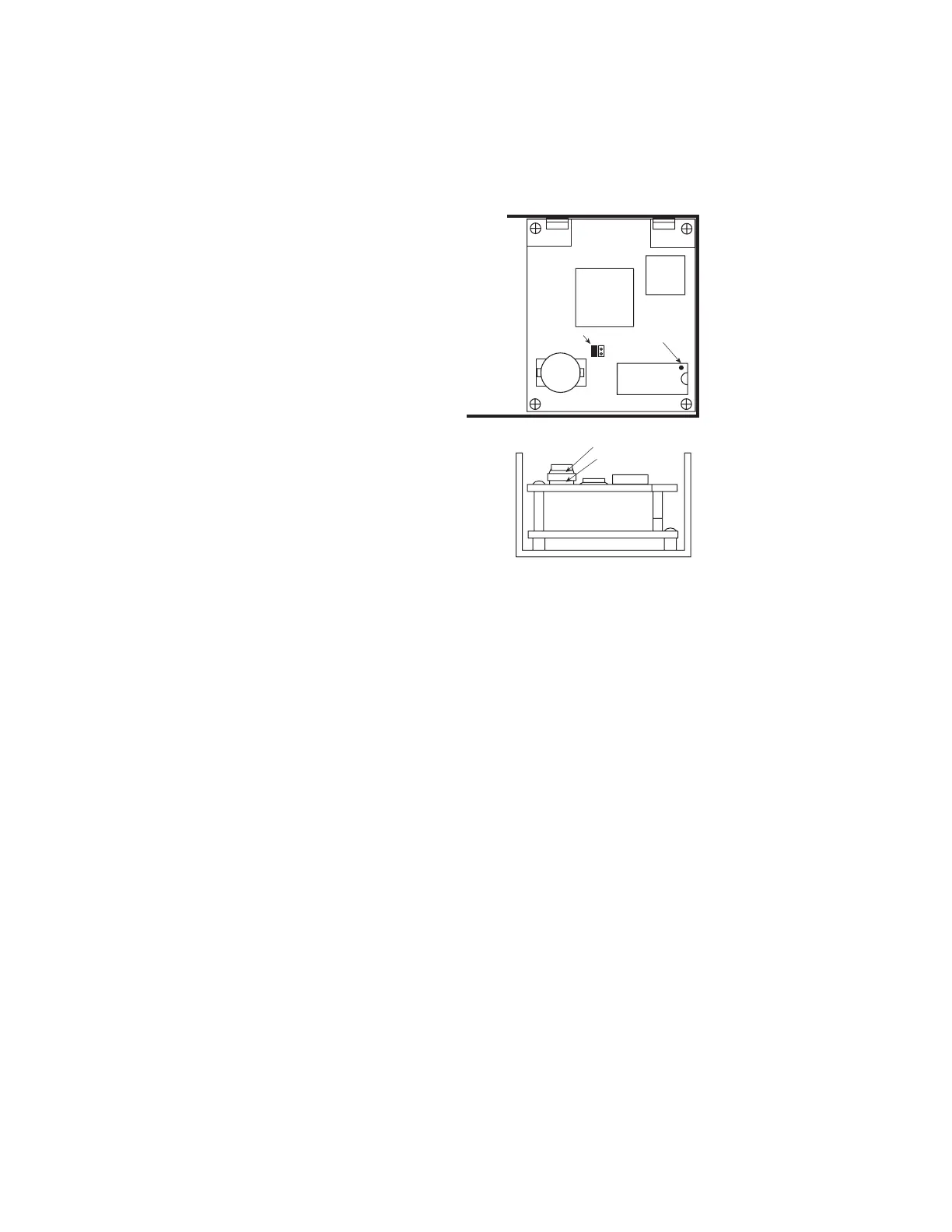
Battery
Jumper
EPROM
Battery
Pry here
NOT here
Pin 1
REPLACING THE EPROM IN YOUR
POWER PRO OR CS02:
From time to time NCE distributes updates
for the Power Pro and CS02 system.
These updates come in the form of an
EPROM chip that replaces the existing
EPROM in your command station.
Follow the steps below to install a new
EPROM.
1. Unplug all cables from the front of the
Power Pro (to make sure the power is
off).
2. Remove the 4 cover screws from the
Power Pro and slide off the cover.
3. Pry the EPROM straight up from the
socket with a small flat blade screwdriver.
Be sure to pry only under the chip and
not the socket it is mounted in.
4. Carefully bend the leads of the new
EPROM until they are straight down the
sides of the EPROM to line up with the
socket holes.
5. Insert the new EPROM into the socket
being careful to get pin 1 into the correct
hole. Pin 1 is indicated on the chip by a
“half moon” cutout in the end of the chip.
6. Examine the installation to ensure all 28 pins have engaged the socket correctly.
7. Replace the cover (angled edge goes toward the front of the Power Pro) and its 4
retaining screws.
BATTERY
A battery back-up is provided to allow the Power Pro to remember Cab assignments,
consists, etc. when the power is turned off. The battery should be replaced with CR-
2032 3 VOLT LITHIUM in about 5 years. The battery should be replaced with the power
on if you wish to retain all system settings. Be careful to not DROP the battery on active
circuitry if you replace it with the power on. We put a scrap of notepaper over the lower
circuit board(s) to prevent shorts if we accidentally drop the battery while changing it.
BATTERY CONNECT JUMPER
With the jumper installed the battery is on. Should the operator want to reset the
Command Station to “FACTORY SETTINGS” remove the jumper, cycle the power to the
Command Station OFF, then ON. All changes have now been cleared. Now re-install the
jumper. If you leave the jumper off the command station will not remember any of its
settings after you turn the power off.



 To Next Page