Terminal Web Interface
User Manual for the Satellite Terminal
version 3.0
20
3.7.2.4 Edit the Satellite Interface Configuration
Click on
in the Web Interface > View Satellite Configuration Interface
as shown in Figure 19;
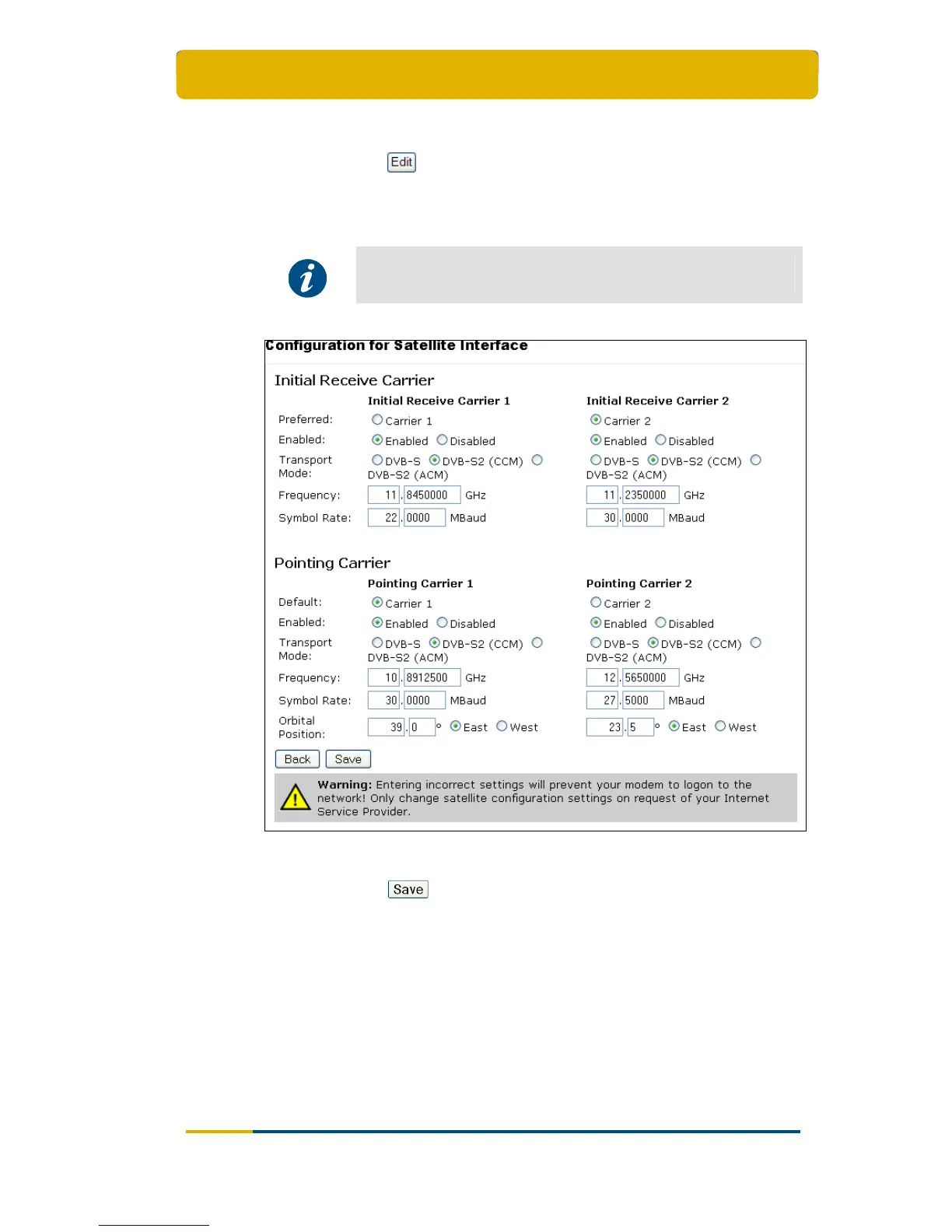
Edit the parameters to be changed and as described in Figure 20;
An initial receive carrier setting or pointing carrier setting can only
be enabled if the frequency of the configuration is filled in.
Figure 20 - Web Interface > Edit Configuration Satellite Interface
Click on in the Web Interface > Edit Configuration Ethernet interface
(Figure 20) to save the new settings;
The satellite interface configuration is now saved and the changes in the
configuration are displayed.



 To Next Page