Terminal Web Interface
User Manual for the Satellite Terminal
version 3.0
23
3.7.3.3 Edit the Multicast Configuration
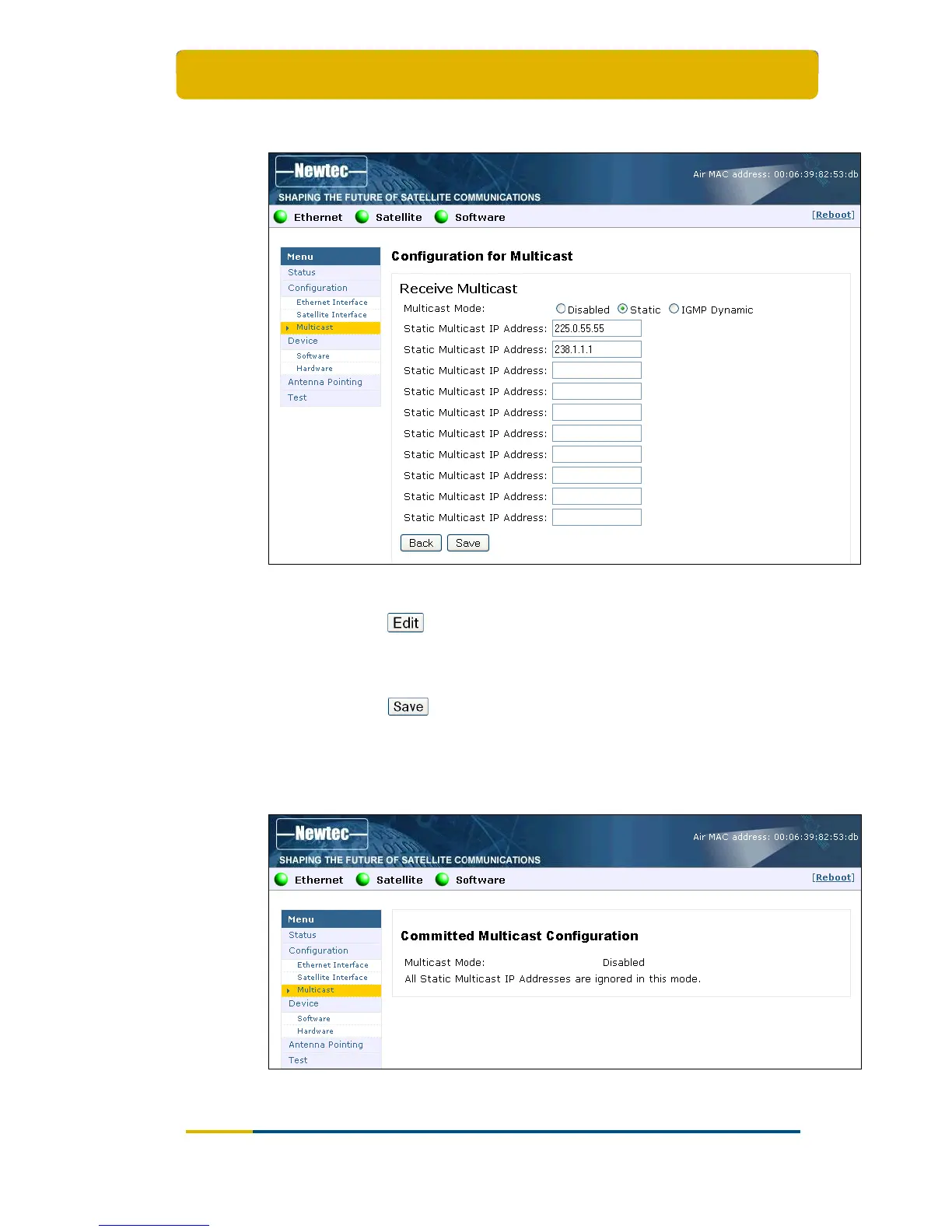
Figure 24 – Web Interface > Edit Multicast Configuration
Click on in the Web Interface > View Multicast configuration (Figure
23) to Change the Ethernet Settings;
Edit the parameters to be changed;
Click on
in the Web Interface > Edit Multicast configuration (Figure
24) to save the new settings.
The Multicast configuration is now saved!
The response screen for a Disabled Multicast configuration:
Figure 25 – Web Interface > Confirmation of Disabled Multicast Configuration



 To Next Page