Terminal Web Interface
User Manual for the Satellite Terminal
version 3.0
25
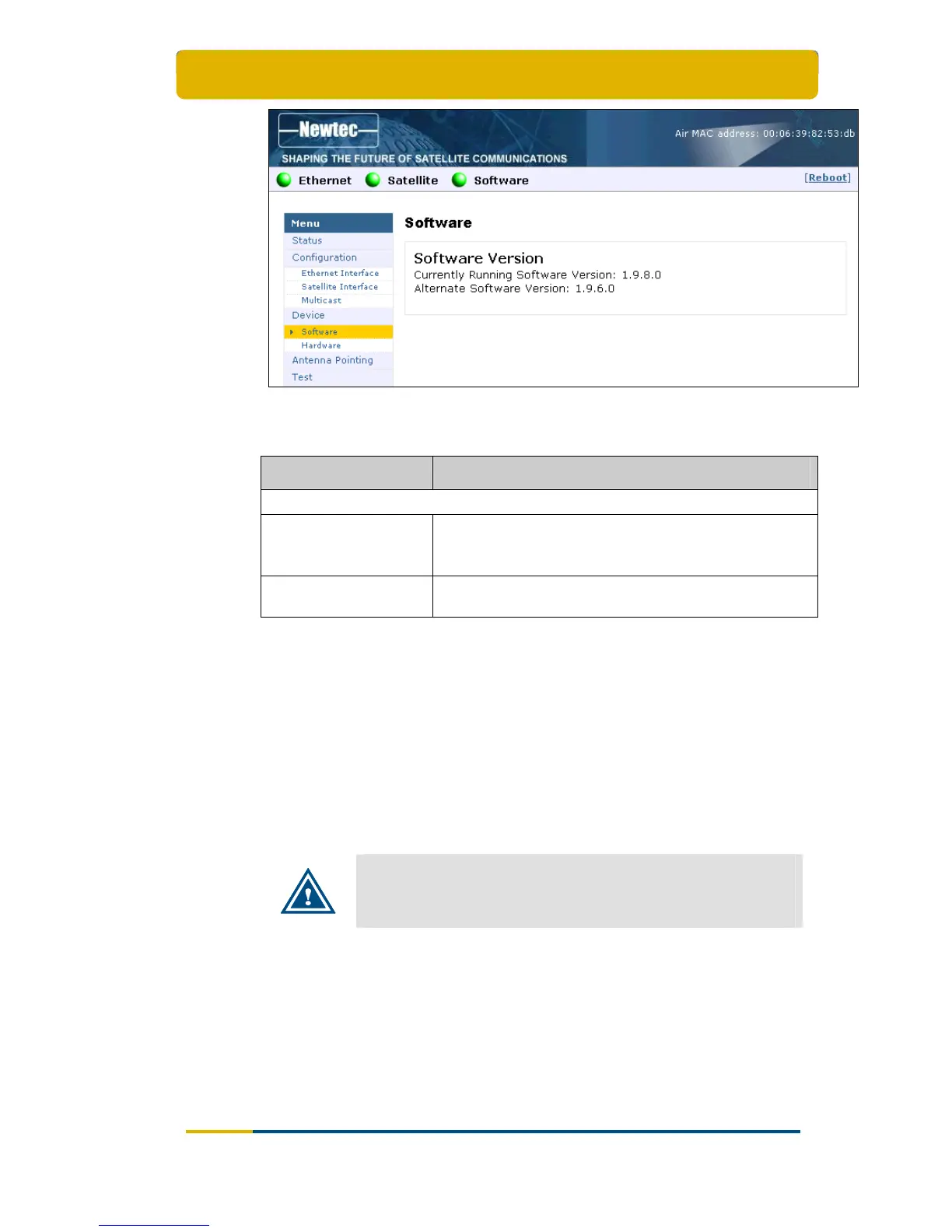
Figure 27 - Web Interface > View Software Configuration
Table 15 gives a description of the parameters in the Software menu:
Parameter Description
Software version
Currently Running
Software Version
The currently installed software version is displayed.
When an alternate software version is available, you will
be provided with a link Try Alternate Version.
Alternate Software
Version
Only displayed when an alternative software version is
present.
Table 15 - Software Page
3.8.1.2 Software Upgrade
A newly installed software version must pass an automatic software validation
procedure. When this software validation process fails, the old software version
remains in use. The passive memory bank now contains a newer software version
that did not pass the validation process. In this case, the user has the possibility to
re-trigger the validation process. This situation can occur when a user turns off his
IPmodem during the validation process or when satellite connectivity was not
possible to establish during the validation process.
It is possible that the terminal performs a software update during
the first logon. This process can take up to ten minutes. You may
NOT interrupt the terminal yourself during this period by e.g.
rebooting or powering down.



 To Next Page