Terminal Web Interface
User Manual for the Satellite Terminal
version 3.0
26
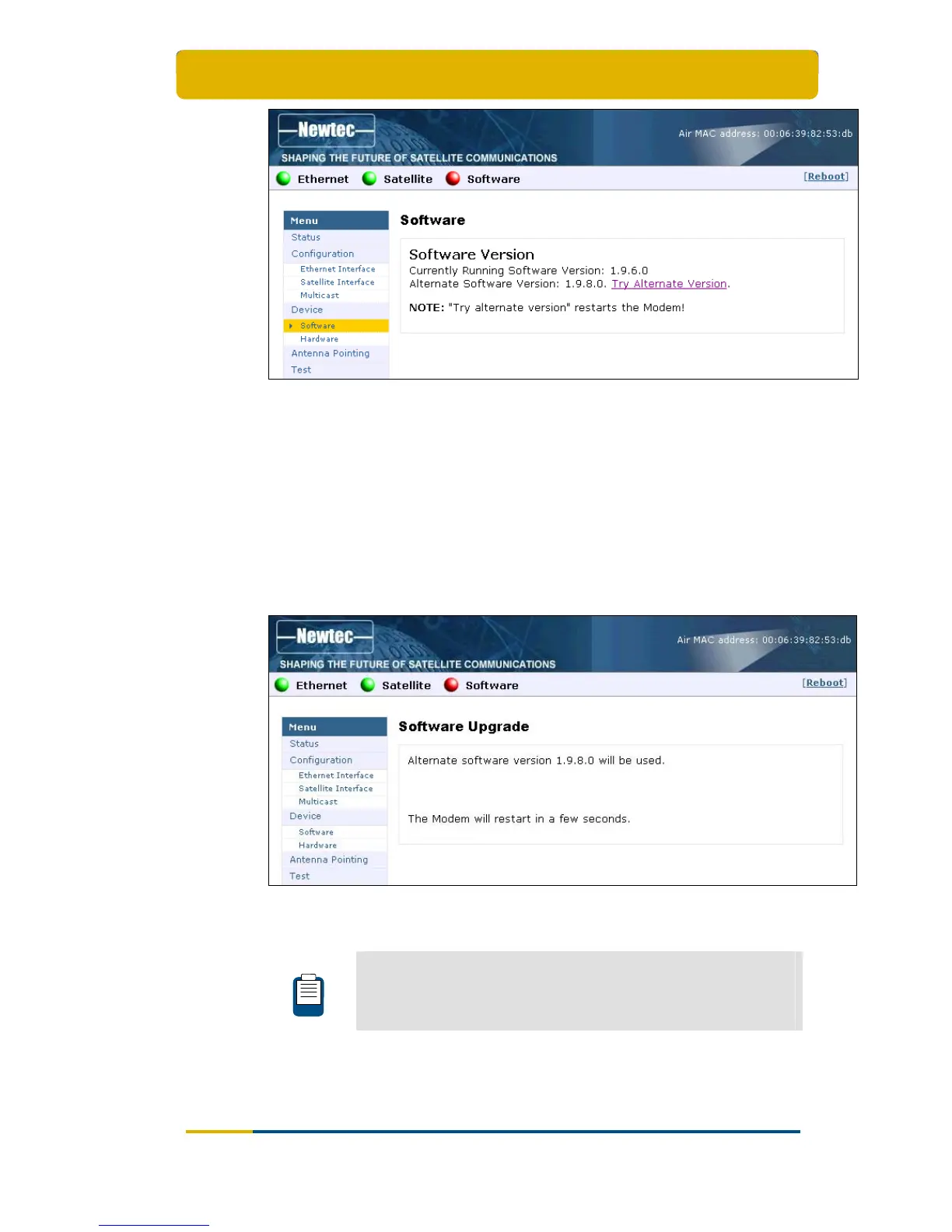
Figure 28 - Web Interface > Software (Alternate Version)
To re-trigger the validation process:
Click the link Try Alternate Version;
The Software Upgrade page will be displayed indicating the new software version
number (see below).
If the web interface doesn’t refresh automatically, navigate back to the
Status page.
A total reboot, including satellite link initialisation might take up to 10 minutes.
Figure 29 - Web Interface > Software Upgrade Confirmation
When a newer version is present and validation fails, the software
LED is red.
Refer to section 3.5 for more information on the meaning of the
software status LEDs.



 To Next Page