Copyright © 2011 NEXCOM International Co., Ltd. All Rights Reserved.
70
NSA 5130 User Manual
Chapter 4: BIOS Setup
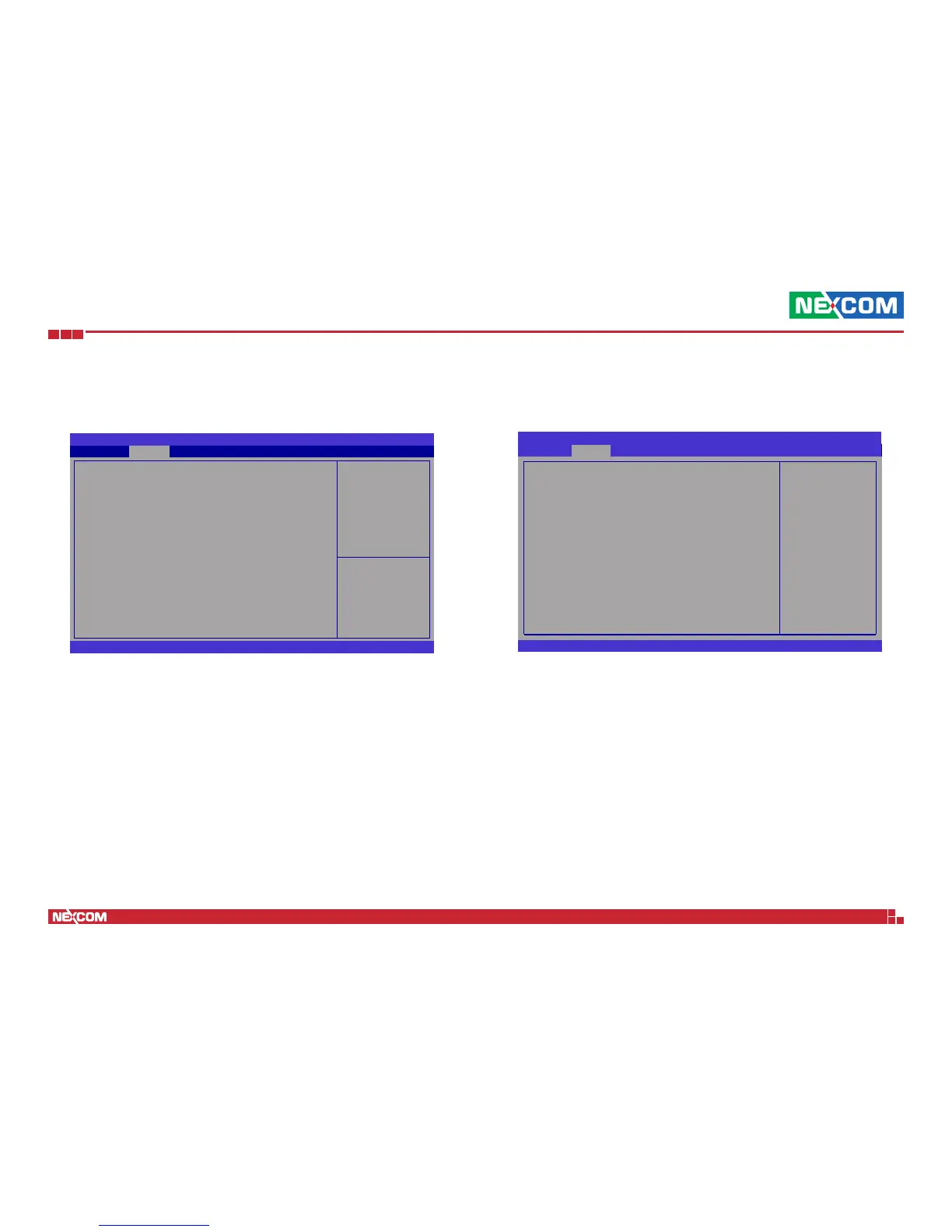
Acoustic Management Configuration
This section is used to configure the intelligent power sharing function.
BIOS SETUP UTILITY
Version 2.11.1210. Copyright (C) 2011 American Megatrends, Inc.
Acoustic Management Conguration
Automatic Acoustic Management
SATA Port 1
ST3160813AS
Acoustic Mode
Advanced
[Disabled]
[Not Available]
→ ←: Select Screen
↑↓: Select Item
Enter: Select
+/
-:
Change Opt.
F1: General Help
F2: Previous Values
F3: Optimized Defaults
F4: Save ESC: Exit
Option to Enable or
Disable Automatic
Acoustic Management
Automatic Acoustic Management
Enables or disables the automatic acoustic management.
Acoustic Mode
Configures the acoustic mode.
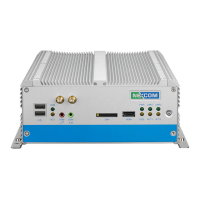
Intel TXT(LT) Configuration
This section is used to configure the Intel TXT(LT).
Version 2.11.1210. Copyright (C) 2011 American Megatrends, Inc.
→ ←: Select Screen
↑↓: Select Item
Enter: Select
+
-:
Change Opt.
F1: General Help
F2: Previous Values
F3: Optimized Defaults
F4: Save & Exit
ESC: Exit
Aptio Setup Utility - Copyright (C) 2008 American Megatrends, Inc.
Advanced
Intel Trusted Execution Technology Conguration
Intel TXT support only can be enabled/disabled if SMX
is enabled. VT and VT-d support must also be enabled
prior to TXT.
Secure Mode Extensions (SMX)
Intel TXT(LT) Support
[Enabled]
[Disabled]
Secure Mode Extensions (SMX)
Enables or disables Secure Mode Extensions.
Intel TXT(LT) Support
Enables or disables Intel TXT(LT).


 To Next Page