Copyright © 2011 NEXCOM International Co., Ltd. All Rights Reserved.
38
NSA 5130 User Manual
Chapter 3: System Setup
Installing the CPU
• Before you proceed, make sure (1) the CPU socket comes with
a protective cap, (2) the cap is not damaged and (3) the socket’s
contact pins are not bent.
• Make sure all power cables are unplugged before you install the
CPU.
• The CPU socket must not come in contact with anything other
than the CPU. Avoid unnecessary exposure. Remove the protec-
tive cap only when you are about to install the CPU.
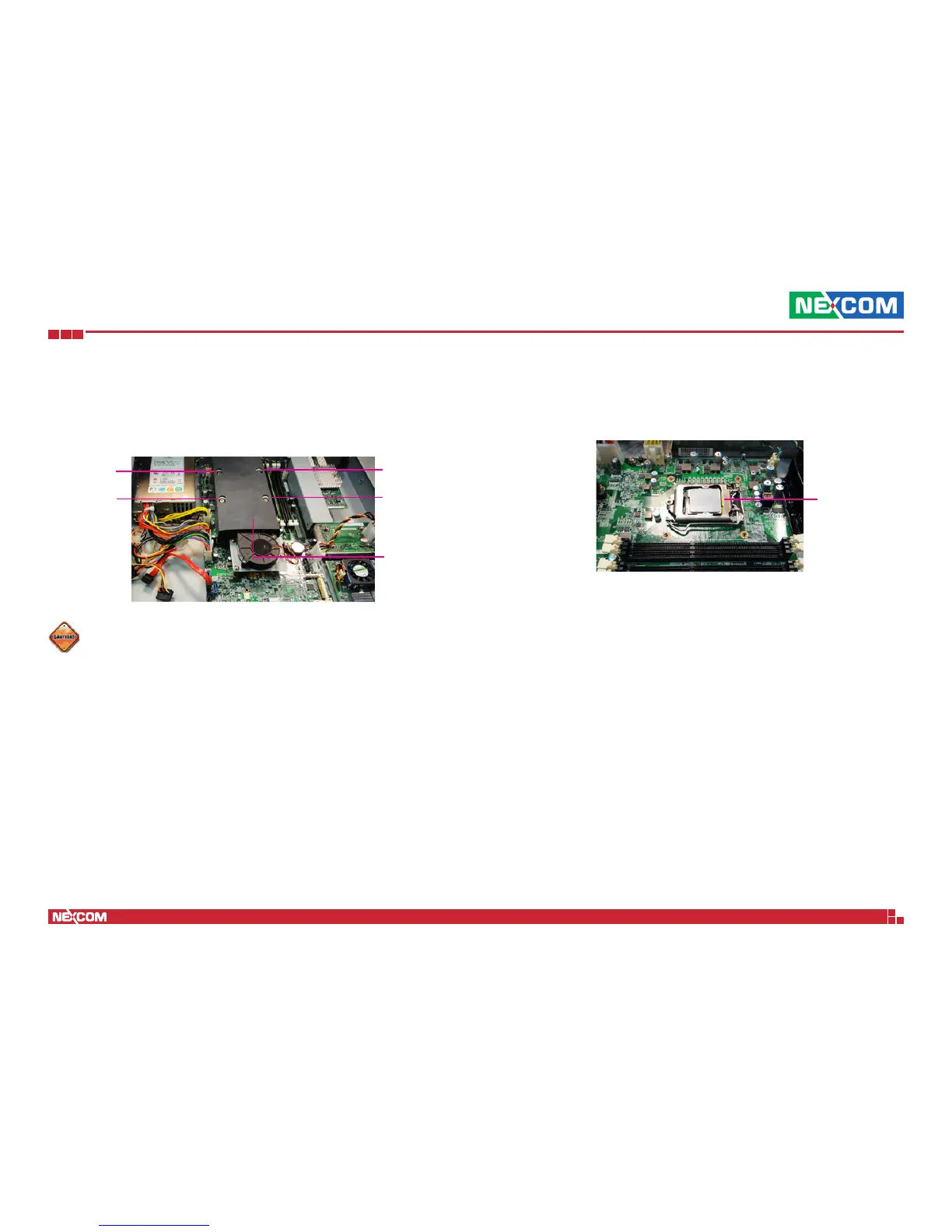
Heat sink
Mounting
screw
2. Remove the heat sink to access the CPU socket.
CPU
socket
1. If the system came with the heat sink already installed, loosen the
mounting screws that secure the heat sink to the board.
Mounting
screw
Mounting
screw
Mounting
screw


 To Next Page