Copyright © 2011 NEXCOM International Co., Ltd. All Rights Reserved.
80
NSA 5130 User Manual
Chapter 4: BIOS Setup
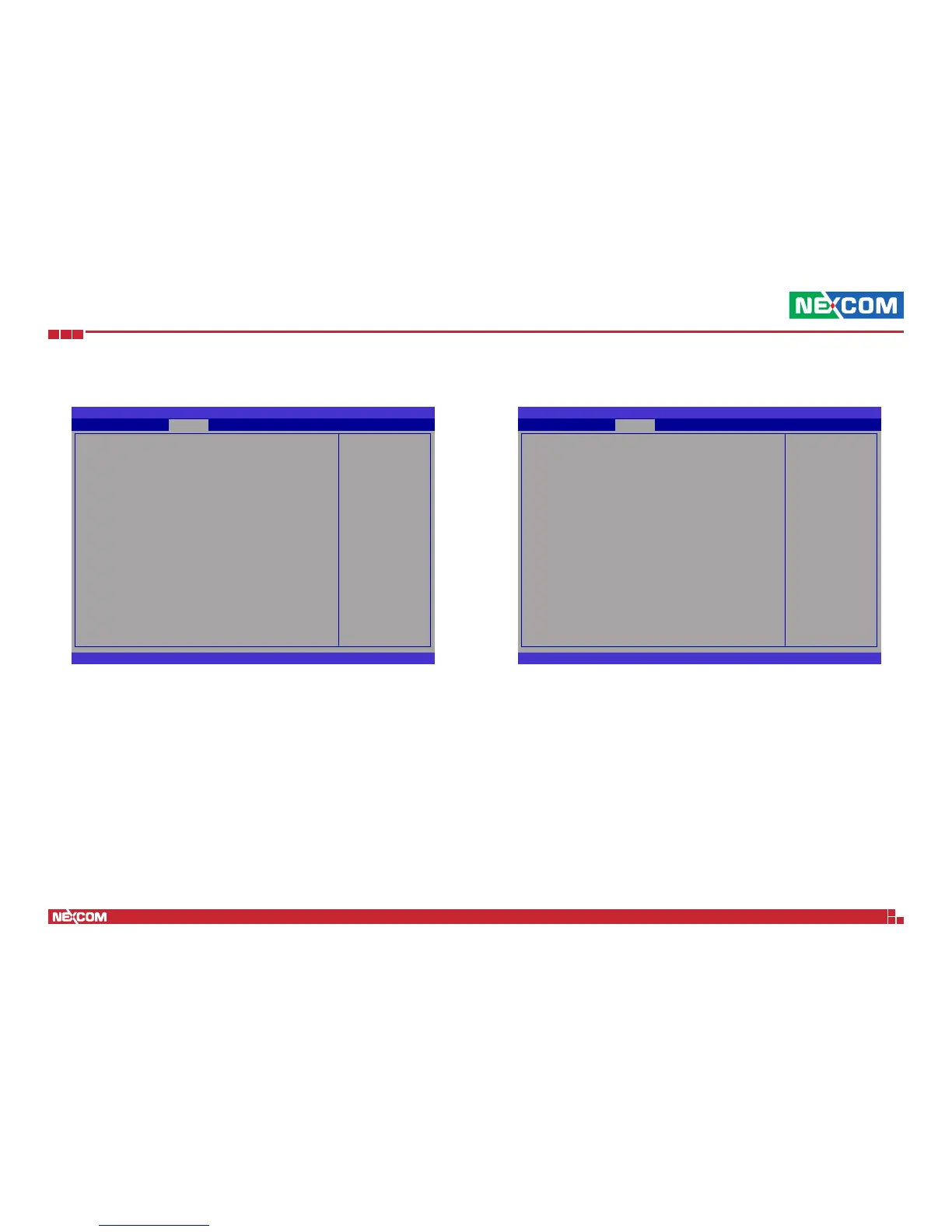
USB Configuration
BIOS SETUP UTILITY
Version 2.11.1210. Copyright (C) 2011 American Megatrends, Inc.
← → Select Screen
↑↓ Select Item
+- Change Option
F1 General Help
F10 Save and Exit
ESC Exit
USB Conguration
All USB Devices [Enabled]
EHCI Controller 1 [Enabled]
EHCI Controller 2 [Enabled]
USB Port 0 [Enabled]
USB Port 1 [Enabled]
USB Port 2 [Enabled]
USB Port 3 [Enabled]
USB Port 4 [Enabled]
USB Port 5 [Enabled]
USB Port 6 [Enabled]
USB Port 7 [Enabled]
USB Port 8 [Enabled]
USB Port 9 [Enabled]
USB Port 10 [Enabled]
USB Port 11 [Enabled]
USB Port 12 [Enabled]
USB Port 13 [Enabled]
Chipset
Enabled/Disabled All
USB Devices
All USB Devices
Enables or disables USB devices.
EHCI Controller 1 and EHCI Controller 2
Enables or disables the the USB 2.0 (EHCI) support.
ME Subsystem
BIOS SETUP UTILITY
Version 2.11.1210. Copyright (C) 2011 American Megatrends, Inc.
← → Select Screen
↑↓ Select Item
+- Change Option
F1 General Help
F10 Save and Exit
ESC Exit
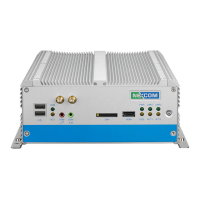
Intel ME Subsystem Conguration
ME Version 7.1.10.1065
ME Subsystem [Enabled]
ME Temporary Disable [Disabled]
End of Post Message [Enabled]
Execute MEBx [Enabled]
MEBx Mode [Normal]
u
Integrated Clock Chip Conguration
Chipset
ME Subsystem
ME Subsystem
Enables or disables the ME subsystem.
ME Temporary Disable
Enables or disables the ME temporary disable.
End of Post Message
Enables or disables the end of post message.


 To Next Page