Copyright © 2011 NEXCOM International Co., Ltd. All Rights Reserved.
73
NSA 5130 User Manual
Chapter 4: BIOS Setup
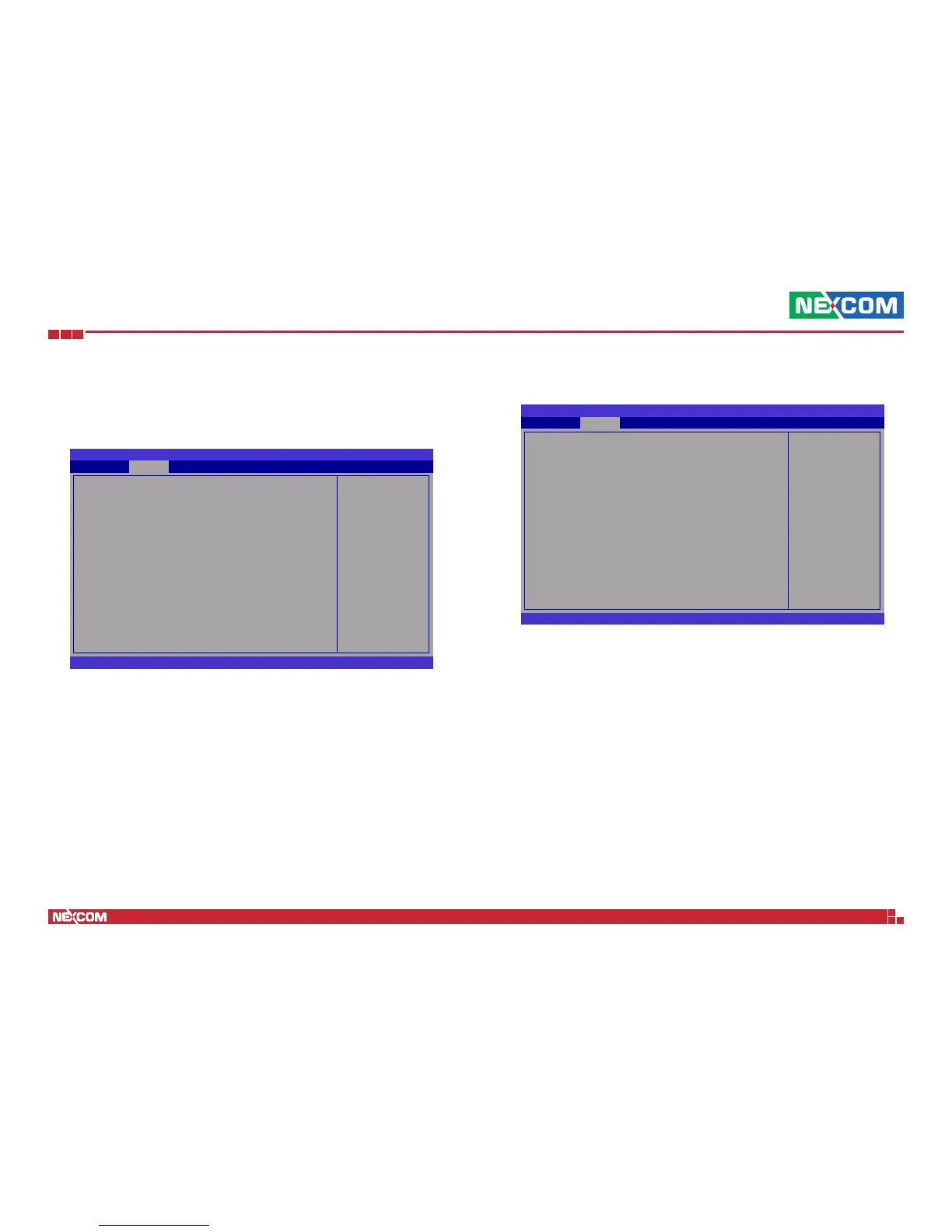
Super IO Configuration
This section is used to configure the I/O functions supported by the on-
board Super I/O chip.
Set Parameters of Serial
Port 0 (COMA)
BIOS SETUP UTILITY
← → Select Screen
↑↓ Select Item
+
-
Change Option
F1 General Help
F10 Save and Exit
ESC Exit
Super IO Conguration
Super IO Chip NCT6776F
u
Serial Port 0 Conguration
u
Serial Port 1 Conguration
u
Parallel Port Conguration
Advanced
Version 2.11.1210. Copyright (C) 2011 American Megatrends, Inc.
Serial Port
Enables or disables the serial port.
Change Settings
Selects the optimal setting for the Super IO device.
Device Mode
Selects the serial port mode.
Enable or disable Serial
Port (COM)
BIOS SETUP UTILITY
← → Select Screen
↑↓ Select Item
+
-
Change Option
F1 General Help
F10 Save and Exit
ESC Exit
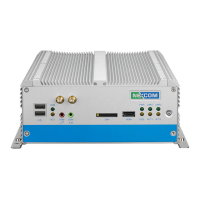
Serial Port 0 Conguration
Serial Port [Enabled]
Device Settings IO=3F8h; IRQ=4
Change Settings [Auto]
Device Mode [Standard Serial Port]
Advanced
Version 2.11.1210. Copyright (C) 2011 American Megatrends, Inc.
Serial Port 0 Configuration and Serial Port 1 Configuration


 To Next Page