Copyright © 2011 NEXCOM International Co., Ltd. All Rights Reserved.
51
NSA 5130 User Manual
Chapter 3: System Setup
Replacing the LAN Module
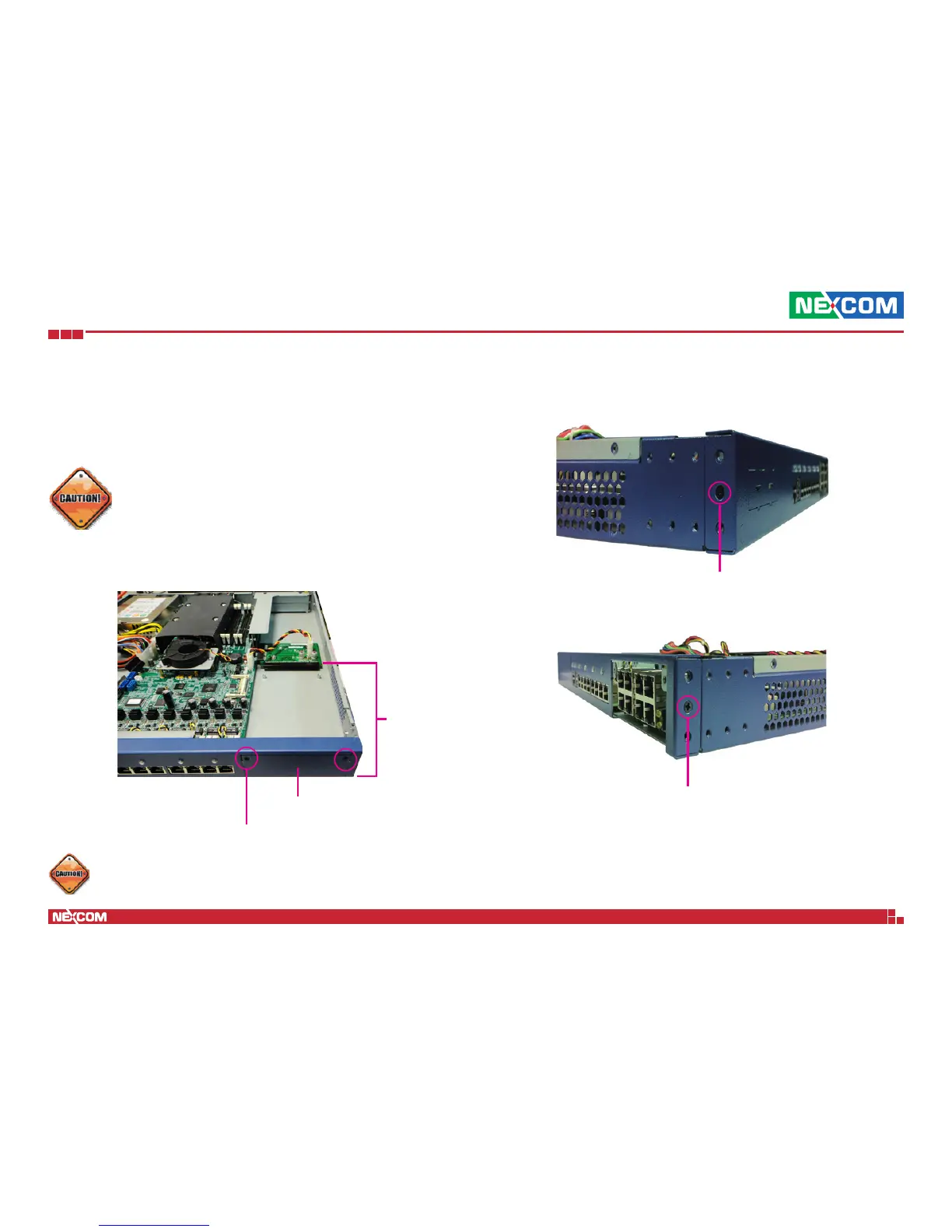
The system is equipped with 1 LAN module bay. To remove and replace the
LAN module, please follow the instructions below.
Cover plate
LAN module
bay
Mounting screw
Mounting screw
Mounting screw
Please correctly follow the below instructions and noted items
to avoid making unnecessary damages. Make sure the power
supply is switched off and disconnected from the power
sources before replacing or adding LAN modules to prevent
electric shock or system damage.
1. Remove the mounting screws on the cover plate of the LAN module.
2. On each side of the chassis, remove the mounting screws securing the
front panel.
Only plug approved mini-GBIC module into the slot.


 To Next Page