Copyright © 2011 NEXCOM International Co., Ltd. All Rights Reserved.
52
NSA 5130 User Manual
Chapter 3: System Setup
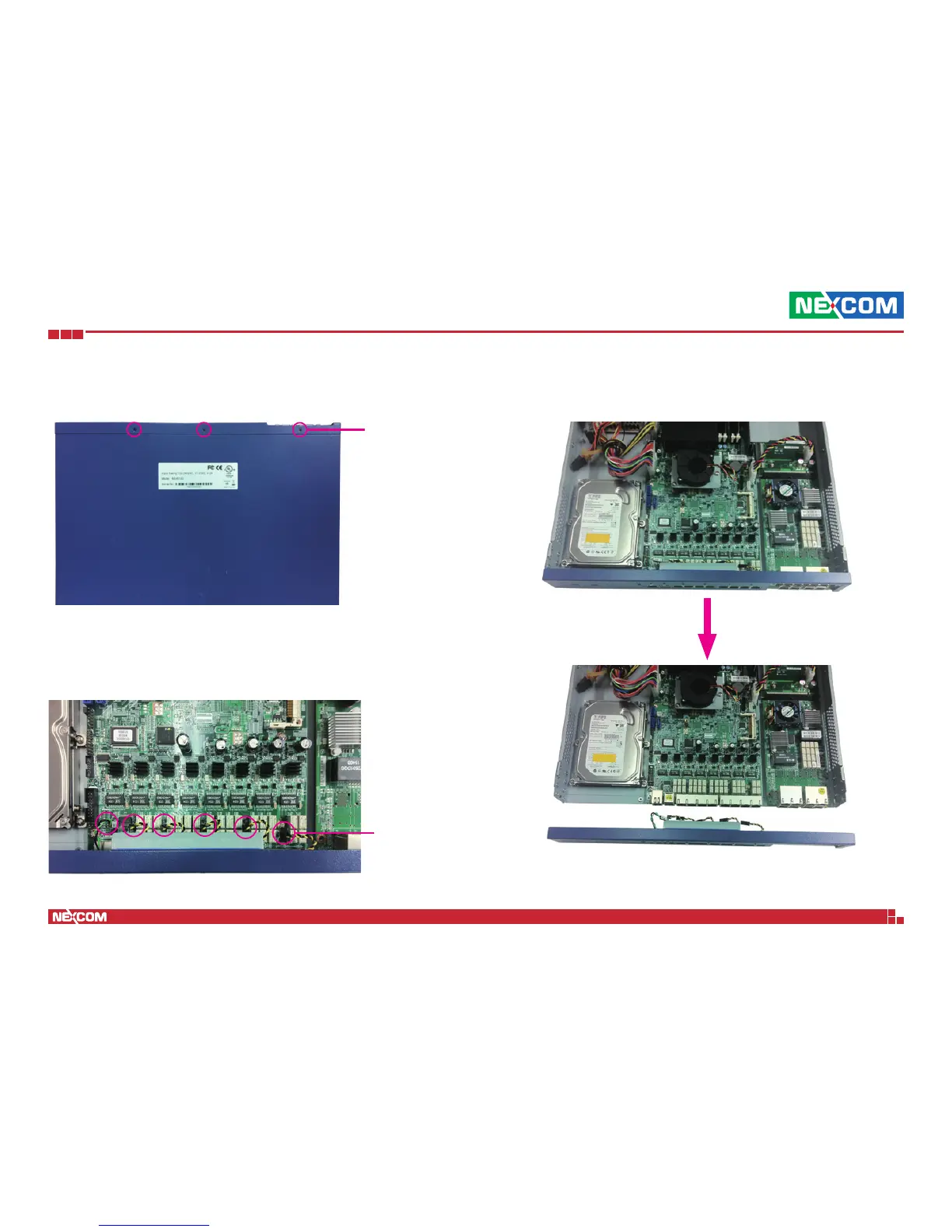
3. Turn to the bottom of the chassis and lay it against a stable surface.
Remove the mounting screws on the bottom of the front panel.
4. Once all the mounting screws are removed, lay the chassis back down
and unplug all the LED connectors behind the front panel.
5. Grab both ends of the front panel, and gently pull it outwards from the
chassis.
Mounting
screw
LED
connector


 To Next Page