Doc# E107706 6 - 5
6: Using the External Displays
Electro Industries/GaugeTech
The Leader In Power Monitoring and Smart Grid Solutions
Electro Industries/GaugeTech
The Leader In Power Monitoring and Smart Grid Solutions
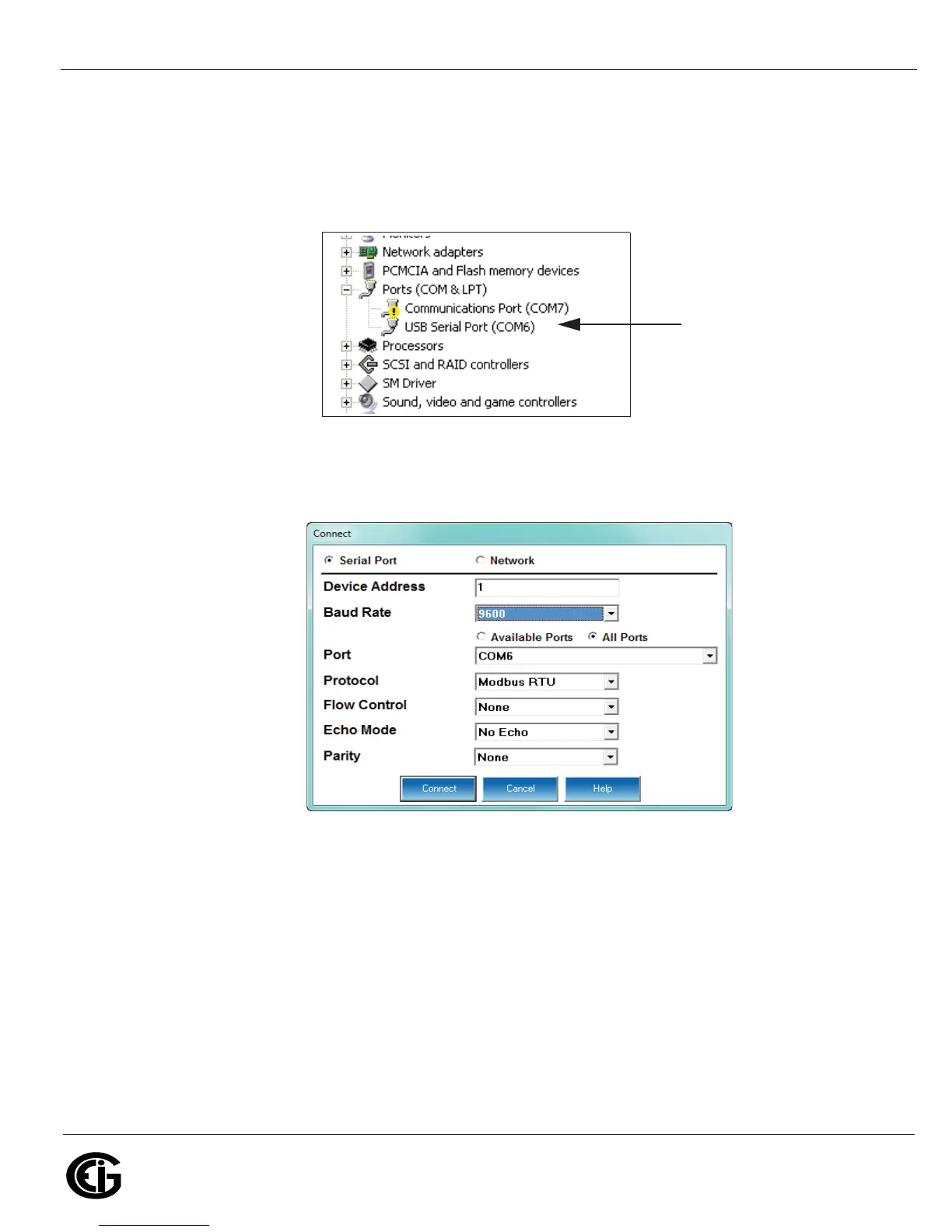
e. Click the plus sign next to Ports (COM & LPT). The COM ports are displayed. Note
the COM number for the USB Serial Port. This is the number you will use to
connect to the P40N+ through Communicator EXT
TM
software. See the figure
below.
2. Open Communicator EXT
TM
software and click the Connect icon in the Icon bar.
See the screen shown below.
3. Click the Serial Port button if it’s not already selected.
4. Set the Baud Rate to 9600. (It uses 9600 because it shares an existing Com port
for displayed readings.)
5. Click the Available Ports button and select the USB COM Port number from the
drop-down list.
6. Protocol should be Modbus RTU.
7. Flow Control should be None.


 To Next Page
 Loading...


