F3: System Mode
42-02-2M01 A1 4-57
4
Motion 4000
Passcode Request Menu
The Passcode Request Operation can be used to require password entry to run the car on any
mode of operation other than Inspection.
If a passcode has not been programmed, the Passcode Request Menu will not appear.
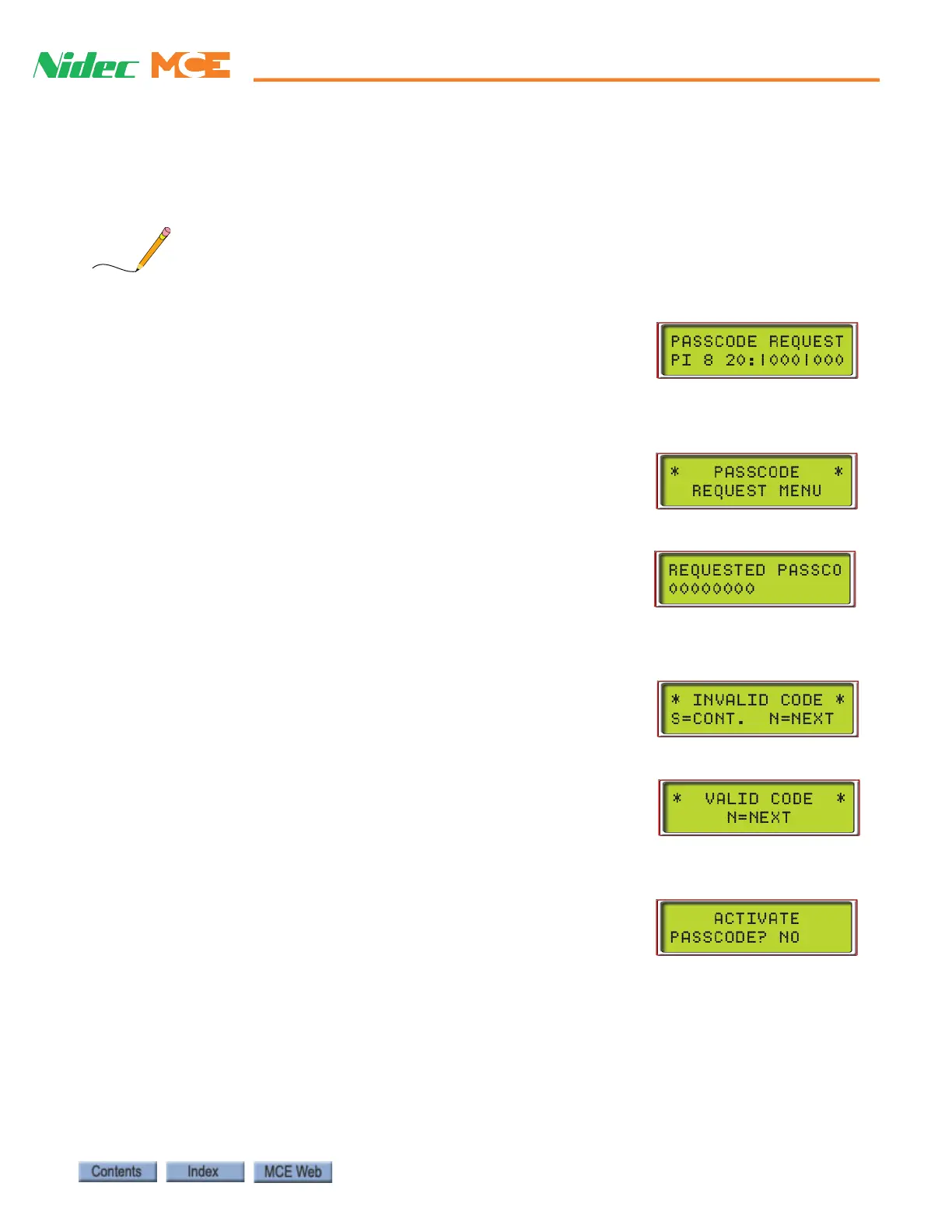
If a passcode has been programmed, the LCD screen will flash the
“PASSCODE REQUEST” message when Passcode Request Opera-
tion is activated.
In order to clear or set the Passcode Request Operation, the controller must first be placed in
System Mode (F3 up, all others down).
• Press N when the display reads “BUILDING SECURITY
MENU.” The Passcode Request Menu will appear:
Entering the Passcode
Press S. If Passcode Request Operation is activated, the following
screen appears:
The first character of the passcode will blink. Use + - to scroll
through numbers 0-9 and letters A-Z for each character. Press N
to advance to the next character position.
Press S to verify the entry is correct. If it is not, the following
screen will appear:
Press S to try again. Press N to exit.
If the correct passcode was entered, the following screen appears:
Press N to exit. The car may now be run on Normal operation
mode.
Activating the Passcode With the Passcode Request
menu displayed, press S. If Passcode Request Operation is not
activated, the following display appears:
• Press S to toggle from “NO” to “YES.”
• Press N with “YES” displayed to activate Passcode Request
Operation and exit this screen. With Passcode Request Oper-
ation activated, the passcode must be entered in order to run the car on any mode of oper-
ation other than Inspection.
• Press N with “NO” displayed to exit with Passcode Request inactive.













 To Next Page