文件编号:NR-TP-0715-008 版本:1.0
- 12 -
On: The monitor has been connected to AC adaptor
Off: The monitor has not been connected to AC adaptor
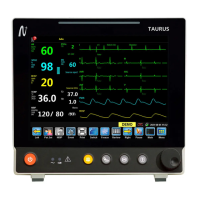
4. Silence key(④): Press this key to turn off/resume the alarm sound of the system.
5. Freeze key or print key(⑤):
Presss this key to start/stop printing waveform or data.
Press this key to freeze / unfreeze the wave.
6. NIBP measurement start / stop key(⑥): Press this key to start / stop the measurement of
non-invasive blood pressure.
7. Admitting patient or menu(⑦)
Admitting a patient key: Press to pop-up quick admitting patient menu.
Menu: Press to pop-up “menu”
8. Display(⑧)
9. Shuttle(⑨)
Shuttle can be used to perform the following operations:
Rotate: Rotate clockwise or counterclockwise to move the focus.
Press: Press the knob to perform an action, such as access to a menu or execute a
command.
10. Alarm indicator(⑩)
The alarm indicator indicates the levels of physiological alarms and technical alarms in
different colors and flashing frequencies:
High: red, fast flashes
Medium: yellow, slow flashes
Low: yellow, lit without flashing.


 To Next Page