文件编号:NR-TP-0715-008 版本:1.0
- 51 -
Note
If there is any question of measurement value, please repeat measurement then get
average value, if the average value is not correct, please change to mechanical
blood pressure measurement equipment.
Please use neonate cuff to measure on neonate patient.
10.4.3 Starting / Stopping Measurement
Use the buttons on the monitor panel or [NIBP] smart hotkey on the display to
start / stop the blood pressure measurement.
10.4.4 Correcting Measurement Results
The position of limb blood pressure measurement should be in the same horizontal position
of the patient's heart. Otherwise, correct the measurement results with the following
correction method:
If the cuff is above the heart level position, increase 0.75mmHg (0.10kPa) per
centimeter of gap to the measured results.
If the cuff is below the heart level position, subtract 0.75mmHg (0.10kPa) per
centimeter of gap from the measured results.
If the patient is obese or clothes are too thick, subtract 5mmHg ~ 10mmHg (0.65kPa ~
1.3kPa) from the measured results.
10.5 NIBP Display
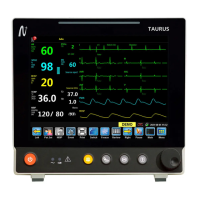
NIBP measurement has no waveform display, and only displays NIBP measurement results in
the parameter area, as shown in Fig. 11-1. The figure below is for reference only. The
graphics displayed on the monitor may be slightly different.


 To Next Page