文件编号:NR-TP-0715-008 版本:1.0
- 62 -
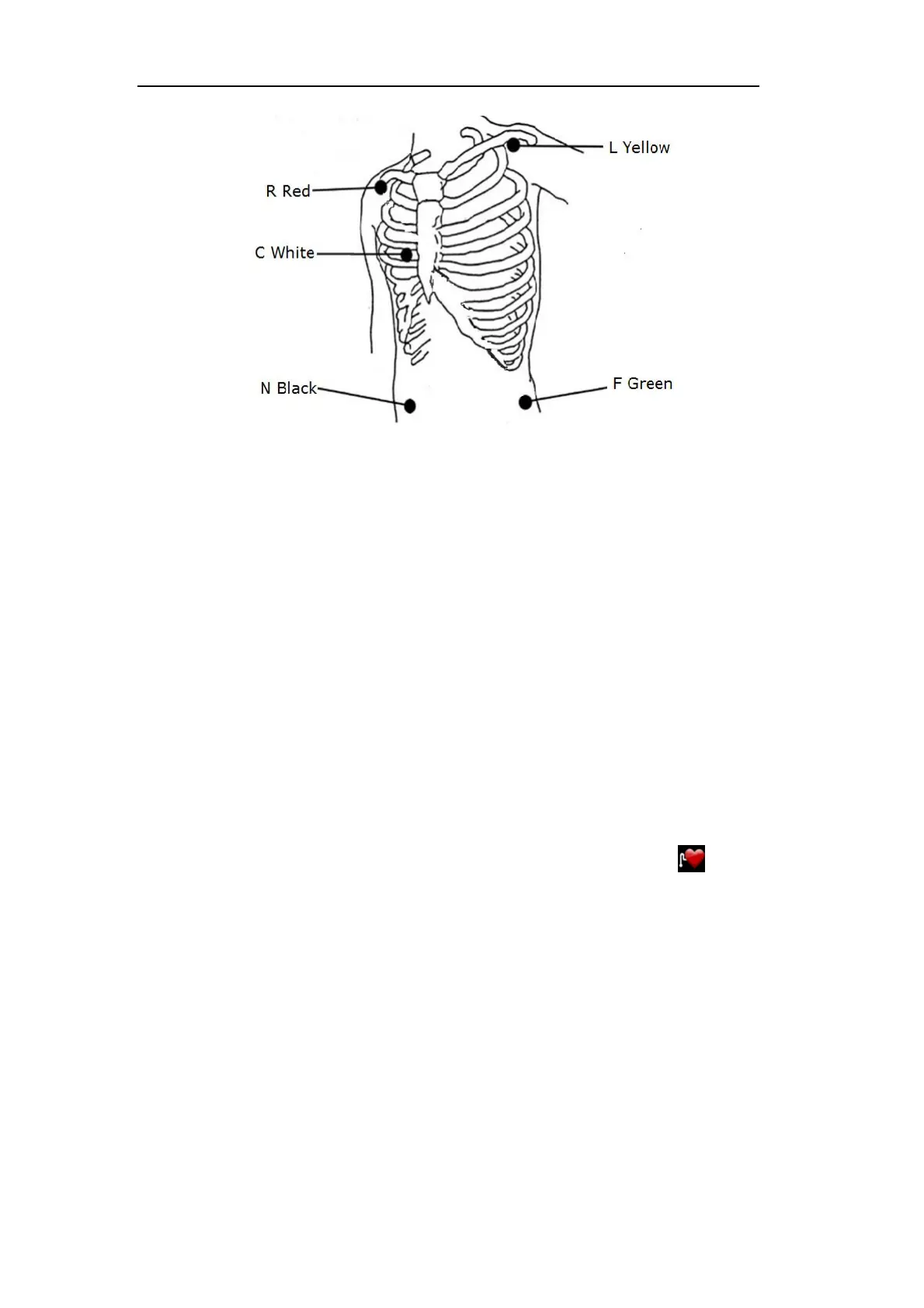
Fig. 7-2 European 5-lead Connection Method
Notes
To ensure patient safety, all leads must be connected to the patient.
If the electrodes are attached correctly, but the ECG wave is not accurate, then
replace the lead.
Interference from ungrounded instrument near the patient and ESU interference
may cause wave problems.
12.3.5 Checking the Pacemaking Status
Before ECG monitoring, it is very important to set the pacemaking state of the patient
properly. If the patient has a pacemaker, set [Paced] to [Yes], and the icon displays in
the patient information area. When the system detects a pacing signal, the “┃”symbol will be
marked in the top of the ECG wave.
You can change the pacing state in the following method:
Select the patient information area to pop up the [Patient Info] menu;
Select [Yes] / [No] for [Paced] as needed, indicating that the patient with or without
pacemaker


 To Next Page