文件编号:NR-TP-0715-008 版本:1.0
- 11 -
3.2 Master Unit
3.2.1 Front View
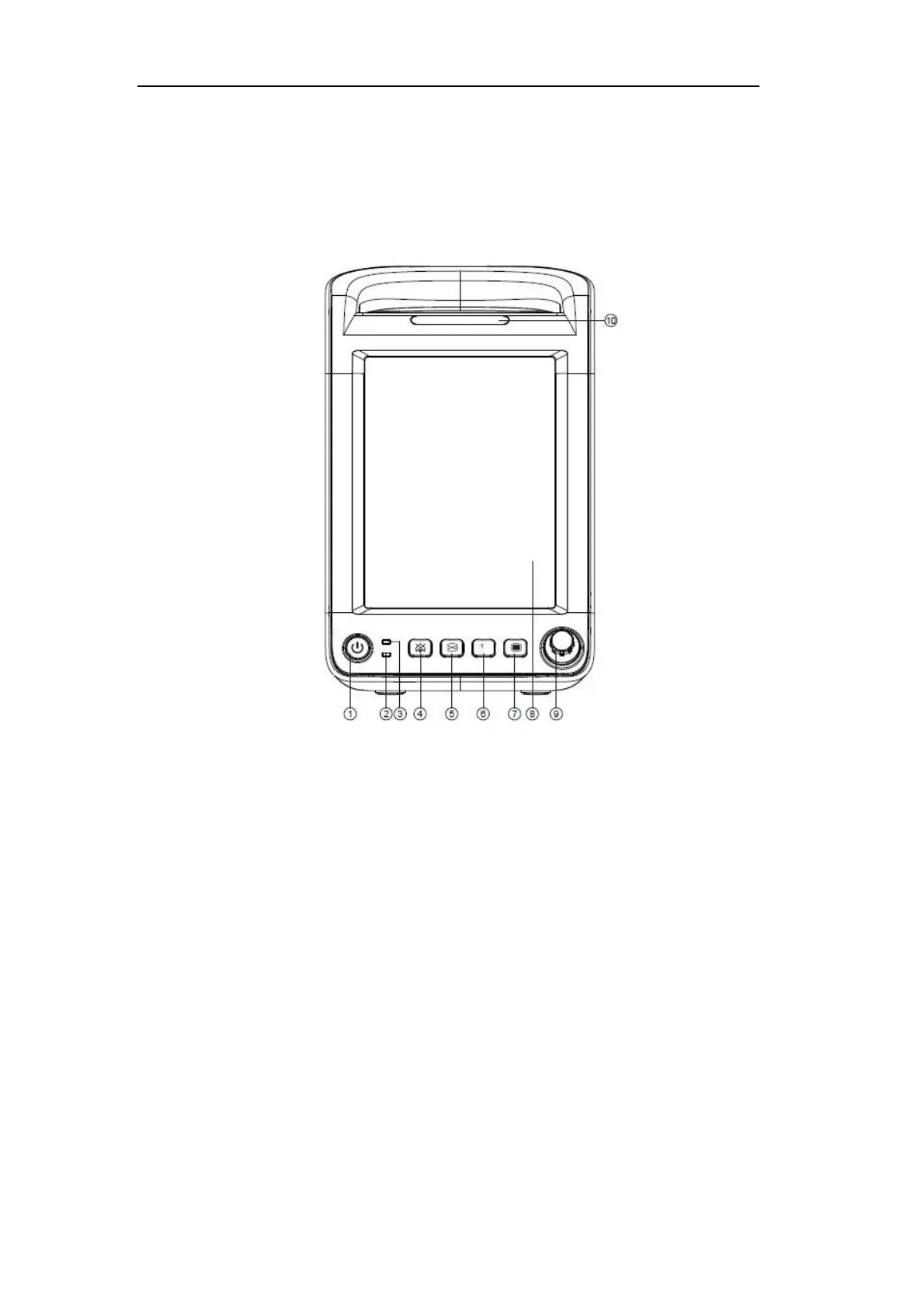
Fig. 2-1 Front View
1. Power on / off button(①)
Power on: When the monitor has been connected to AC power supply, press this
key to turn on the monitor.
Power off: In power on state, press and hold this key for two seconds to turn off the
monitor.
The key integrates indicator, which is lit when the monitor is turned on and off
when the monitor is turned off.
2. Battery indicator(②)
On: The battery is being charged or has been fully charged.
Off: The battery has not been installed, or the battery has been installed but the AC
power is not connected and the monitor is not turned on.
Flashing: The monitor is being powered by the battery.
3. Adaptor indicator(③)


 To Next Page