文件编号:NR-TP-0715-008 版本:1.0
- 14 -
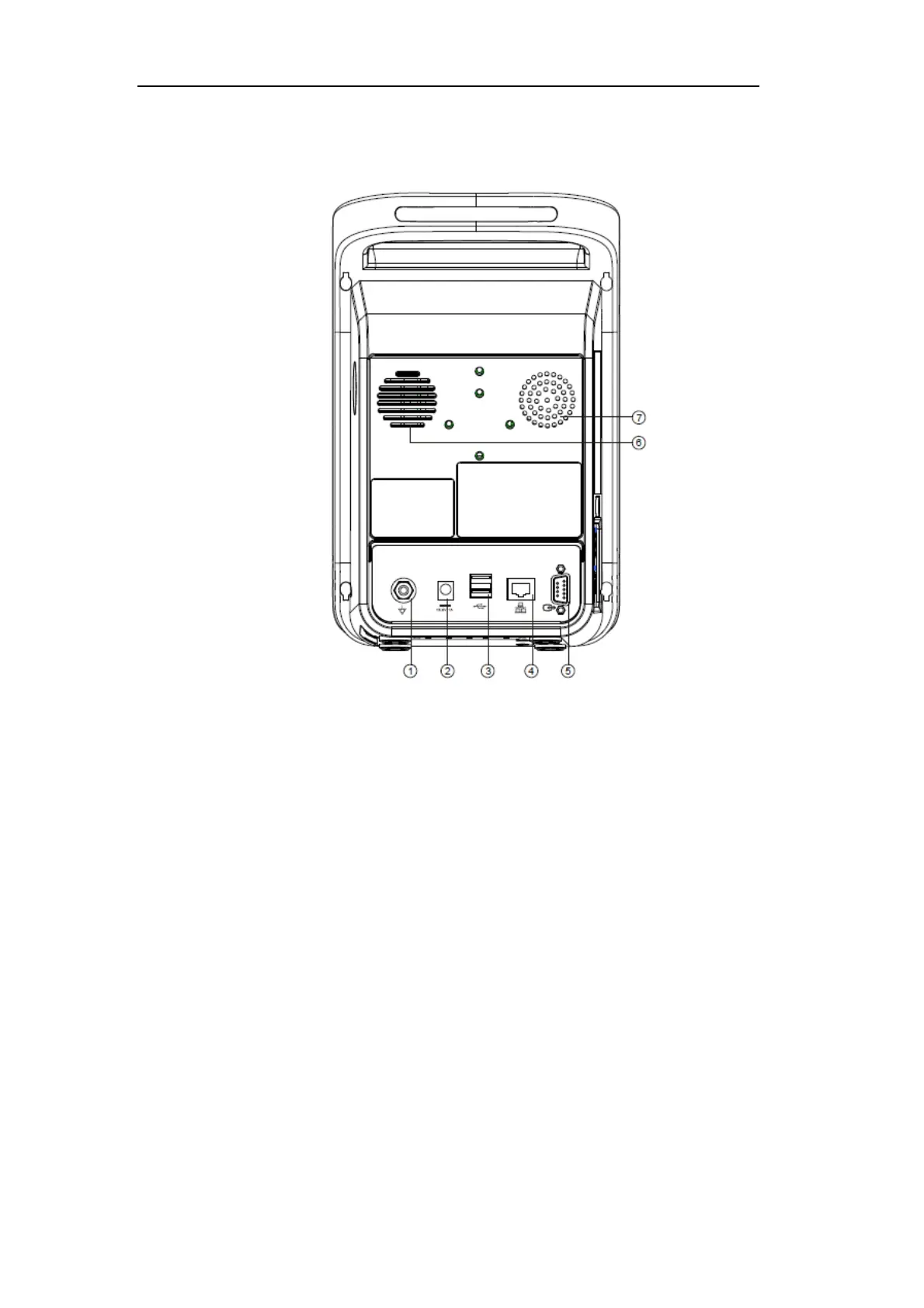
3.2.3 Rear View
Fig. 2-3 Rear View (example)
1. Equipotential terminal: When other devices are used in conjunction with the monitor,
you should connect the equipotential terminals of other devices and the monitor with
wires to eliminate the ground potential difference between different devices and ensure
safety.
2. AC adaptor socket: connect to AC adaptor: 16.8V, 1A, charge the battery of the monitor.
3. USB interfaces (2): Connect an external storage device to upgrade the monitor software.
4. Network interface
5. Signal input and output interface: standard DB9 interface, which can be connected to the
PC to output data or connected with a compatible device.
6. Speaker holes
7. Spiracle
3.3 Screen Display


 To Next Page