文件编号:NR-TP-0715-008 版本:1.0
- 69 -
Select and to move the trend table upward or downward progressively
and observe more data.
Select and to turn pages up or down and move the trend table to
observe more data.
13.4 Event Review
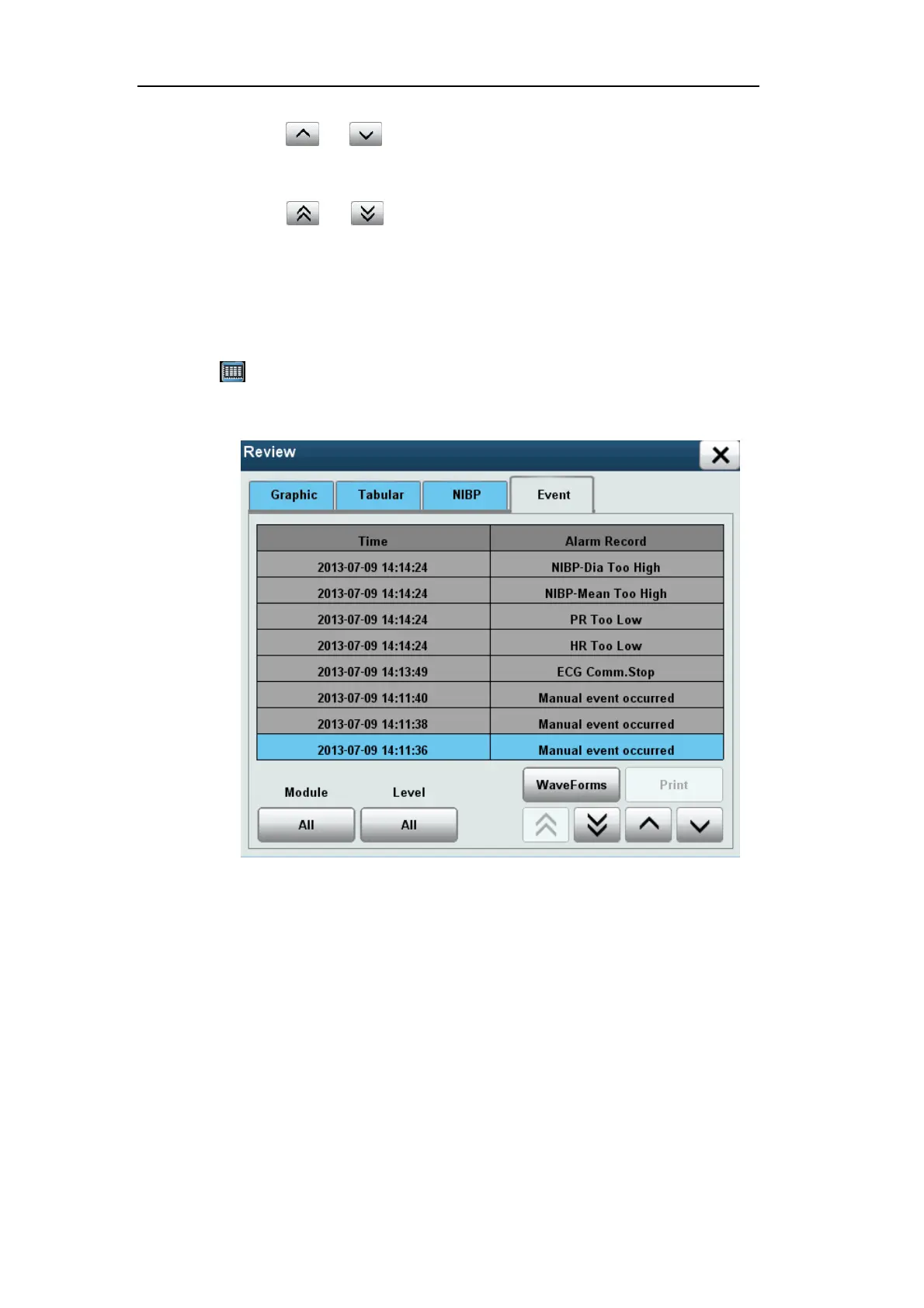
Select [Review] smart hotkey to enter [Review] menu, and select [Event] to enter the
following window.
13.4 Event Review
This window shows the time of alarm events and corresponding alarm information, and the
time of manual events and corresponding manual tag events. This monitor allows reviewing
200 events in total, including the physiological alarm events, technical alarm events and
manual events.
Select [Module], and select an option as needed:
[ECG]: View ECG-related alarm events.
[SPO2]: View SPO2 related alarm events.
[NIBP]: View NIBP related alarm events.


 To Next Page