文件编号:NR-TP-0715-008 版本:1.0
- 70 -
[RESP]: View RESP related alarm events.
[TEMP]: View TEMP related alarm events.
[Manual]: View manual events.
[All]: View all related events.
Select [Level], and select an option as needed:
[High]: View high level alarm events.
[Mid]: View middle level alarm events.
[Low]: View low level alarm events and manual events.
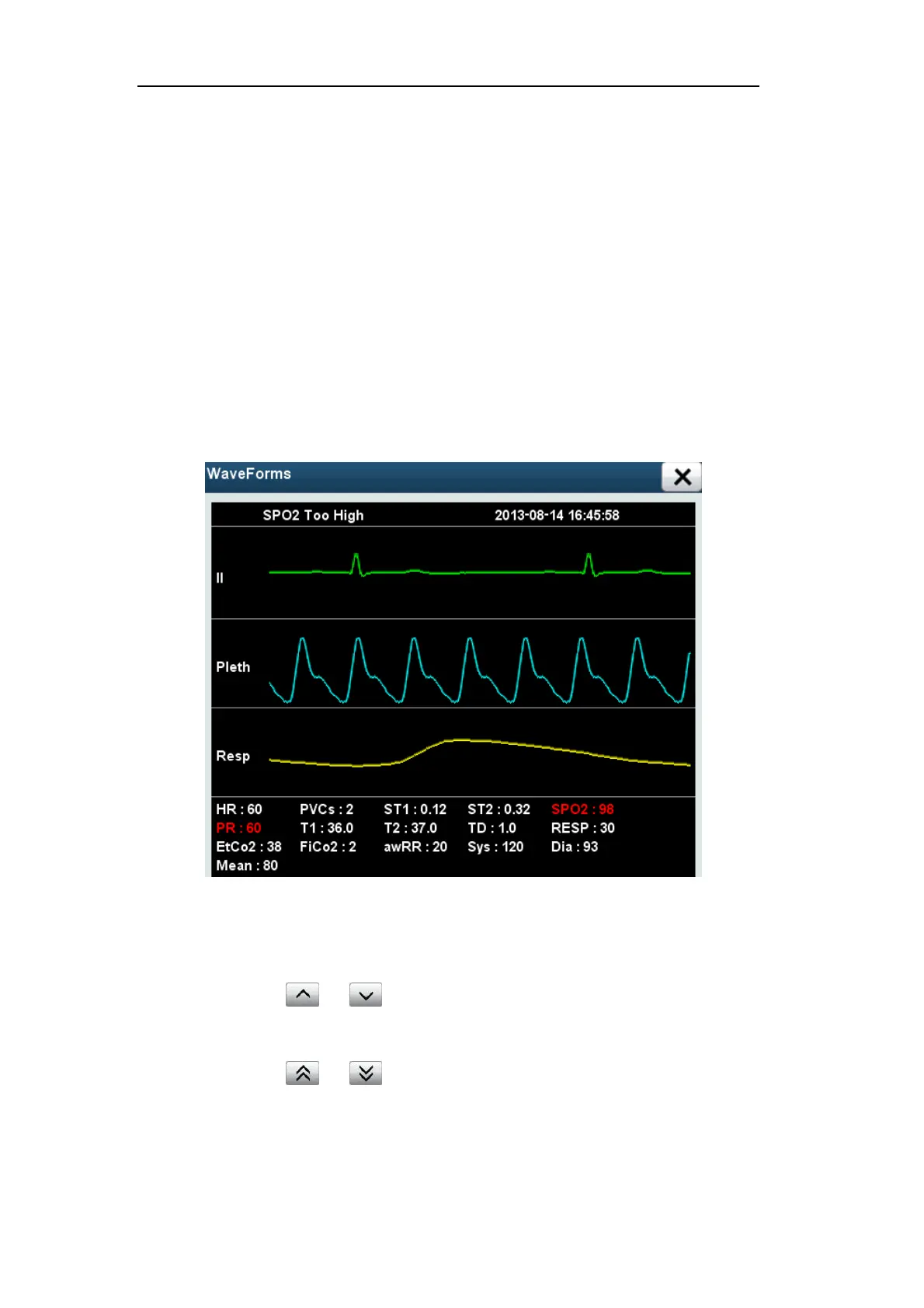
Select [Wave Forms] to view the waveform and relevant parameters when alarm occurs,
as shown in Fig. 13.5 below:
Fig. 13.5 Waveform Review
Event viewing method is as follows:
Select and to move the trend table upward or downward progressively
and observe more data.
Select and to turn pages up or down and move the trend table to observe
more data.


 To Next Page