文件编号:NR-TP-0715-008 版本:1.0
- 25 -
5.3 Admitting a Patient
To admit a patient, operate as follows:
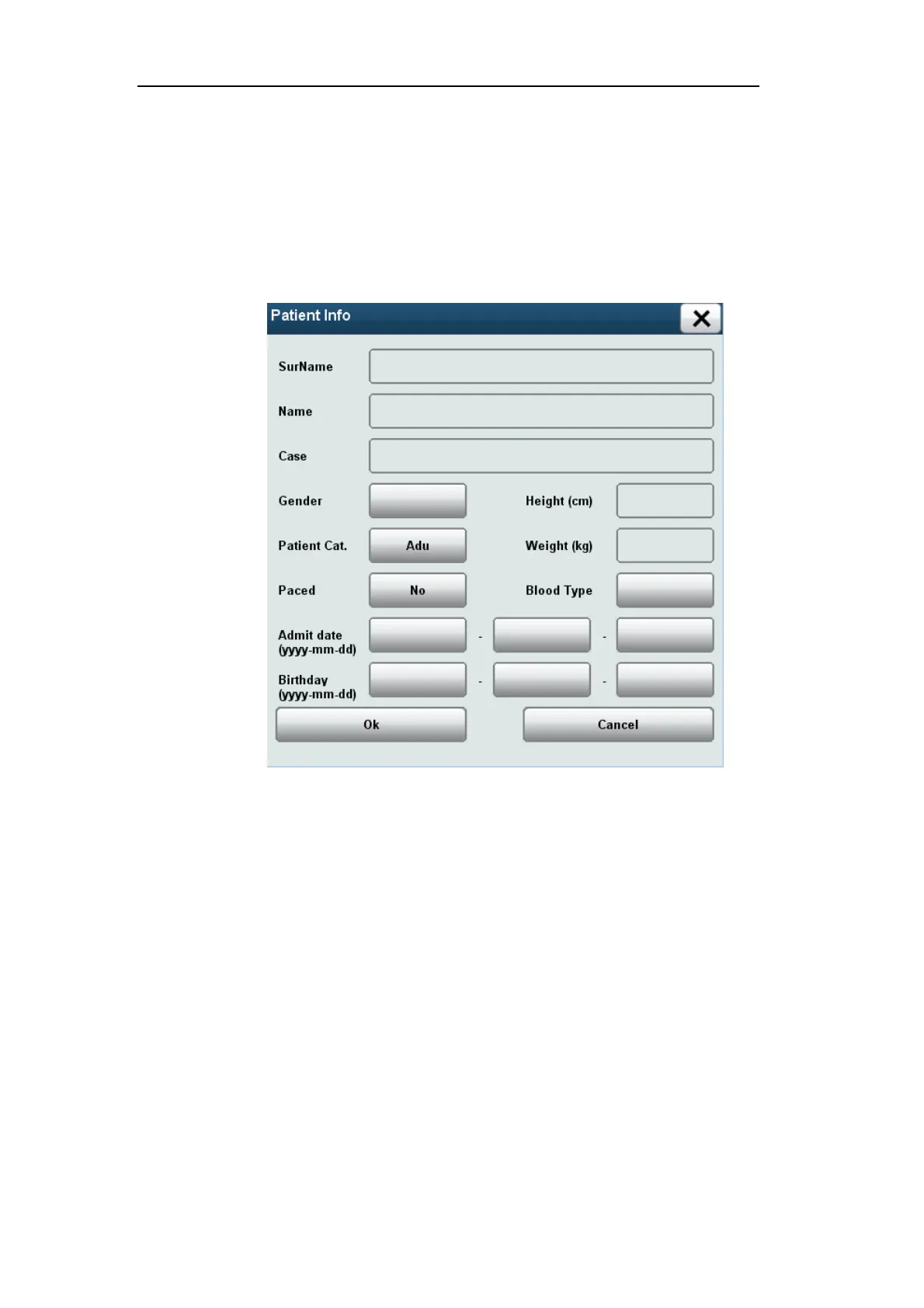
In the [Patient Setup] menu, select [Admit Patient] → [Warning] → [OK] → [Patient Info]
menu, which is shown below:
Fig. 43 Patient Info
a) Select [SurName], and enter patient’s surname through the soft keyboard.
b) Select [Name], and enter patient name through the soft keyboard.
c) Select [Case], and enter the case number through the soft keyboard.
d) Select [Gender], and set the patient’s gender according to the patient condition:
[Male]: Males.
[Female]: Females.
[Others]: Others.
e) Select [Patient Cat.], and set the patient category as needed:
[Adu]: Adults.
[Ped]: Pediatric.



 To Next Page