27Northstar Explorer 650 Installation and Operation Manual
5-2-6 Deleting all waypoints
1 In the waypoints display and press
and select Delete all.
2 Select Yes to confirm.
5-2-7 Changing a waypoint’s data
To change the waypoint data when it is displayed
in a window:
1 Select the data to change.
Press
.
Use the cursor keys to change the data.
Press
.
2 If necessary, repeat the above step to change
other data.
3 Select Save.
5-2-8 Sort Waypoints
To change how the waypoints list is displayed:
1 Press
and select Sort by.
2 Select how to display the list:
Name: In alphabetical order by name.
Icon: Grouped by icon type.
Distance: In order of distance from the
boat.
An arrow at at the top of a column indicates how
the waypoints are sorted.
5-2-9 Navigating to a waypoint
See section 3-1-2.
6 Navigation: Routes
A route is a list of waypoints that the boat can
navigate along. Routes can be created, changed
and deleted.
The Explorer can have up to 25 routes. Each route
can have up to 50 waypoints.
A route can:
Start and stop at the same waypoint .
Include waypoints more than once.
The Explorer can navigate along a route in either
direction. Waypoints on the route can be skipped.
Routes are a powerful feature when the Explorer
is connected to an autopilot, allowing the vessel
to be automatically guided along the route.
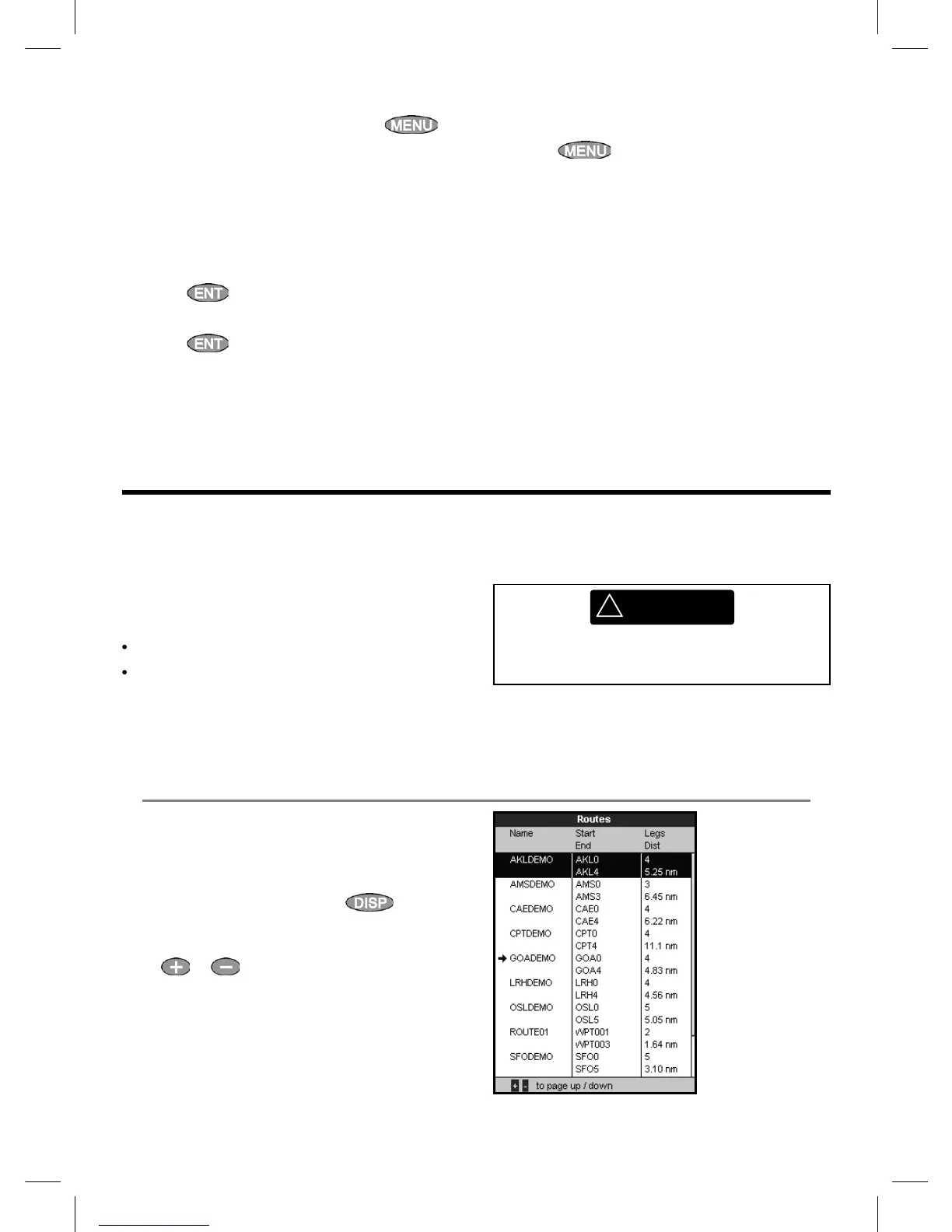
6-1 Routes display
The routes display is a list of the routes that
have been entered, each with route name, start
waypoint, end waypoint, number of legs and
total distance.
To go to the routes display, press
, select
Other, then select Routes.
If there are more routes than will fit on the display,
press
or to scroll up or down a page at
a time.
!
WARNING
Make sure the course does not pass over land
or dangerous waters.



 To Next Page