Northstar Explorer 650 Installation and Operation Manual44
10 Gauges display
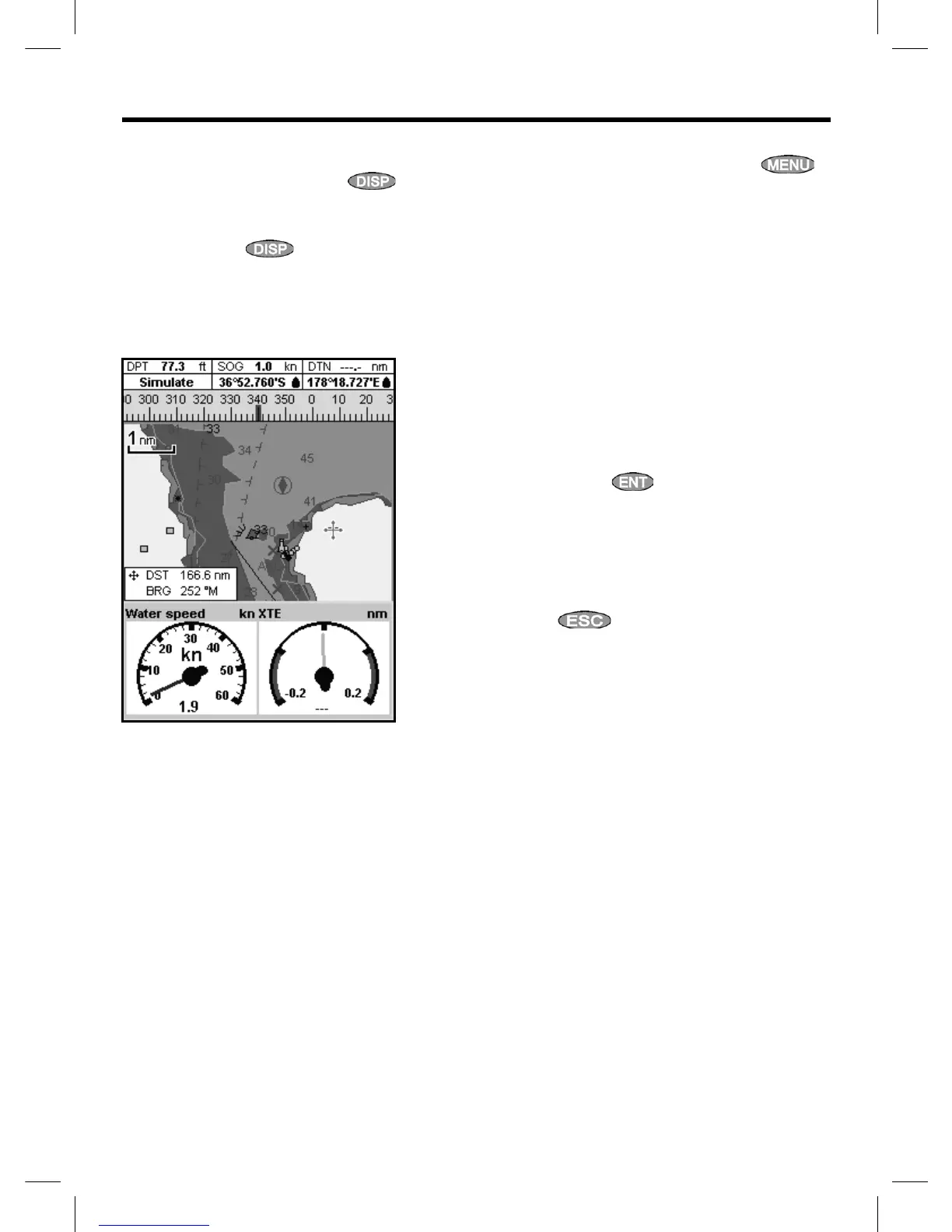
The Gauges display shows boat data, such as
water speed, as analog or digital gauges.
To go to the Gauge display, press
and
select Chart, then Chart+Gauges or select
Sonar then Sonar+Gauges.
If necessary, press
twice to switch to the
Gauges display (see section 2-7-1).
Before using the Gauge display, set Speed
range, Max RPM and Max fuel flow (see
section 17-11).
Changing the Gauges display
1 Go to the Gauges display and press .
2 To select the gauge type.
i Select Gauge type.
ii Select Analog (round) or Digital
(numbers).
3 To select the gauge size.
i Select Gauge size.
ii Select Small, Medium or Large.
4 To change the data displayed:
i Select Gauge setup.
ii Change a gauge:
a Press the cursor keys to highlight
the gauge.
b Press
to display a menu of
data items.
c Select a data item that is available
on your system.
iii Repeat the above step to set the other
gauges.
5 Press
to return to the Gauges display.



 To Next Page