75Northstar Explorer 650 Installation and Operation Manual
To restart the GPS:
Remove the Y cable (if connected) and connect
the GPS directly to the yellow input and select
restart, see section 17-5.
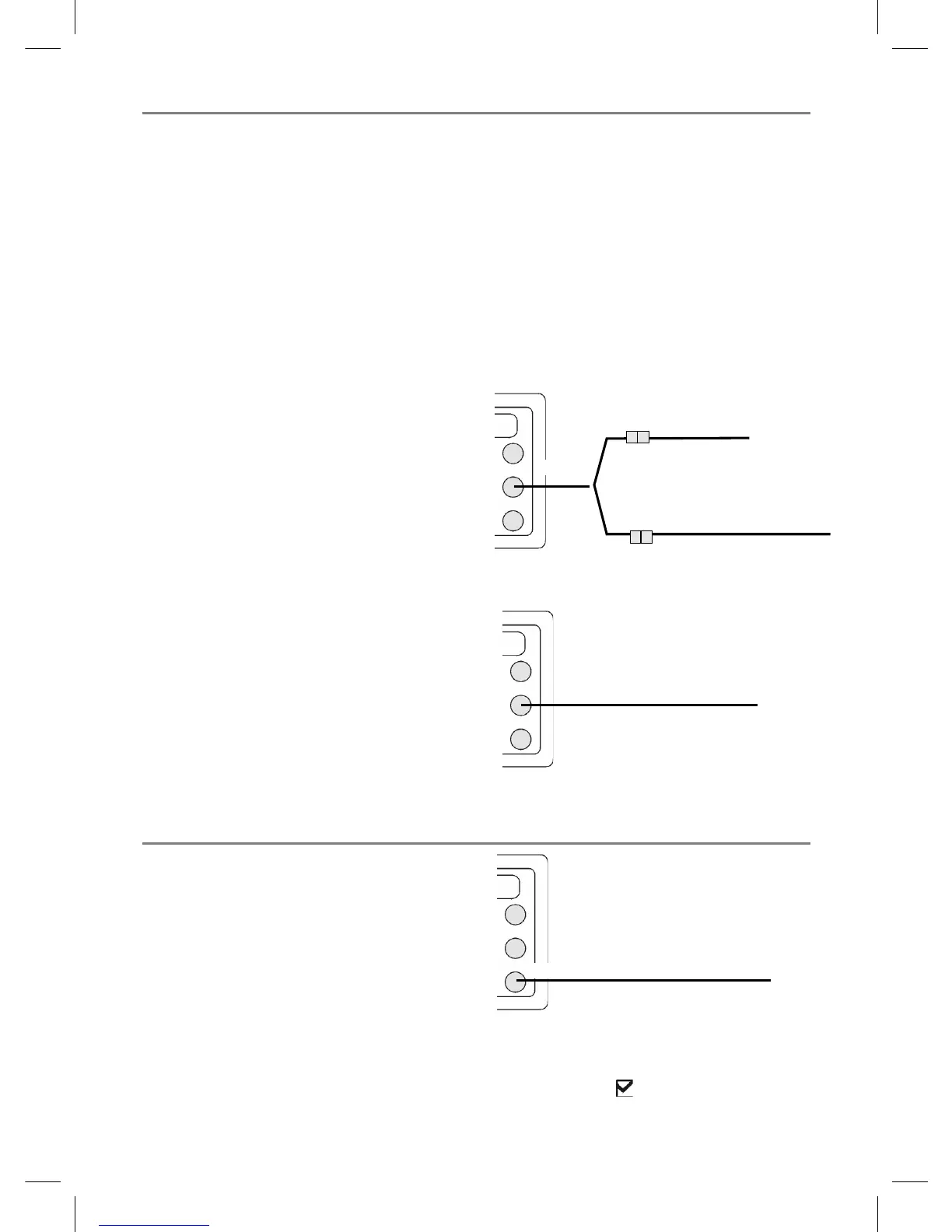
Installing an antenna
If an external antenna is required, install the
antenna and fit the antenna cable back to the
display unit. Follow the instructions in the manual
supplied with the antenna. Fit an optional
Northstar extension cable if required.
If a SmartCraft system or Northstar petrol/
gasoline sensors are fitted as well, fit a Y cable:
Otherwise:
During setup, configure the Explorer for the
chosen antenna, see section 17-4.
18-5 Installation: GPS antenna
Selecting an antenna
Fit one of these GPS antennas:
• Normally use the GPS antenna supplied.
• An optional differential beacon DGPS
antenna to give enhanced accuracy within
range of land based differential beacons
in areas where WAAS or EGNOS are not
available. Such a DGPS antenna has both a
GPS receiver and a beacon receiver, and it
automatically applies the beacon correction
to the GPS position.
• A compatible GPS or DGPS instrument or
antenna connected by NavBus (see section
18-10) or NMEA (see section 18-11). In this
case, the Explorer does not need its own
antenna.
Note:
• The Explorer can apply the WAAS and EGNOS
DGPS correntions to any GPS antenna.
• To configure the Explorer for different
antenna options, see section 17-4.
For more information, contact your Northstar
dealer.
To set the DGPS options of NONE or
WAAS/EGNOS:
Remove the Y cable (if connected) and connect
the GPS directly to the yellow input. Set the
option. See section 17-4. the new setting will be
displayed if it was successfully applied.
GPS antenna
Yellow
GPS antenna
Other connections
Yellow
Yellow
GPS/fuel Y cable
White
18-6 Installation: Sonar transducer
Either:
• Fit the transom mount sonar transducer
supplied, following the instructions in the
Transom Mount Transducer Installation
Manual supplied with the Explorer.
• For enhanced performance, fit an optional
through hull dual frequency sonar transducer
and through hull speed/temperature
transducer. Contact the nearest Northstar
dealer for more information.
Connect the transducer to the blue Explorer
connector; tighten the locking collar.
During setup
a set Sonar to
(see section 17-1)
b set up the sonar options (see section 17-3)
Blue
Sonar cable



 To Next Page