Northstar Explorer 650 Installation and Operation Manual74
External beepers or
lights
Auto power
During setup, set up Auto power off (see sections 2-2 and 17-1)
Power/data cable
Yellow
Red
Black
Ignition
Ignition switch
Main switch
12/24 V DC
Fuses 2A
Power/data cable
Red
Green
2 Wire any external alarm beepers or lights. The
alarm output switches to ground to sound
the alarm. If the current is more than 200 mA,
fit a relay.
3 Connect the power/data cable to the black
display unit connector; turn the collar to lock
the connector.
Black
Black
Power/data cable
Red
Yellow
Black
18-4 Installation: Power/data cable
Main switch
12/24 V DC
Fuse 2A
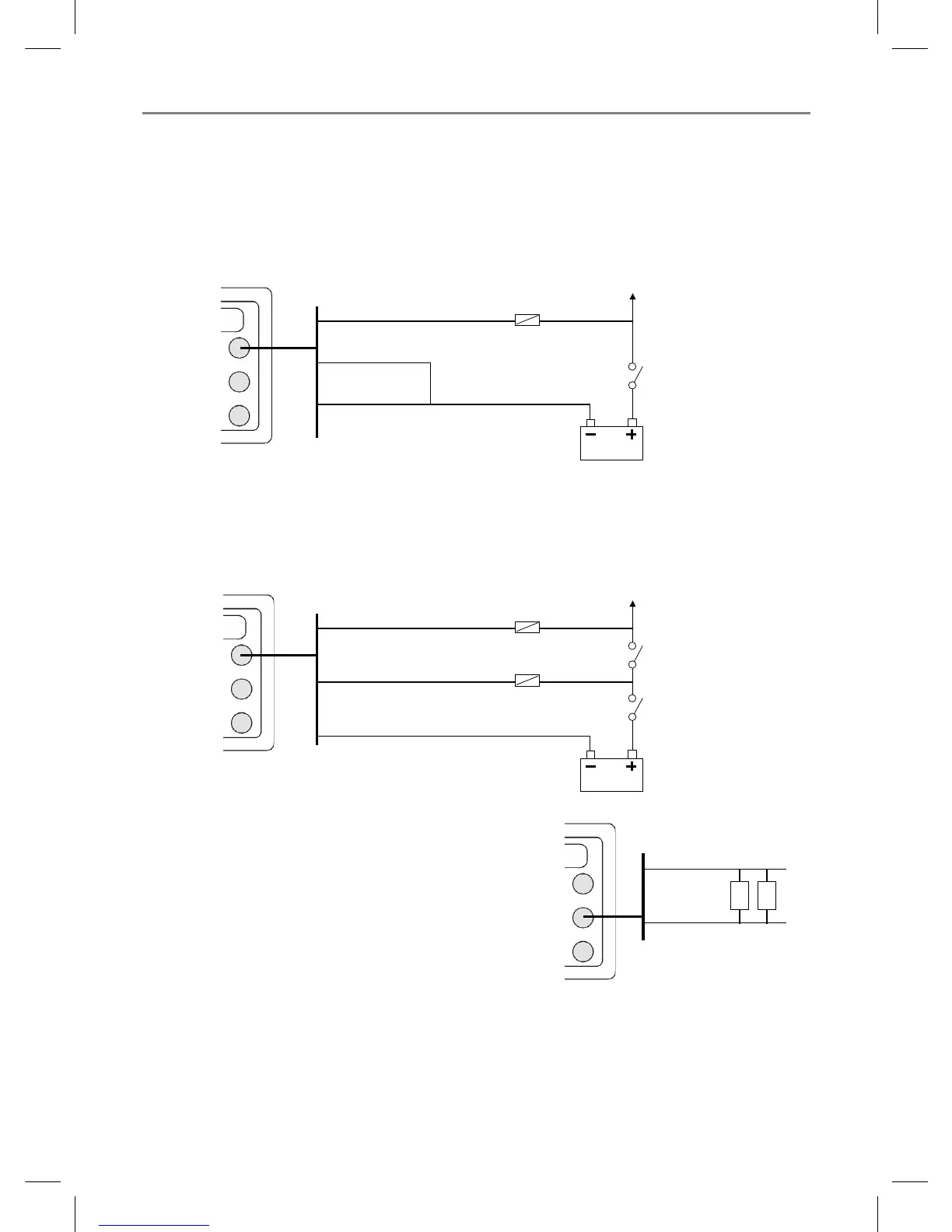
The power/data cable has a black locking collar and flying leads.
1 Wire the Explorer for auto power to have the Explorer turn on with the boat’s ignition switch or to
to record engine hours or if the Explorer must add up the total fuel used (for example if Northstar
petrol/gasoline fuel sensors are installed or if SmartCraft is installed without fuel tank level sensors).
Otherwise wire for basic power (for more information, see section 2-2).
Basic power
Black



 To Next Page