Northstar Explorer 650 Installation and Operation Manual48
12-3 Fuel consumption curves
A fuel consumption curve is a powerful tool for
assessing your boat performance in different
conditions and for helping you to run at the
most economical speed for the conditions. Fuel
consumption curves require engine RPM, which
requires SmartCraft to be installed.
12-3-1 Making a fuel consumption curve
Making a fuel consumption curve requires
running the boat in a straight line through the
engine’s full RPM range for about 15 minutes.
For your first curve, choose a calm day with light
wind and little current; have a typical load and
a freshly cleaned hull. Then you can make fuel
consumption curves for different boat, weather
or sea conditions. Compare these with your
first curve to see how your boat’s performance
changes with conditions.
Making a curve
1 Start running the boat in a straight line.
2 Press
one or more times until the
Setup menu is displayed, then select Fuel.
3 Select Fuel consumption curve, then
select New.
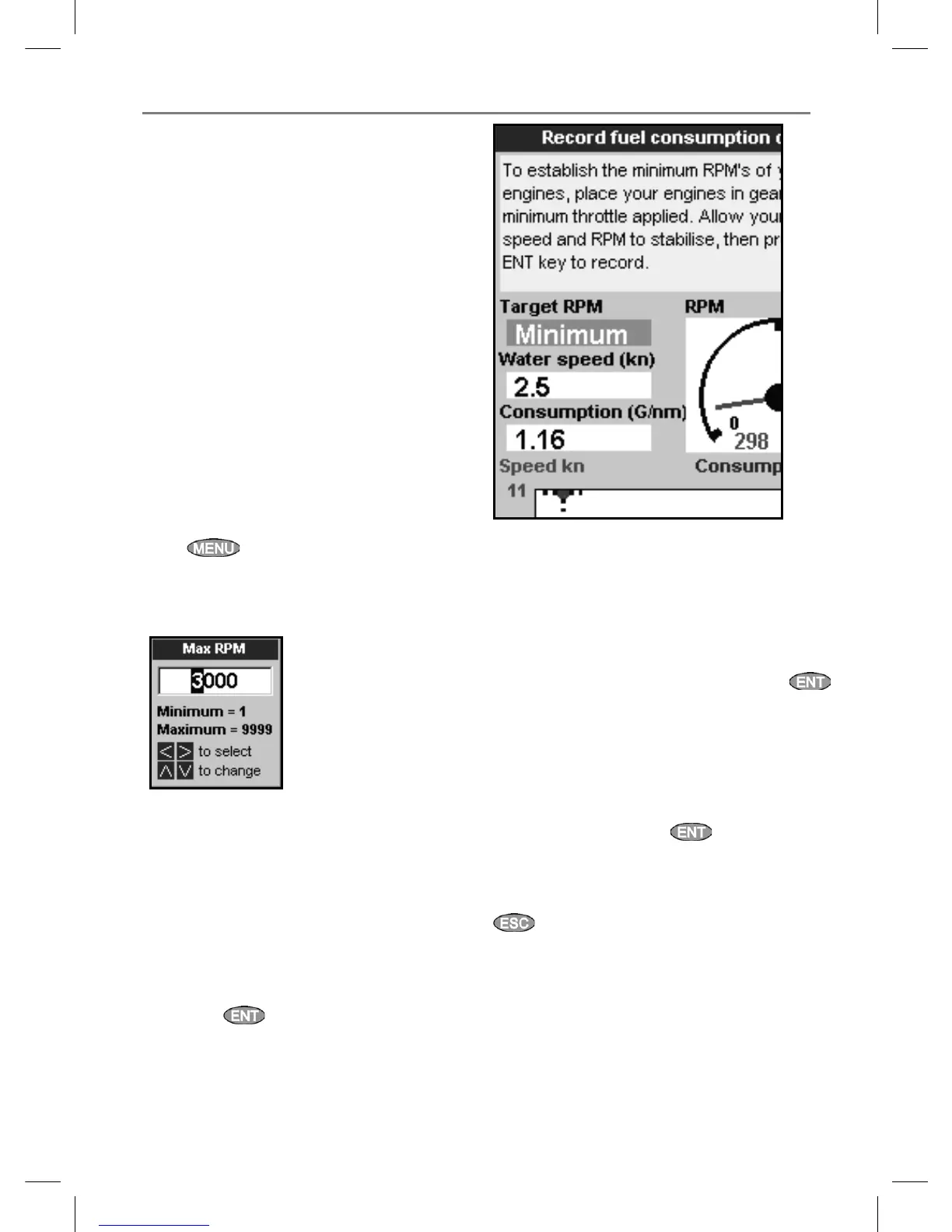
4 Enter the comfortable maximum RPM you
have measured for the engine. Do not use the
maker’s maximum RPM.
5 The Explorer then asks you to set the
minimum RPM. Set the throttle for minimum
RPM; for a twin engine boat set both engines
to about the same minimum RPM.
Now, do not change the engine speed. Wait
for about 60 seconds for the boat to stabilise,
then press
. Wait while the Explorer
records the data.
6 The Explorer then asks you to set the throttle
to achieve a target RPM. For a twin engine
boat set both engines to about the target
RPM. When the engine RPMs are correct, the
Target RPM box will turn green.Now, do not
change the engine speed. Wait for about 60
seconds for the boat to stabilise, ensuring the
Target RPM box stays green. Then press
. Wait while the Explorer records the data.
7 The Explorer repeats the above step to record
data up to the maximum RPM.
Then the Explorer asks if you want to save
the curve. Select Yes. The Explorer asks for a
name for the curve. Change the default name
if required, then press
. The new curve
is stored.
Note
To interrupt making the curve at any time, press
.



 To Next Page