31Northstar Explorer 650 Installation and Operation Manual
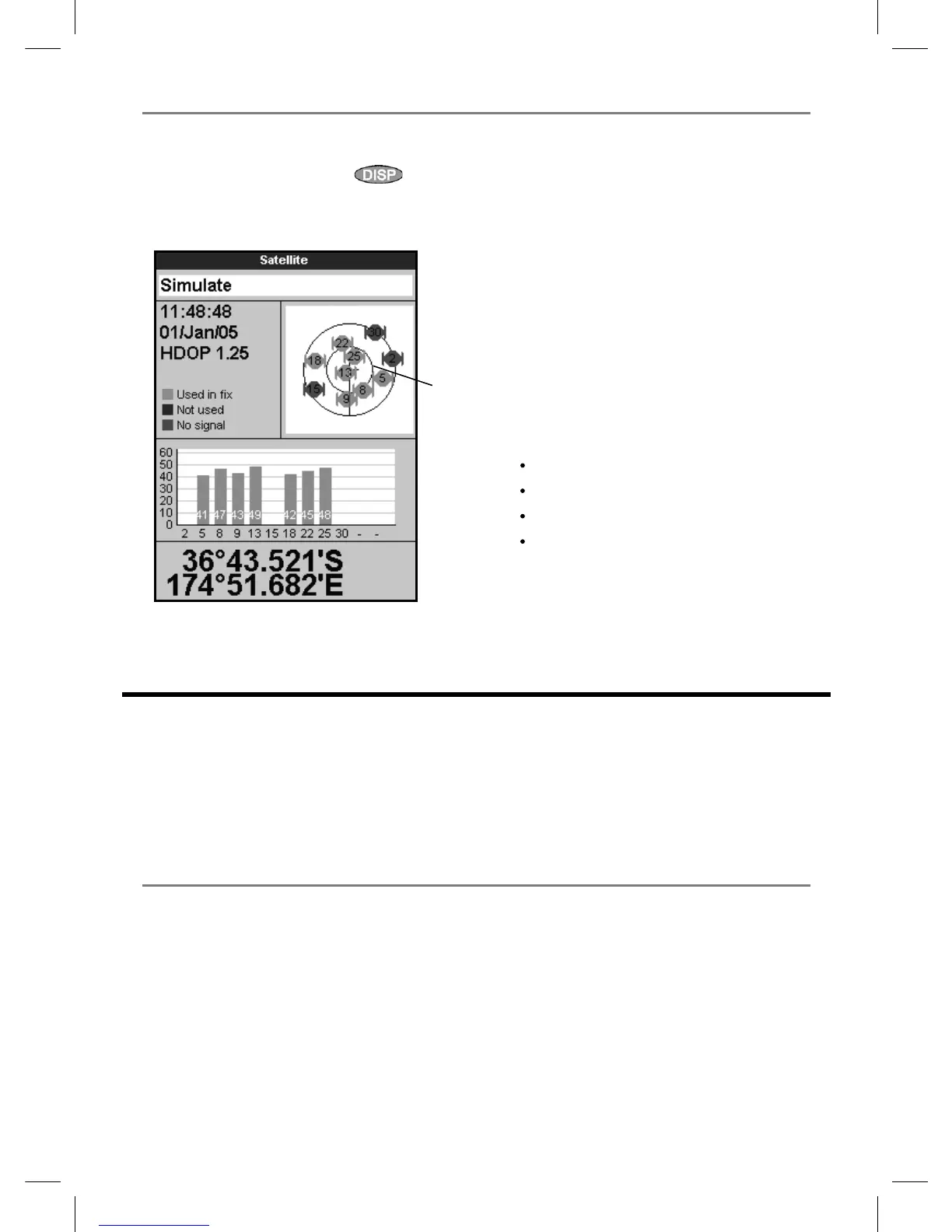
The satellite display has information about the
GPS satellites and GPS position.
To go to the satellite display, press
, select
Other, then select Satellite.
The satellite display shows:
7-1 Satellite display
A
C
D
B
E
G
F
A Status of GPS antenna, for example
Acquiring, GPS fix, No GPS. If the unit
is in Simulate mode it displays Simulate
(see section 2-6).
B Time and date from GPS satellites. Time is
local time (UTC [GMT] plus local offset, see
section 17-12)
C HDOP: The error in the GPS position caused
by satellite geometry. A low value indicates a
more precise fix, a high value a less precise fix
D Signal strengths of up to twelve visible GPS
satellites. The higher the bar the stronger the
signal
E Boat position
F Positions of visible GPS satellites:
Outer circle is horizon
Inner circle is 45° elevation
Centre is directly above
North is at top of display
G If the boat is moving, COG is a line from
centre
8 Sonar fishfinding: Introduction
Sonar functions require an optional sonar
transducer to be installed and set up.
This section explains how to interpret the sonar
displays, when and why to use the different
frequencies and how fish are detected and
displayed.
It also describes Gain and Range and shows
examples of some of the different sonar displays.
8-1 Using the Explorer
The Explorer uses a sonar transducer attached to
the hull. The transducer generates an ultrasonic
pulse (sound that is above the hearing range
of the human ear), which travels down towards
the bottom at a speed of about 4800 ft/sec
(1463 m/sec), spreading out into a cone shape.
When the pulse meets an object, such as a fish
or the bottom, it is partly reflected back up
towards the boat as an echo. The depth of the
object or bottom is calculated by the Explorer
by measuring the time taken between sending a
pulse and receiving the echo. When an echo has
been returned, the next pulse is sent.
The Explorer converts each echo into an
electronic signal, displayed as a vertical line of
pixels. The most recent echo appears on the
extreme right of the display, with the older
echoes being scrolled towards the left, eventually
disappearing off the display.



 To Next Page