77Northstar Explorer 650 Installation and Operation Manual
Yellow
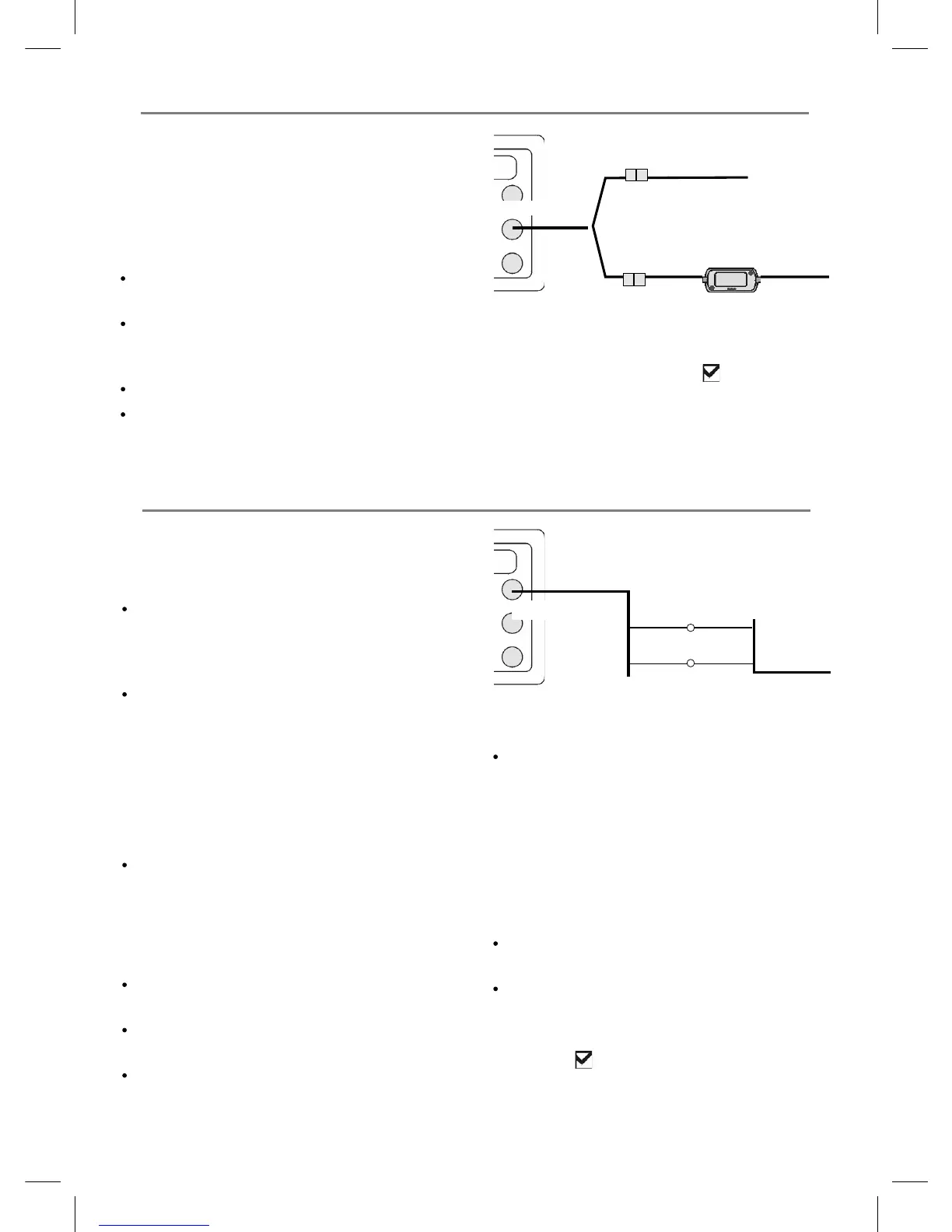
GPS antenna (optional)
SmartCraft gateway
18-9 Installation: SmartCraft
If the boat has one or two SmartCraft capable
Mercury petrol/gasoline engines, connect the
Explorer to the SmartCraft engines with an
optional SmartCraft gateway. The display unit
can display engine data and trim and can control
troll speed.
Note:
Fit a single gateway for single engines and a
dual gateway for dual engines.
SmartCraft engines have fuel flow sensors,
therefore Northstar fuel sensors are not
required as well.
An optional GPS/fuel Y cable is required.
If the fuel tank does not have SmartCraft level
sensors, wire for auto power (see section
18-4).
Yellow
GPS/fuel Y cable
White
During setup, set Y cable to (see section
17-1) and enter the SmartCraft setup data. For
information on installing, setting up and using
SmartCraft, see the SmartCraft Gateways
Installation and Operation Manual.
NavBus is Northstar’s system for connecting
instruments together to interchage data and
share transducers. When instruments are
connected by NavBus:
If the units, alarms or calibration are changed
in one instrument, then the values will
automatically change in all other instruments
of the same type.
Each instrument can be assigned to a group
of instruments. If the backlight is changed in
an instrument in group 1, 2, 3 or 4 then the
backlight will automatically change in the
other instruments in the same group.
If the backlight is changed in an instrument
in group 0 then no other instruments are
affected.
If an alarm sounds, mute it by clearing the
alarm on any instrument which can display
that alarm.
NavBus and the Explorer
The Explorer can:
Display wind speed and direction from an
optional Northstar Wind instrument
Receive and display depth from an optional
Northstar depth instrument.
Receive and display boat speed and water
temperature from a paddlewheel sensor on
an optional Speed instrument.
18-10 Installation: Other NavBus instruments
Power/data cable
Orange
Blue
NavBus wires
to other Navbus instruments
Black
Receive barometric pressure from an optional
Northstar VHF radio. The Explorer can display:
Baro: barometric pressure
Baro history: barometer history
Weather: a predication, based on changes in
barometric pressure
Fish forecaster: a prediction based on
changes in barometric pressure
Receive data from an optional GPS or
GPS/DGPS source.
Send data to optional Northstar instruments,
for example to a repeater.
During setup for NavBus instruments, set
NavBus to
and assign the instrument a
NavBus group number (see section 17-10)



 To Next Page