32
BA_v2_eagle_parallel_EN_1-0
sTaRT-up
6 Start-up
When carrying out any assembly and installation work on the coin validator,
always observe the following safety instructions:
• The coin validator must only be connected by a trained electrician.
• The coin validator is not suited for outdoor use.
• Never use the coin validator if there is damage to the device or the
connecting cables.
• Select the correct voltage for the coin validator (see label).
• Pay attention to correct equipotential bonding in the vending machine.
• Never pull the connecting cable of the coin validator from the machine
when a voltage is applied.
• Pull out the mains plug of the machine before installing or dismounting
the coin validator.
To install the v
2
eagle in a machine with parallel BDTA/BACTA interface:
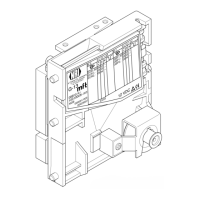
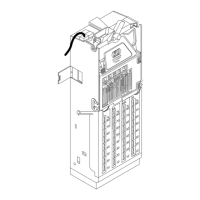
1 If necessary make individual settings via the switch blocks [Fig. 12/1]/[Fig. 13/1]
(cf. Chap. 7 Operation, p. 34).
2 Disconnect the machine from the mains supply.
3 Connect the coin validator to the machine via the BDTA/BACTA interface [Fig. 12/2]/[Fig. 13/2]
and the corresponding connecting cable.
4 For the BACTA version, connect the 10-pole sorter override interface [Fig. 13/4] to the sorter
or machine control, if necessary.
5 Hang up the coin validator in the machine using the lateral mounting studs [Fig. 12/3]/
[Fig. 13/3].
6 Reconnect the mains supply to the machine.


 To Next Page