7
H.264 4/8/16-channel Networkable DVRs
SECTION 2: INSTALLING YOUR SYSTEM
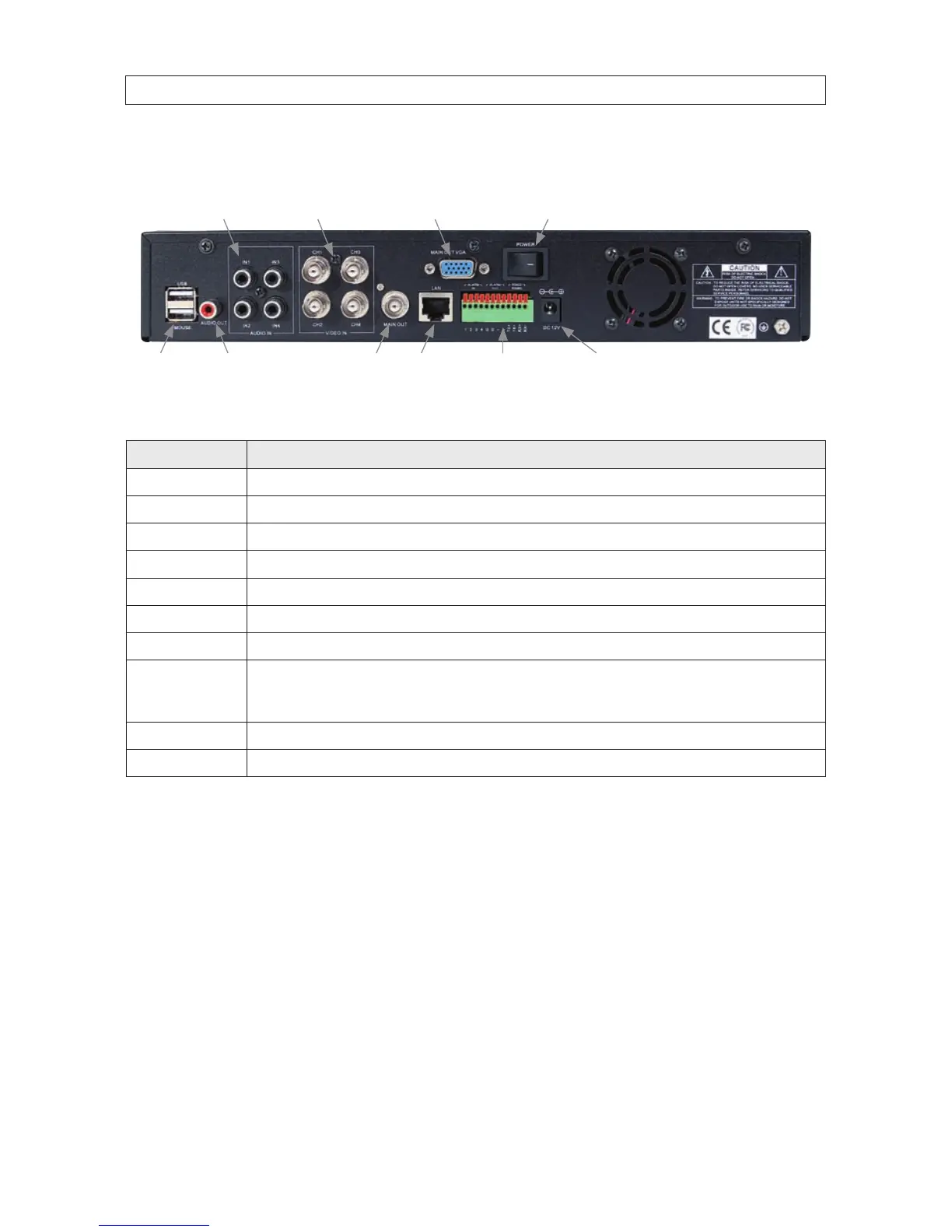
DVR Backpanel
IN1 - IN4
Audio In
CH1 - CH4
Video In
Audio Out LAN Main Out
(BNC)
Power
Alarm In/Out,
RS422/RS485
Connections
Main Out
(VGA)
USB Power DC 12V
Connector Usage
USB - MOUSE Use these USB ports to connect a mouse, or a backup device such as a ash drive or DVD recorder.
AUDIO OUT Audio output from channel AUDIO IN channels 1, 2, 3, or 4.
IN1 .. IN4 AUDIO IN RCA audio input to audio channels 1, 2, 3, and 4.
CH1 .. CH4 VIDEO IN BNC video input to video channels 1, 2, 3, and 4.
MAIN OUT BNC composite video output to display device (75 Ω, 1 V p-p).
MAIN OUT VGA Standard VGA output to a display device, such as a computer monitor.
LAN Standard RJ45 Ethernet 10/100BASE-T port with auto detect.
ALARM IN, ALARM
OUT, RS422 RS485
Use these connectors to attach external sensor devices, alarm reporting devices, and devices with an RS422 or RS485 control
interface, such as PTZ cameras. See the DVR Uer Manual for more information.
DC 12V Connect to 12 Vdc power adapter.
POWER Power switch to turn the unit on and o.



 To Next Page