20
SECTION 3: DVR SETUP
3.2.2 Change the Admin and user1 passwords
Changing the default Admin and user1 account passwords from their initial (default) value adds security to your system. The
factory default account names and their passwords are:
Admin: 888888
user1: 666666
To change these passwords:
1. With the system powered on, right click twice on the desktop or press the menu button on the front panel twice, then log into
the system as the Admin (if a password login is required).
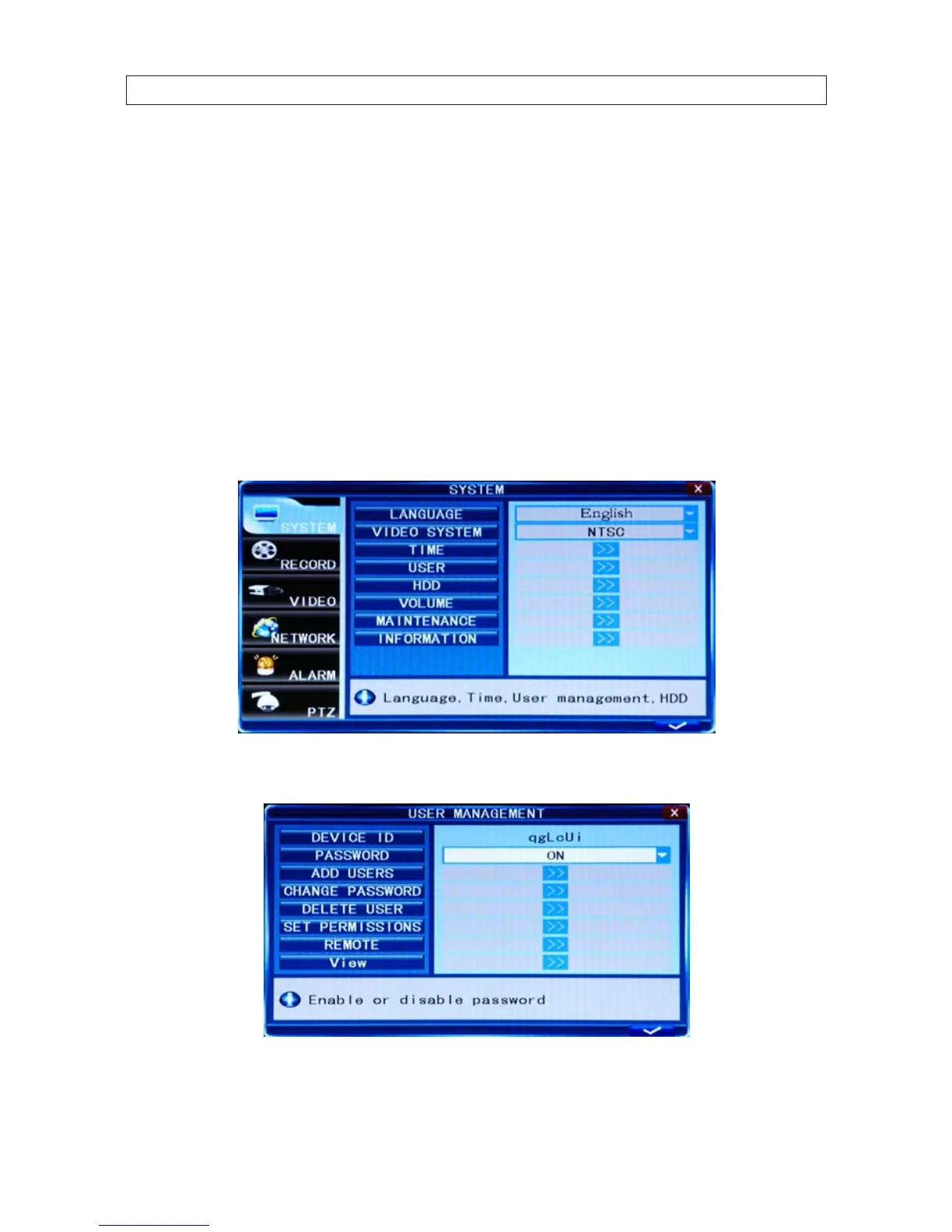
2. Click the Settings icon on the Tool Bar to open the SYSTEM tab window.
1. On the USER line, click the >> icon to open the USER MANAGEMENT window.
2. On the CHANGE PASSWORD line, click the >> icon to open the CHANGE PASSWORD window.



 To Next Page