75
H.264 4/8/16-channel Networkable DVRs
7.6.5 EXCEPTION
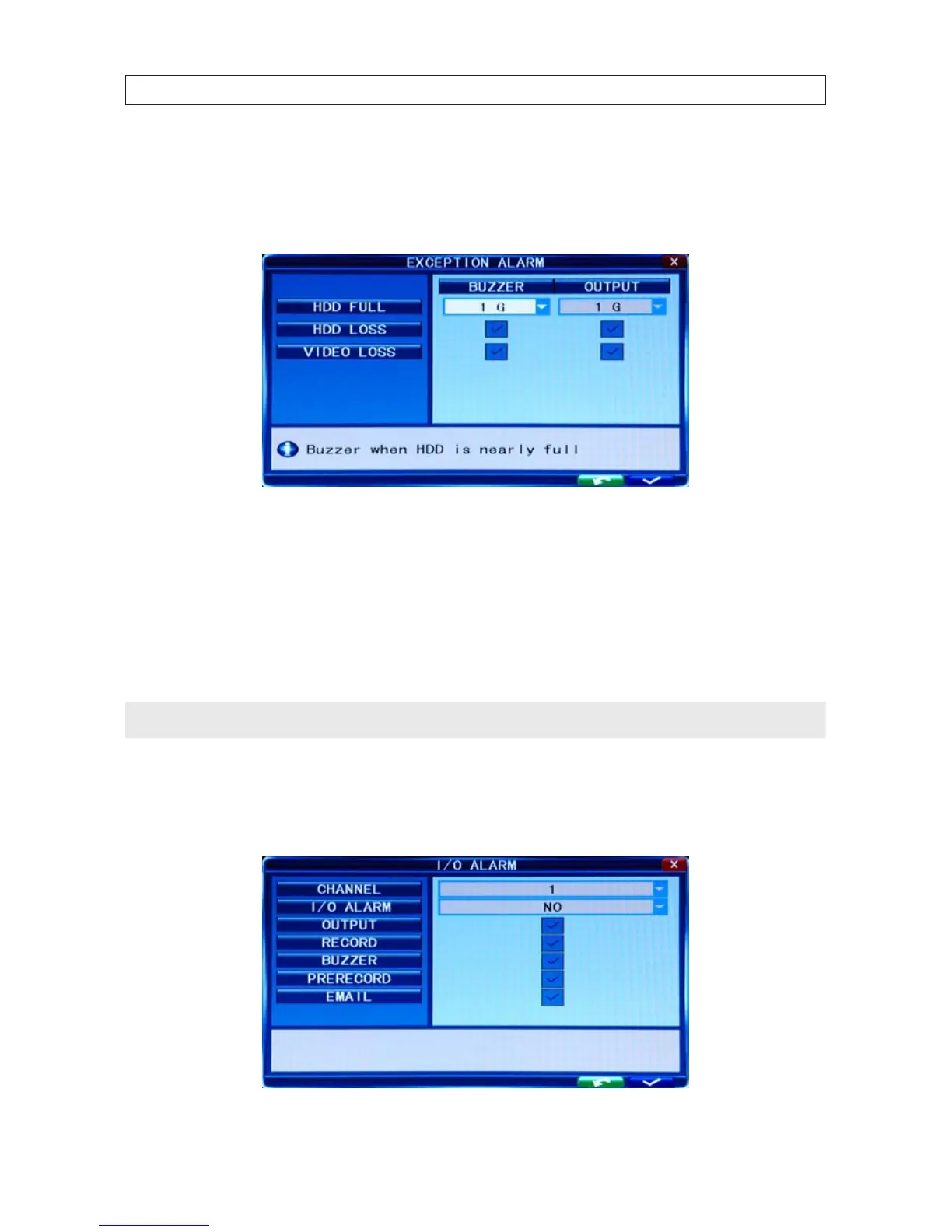
Click Tool Bar -> System settings -> Alarm -> Exception to open the exception alarm menu. In this menu you can set the
buzzer and I/O output for HDD Full, HDD Loss and Video Loss.
HDD FULL: You can set buzzer alarm and I/O output alarm when there is a dened space remaining for HDD to recording. Options
are OFF, 1G, 5G , 10G, 1 hr, 5 hrs , 10 hr and 20 hr.
HDD LOSS: ON causes a relevant alarm to occur when no HDD is installed. An alert icon will be displayed on the left bottom of
channel 1 in the live view.
VIDEO LOSS: ON causes the relevant alarm to occur when a channel has no video input.
NOTE
If the buzzer alarm is OFF, exception alarms will not be triggered.
7.6.6 I/O Alarm
Click Tool Bar -> System settings -> Alarm -> I/O Alarm to open the I/O Alarm menu. Options are dened below.
SECTION 7: DVR SYSTEM MENUS



 To Next Page