78
SECTION 7: DVR SYSTEM MENUS
BUZZER: If set to ON and the channel is triggered by motion, the buzzer will sound.
PRERECORD: If set to ON and the channel is triggered by motion, the previous 5 seconds of video from the channel is recorded.
EMAIL: If set to ON and the channel is triggered by motion, a picture of the channel will be send with the email notication.
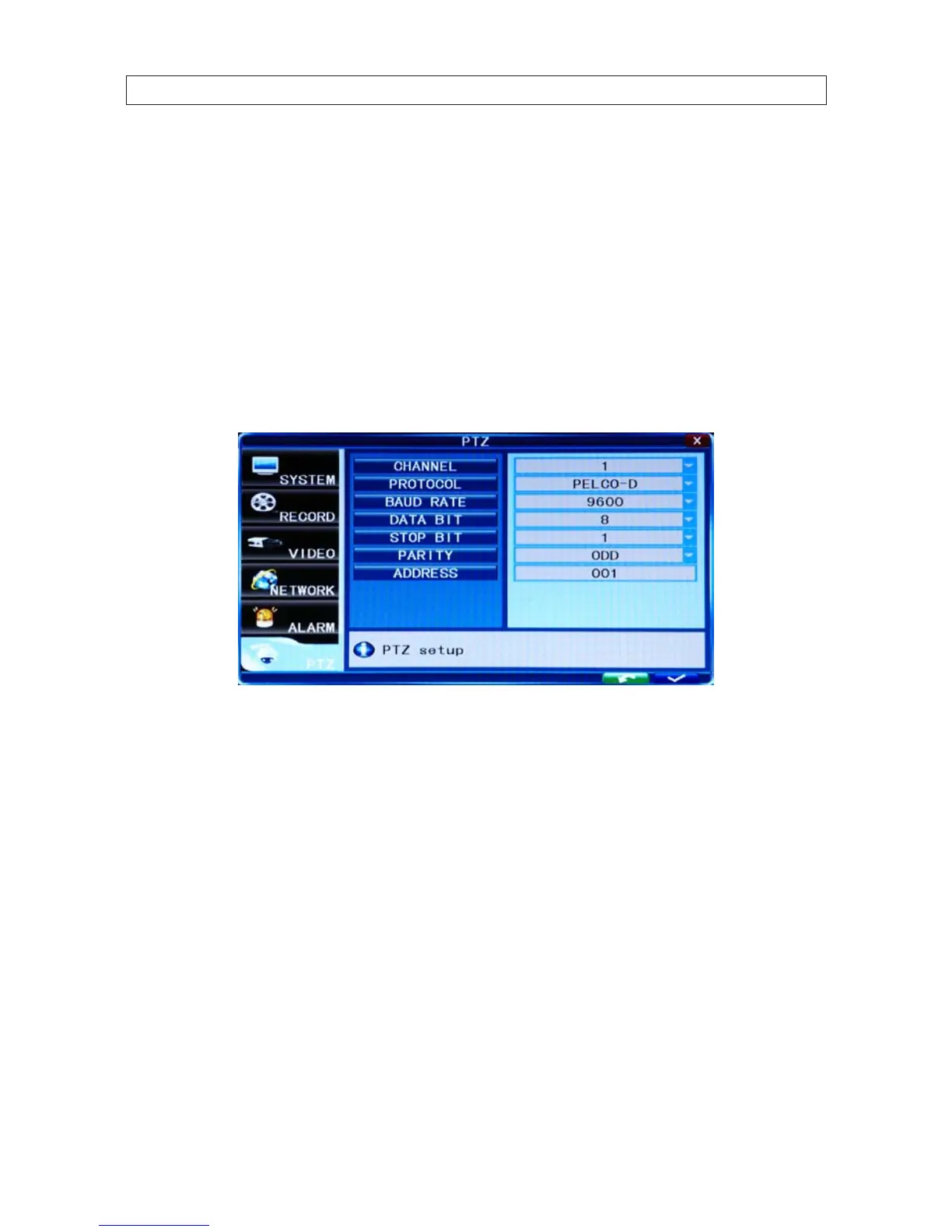
7.7 PTZ
Click PTZ to open the PTZ menu. Each channel can accommodate at most 1 PTZ device. The PTZ conguration you setup for the
channel must match the conguration settings of the PTZ device. When making changes to any channel PTZ conguration, changes
will take eect after you save your settings and exit the menu.
7.7.1 Channel
The channel connected to a PTZ device.
7.7.2 Protocol
Select the protocol of the PTZ device. Options are: Pelco-D and Pelco-P.
7.7.3 Baud Rate
Select the baud rate PTZ device. It must be consistent with the baud rate of the actual PTZ cameras installed. Options are: 1200,
2400, 4800, 9600.
7.7.4 Data Bit
Select the data bits setting of the PTZ device. Options include 5, 6, 7 and 8. The default setting is 8.



 To Next Page