11
H.264 4/8/16-channel Networkable DVRs
SECTION 2: INSTALLING YOUR SYSTEM
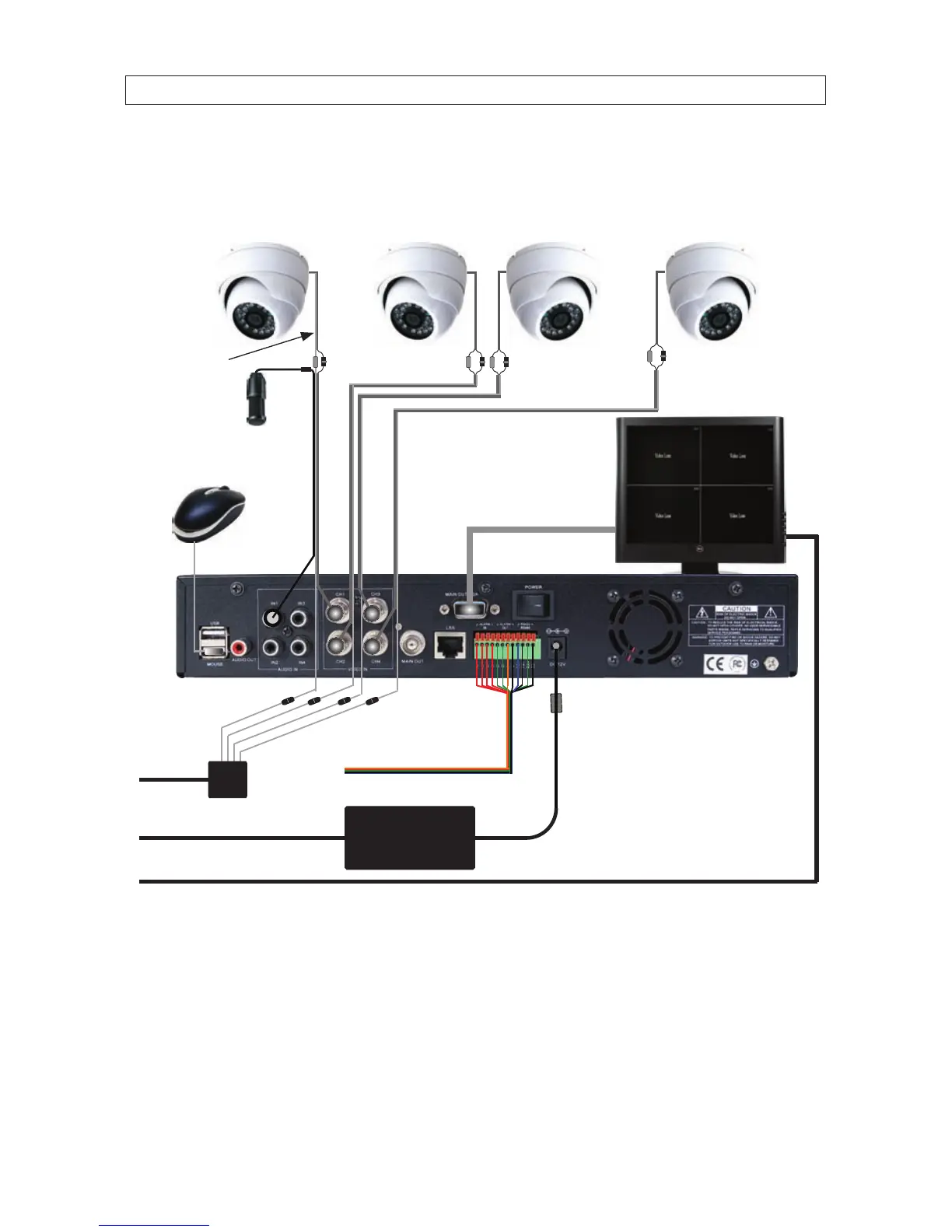
2.4 Connecting the system together
All connections to the DVR are made on the back of the unit.
Video/Audio/Power
Extension Cables
VGA Cable
To UPS / 120 Vac Power
DVR Power Adapter
To Alarm In/Out, PTZ Devices
Camera Power Source
Mouse
Camera
DVR
Microphone
Monitor
To Audio
Inputs
Camera
Drop Cable
Basic System Interconnection Diagram*
* NOTE: Power cabling shown in the previous diagram is recommended for 4-channel systems with CD33W-2 series cameras.
8- and 16-channel systems include an RCA to DB-9 audio input adapter cable(s) and back panel connector(s).



 To Next Page