72
SECTION 7: DVR SYSTEM MENUS
7.5.2 DDNS Setup
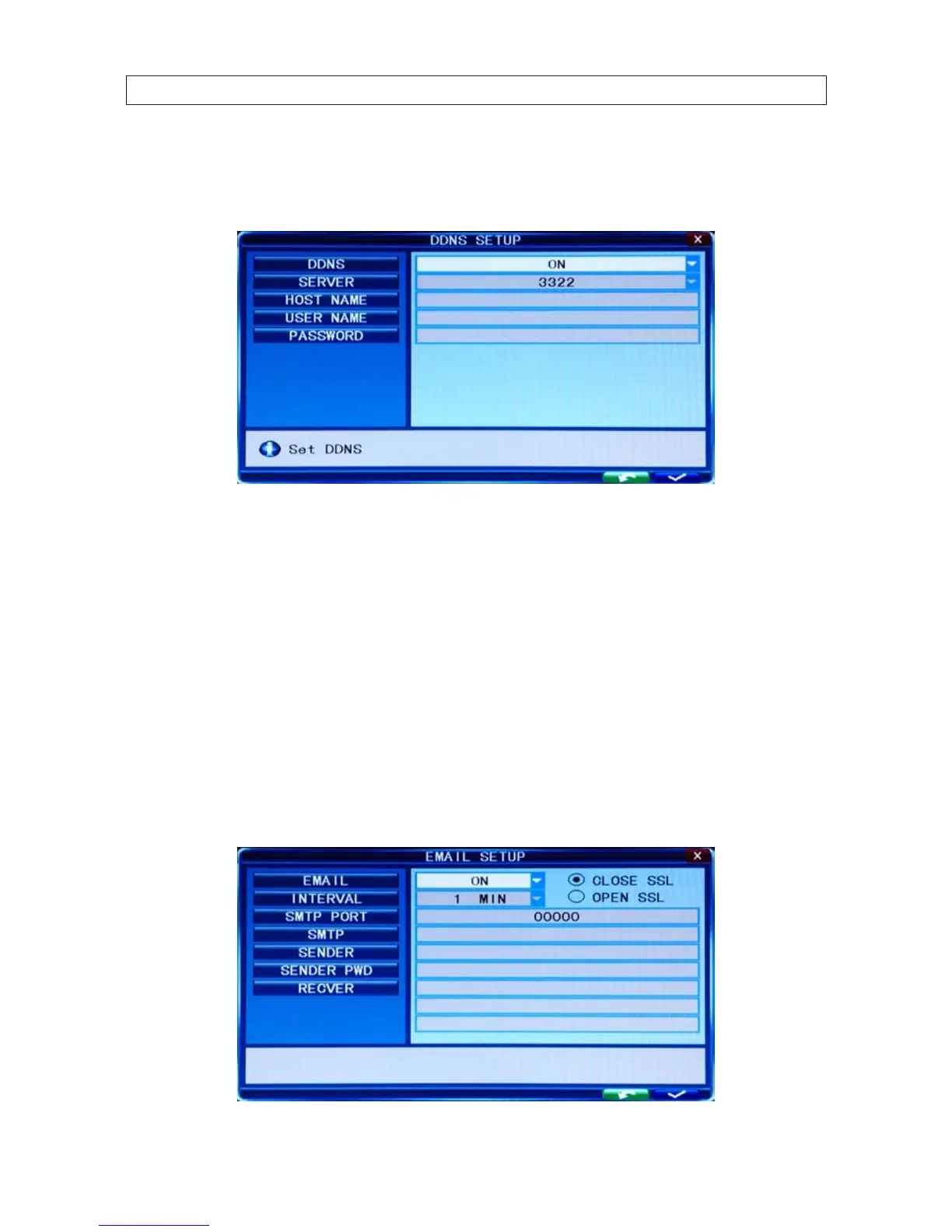
Move the cursor to DDNS SETUP and press ENTER to open the DDNS Setup menu.
DDNS: Select either ON and OFF. If a DDNS server is available, select ON.
SERVER: Select one of the three providers: 3322, dyndns, or perfecteyes.
HOST NAME: Enter the name of the host server.
USER NAME: Enter the name of the user establishing the DDNS server account.
PASSWORD: Enter the password associated with the USER NAME.
7.5.3 Email Setup
Move the cursor to EMAIL SETUP and press ENTER to open the Email Setup menu.



 To Next Page