92
APPENDIX C: HDD INSTALLATION
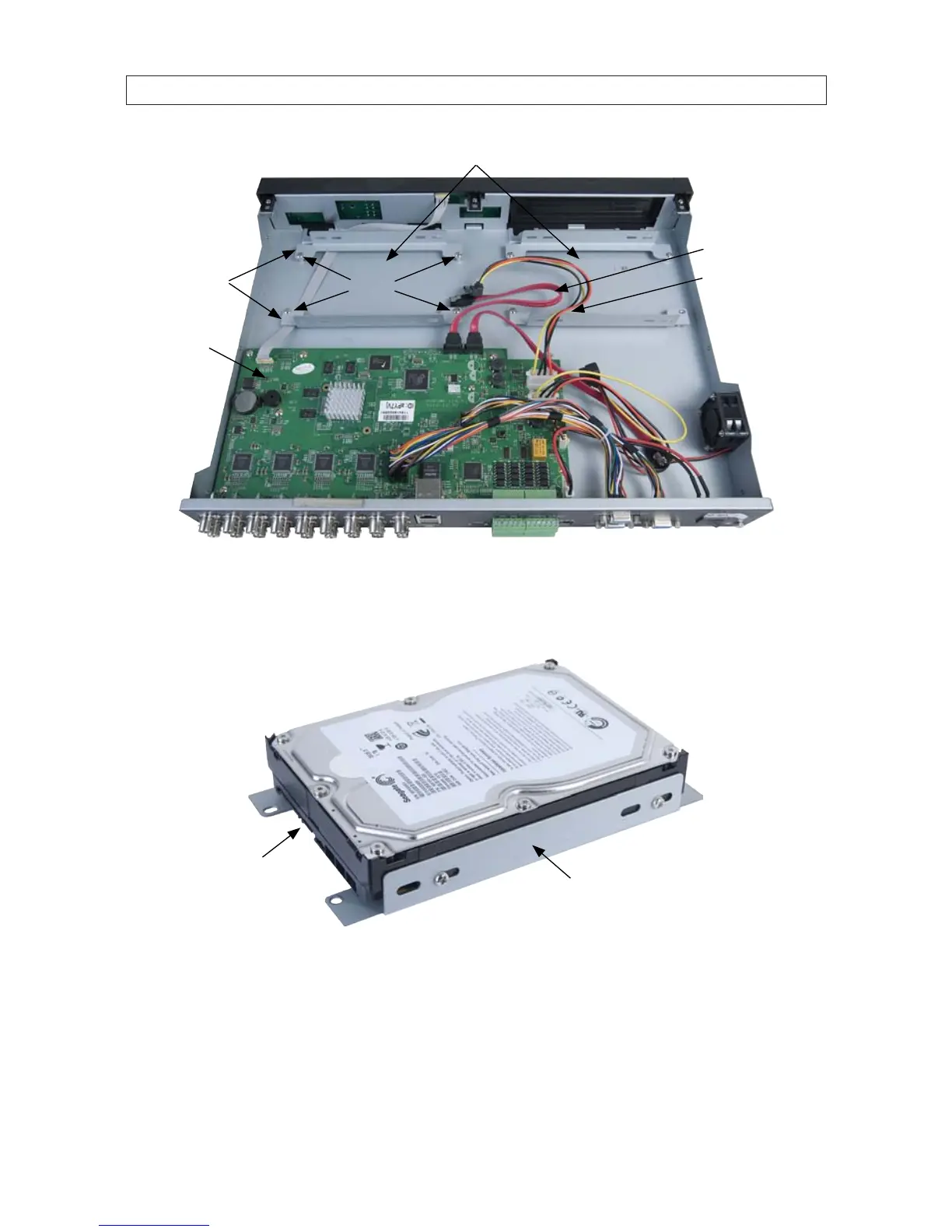
HDD bays
HDD mounting
brackets
SATA data cable
SATA power cable
PC board
Screws
5. Attach a mounting bracket to each side of the HDD as shown below using the pan-head medium-thread screws provided.
Use two screws for each bracket. After starting the screws, slide each brackets toward the front of the drive (away from the
connector end), then tighten until snug.
Bracket
attached
SATA data
and power
connectors
6. Position the HDD with the mounting brackets in the HDD bay as shown below with the SATA connectors toward the middle of
the chassis. Secure the HDD assembly to the chassis using the four screws removed in step 4 above.



 To Next Page