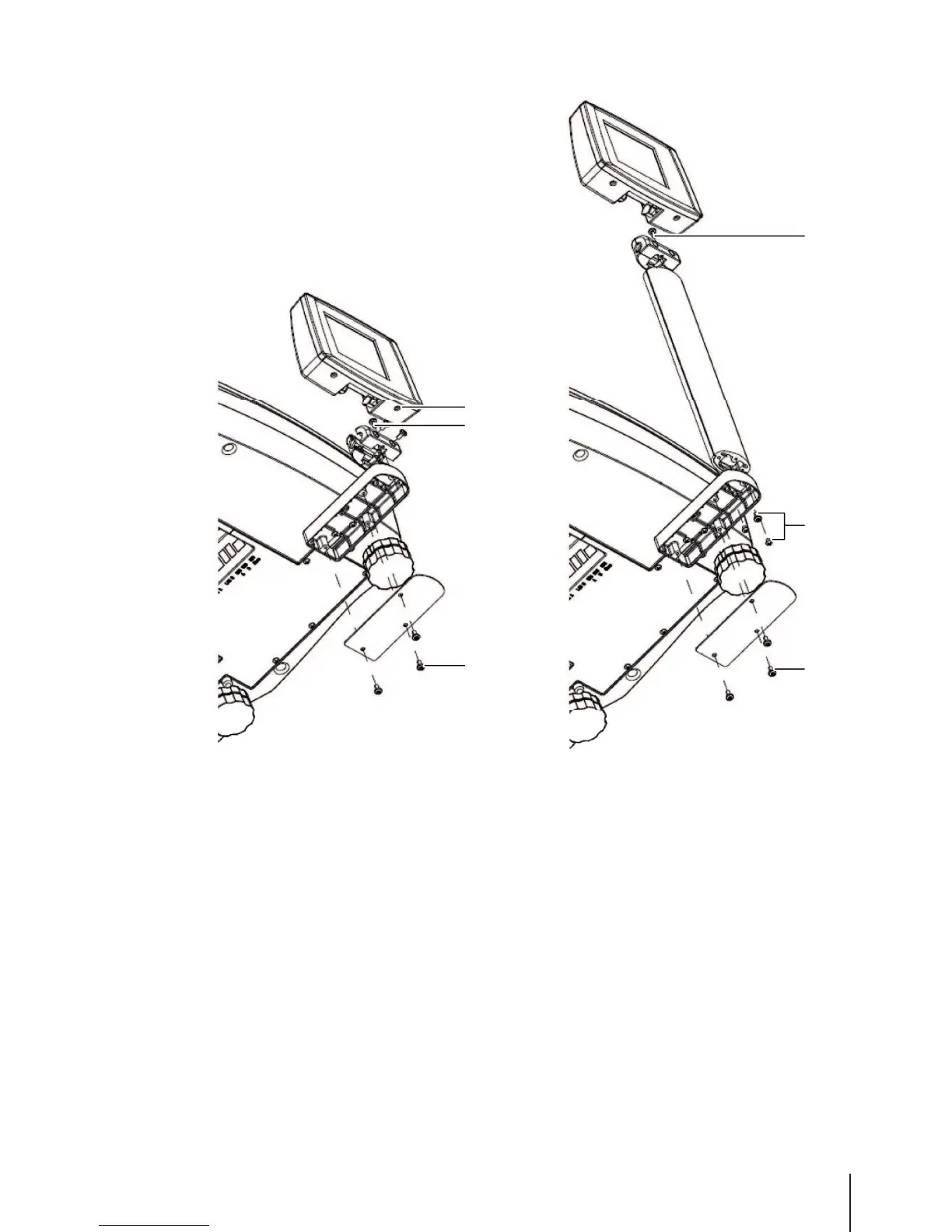
1 Remove the 3 screws (1) on the bottom of the scale to remove the cover plate.
2 Disconnect the cables and pull the cable out of the scale.
3 Remove the 2 screws (2) under the display and take off the display.
4 Remove screw (3) and take off the adapter.
5 Pass the cable through the tower.
6 Mount the adapter on the tower with screw (3).
7 Close the display with 2 screws (2).
8 Mount the tower on the tower base with the 3 screws (4).
9 Connect the cable.
10 Mount the cover plate with screws (1).
Setup and device settings 9Skippper 5000



 To Next Page