3.16 Backup / restore data via USB device
3.16.1 Recommended USB devices
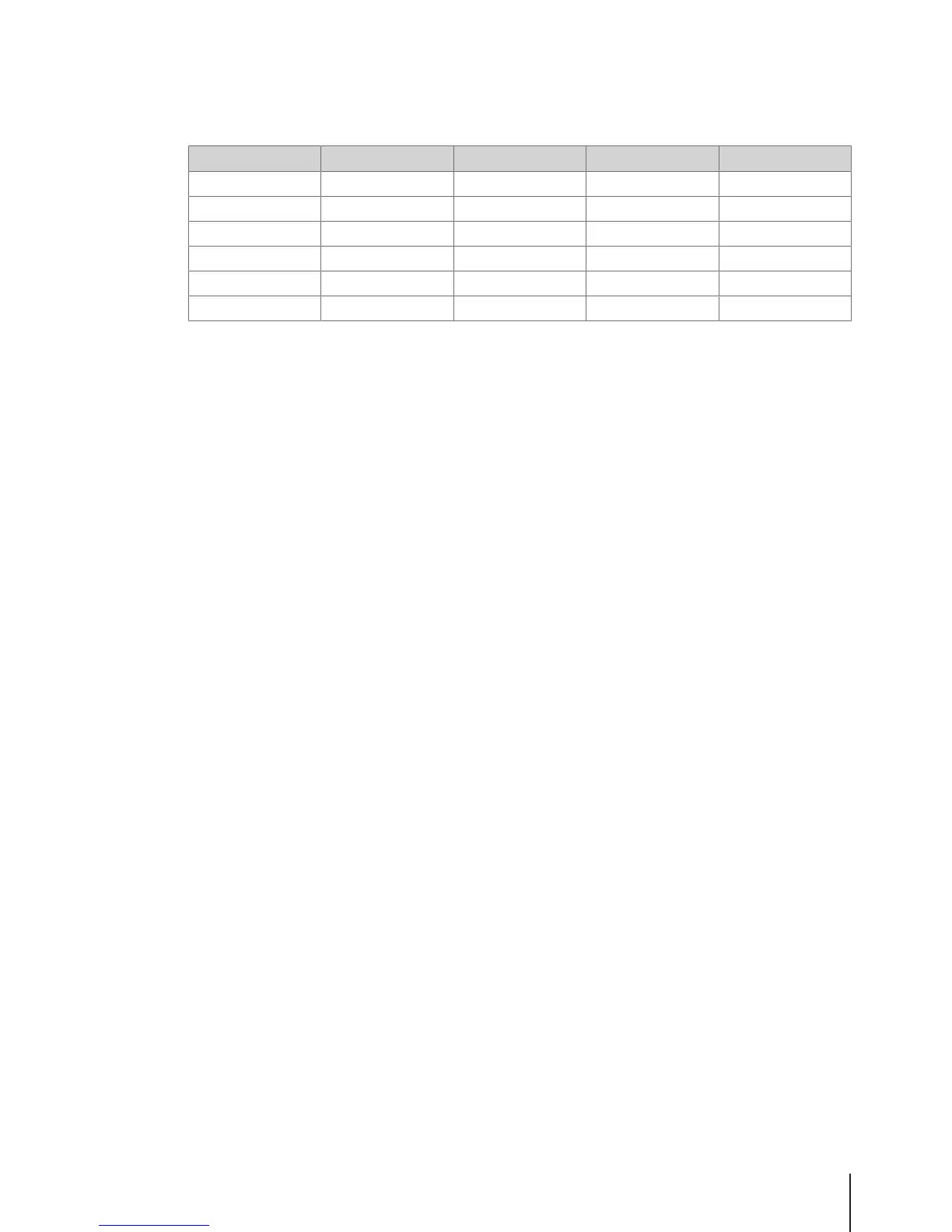
For saving or loading data to or from a USB device we recommend the following:
Brand Capacity Memory format USB interface Recognition time
HP 8 GB FAT32 USB 2.0 < 1 second
KDATA 8 GB FAT32 USB 2.0 < 1 second
KINGSTON 16 GB FAT32 USB 3.0 < 1 second
SanDisk 8 GB FAT32 USB 2.0 < 1 second
TOSHIBA 8 GB FAT32 USB 2.0 < 1 second
BIZKEY 8 GB FAT32 USB 2.0 45 to 50 seconds
3.16.2 Backup data to a USB device / restoring data from a USB device
1 Plug the USB device into the USB connector at the bottom of the scale.
2 Use the Arrow up / Arrow down keys to select "Backup data to USB" respectively "Restore data
from USB" and confirm with the OK key.
3 Use the Arrow up / Arrow down keys to move through the options:
"Item data" – scale data
"Configuration" – scale configuration, bitmap and label, if available
"Transaction log" – transaction log file only
"All data" – item data, configuration data and transaction log file
4 Select or deselect an option by using the OK key.
5 Start back up/restore with soft key or Vendor key.
ð The selected data are transmitted to or from the USB device.
ð When the data transmission is finished, Accomplished will be displayed.
6 Unplug the USB device.
Fast and easy operation 27Skippper 5000



 To Next Page