3.4 Taring
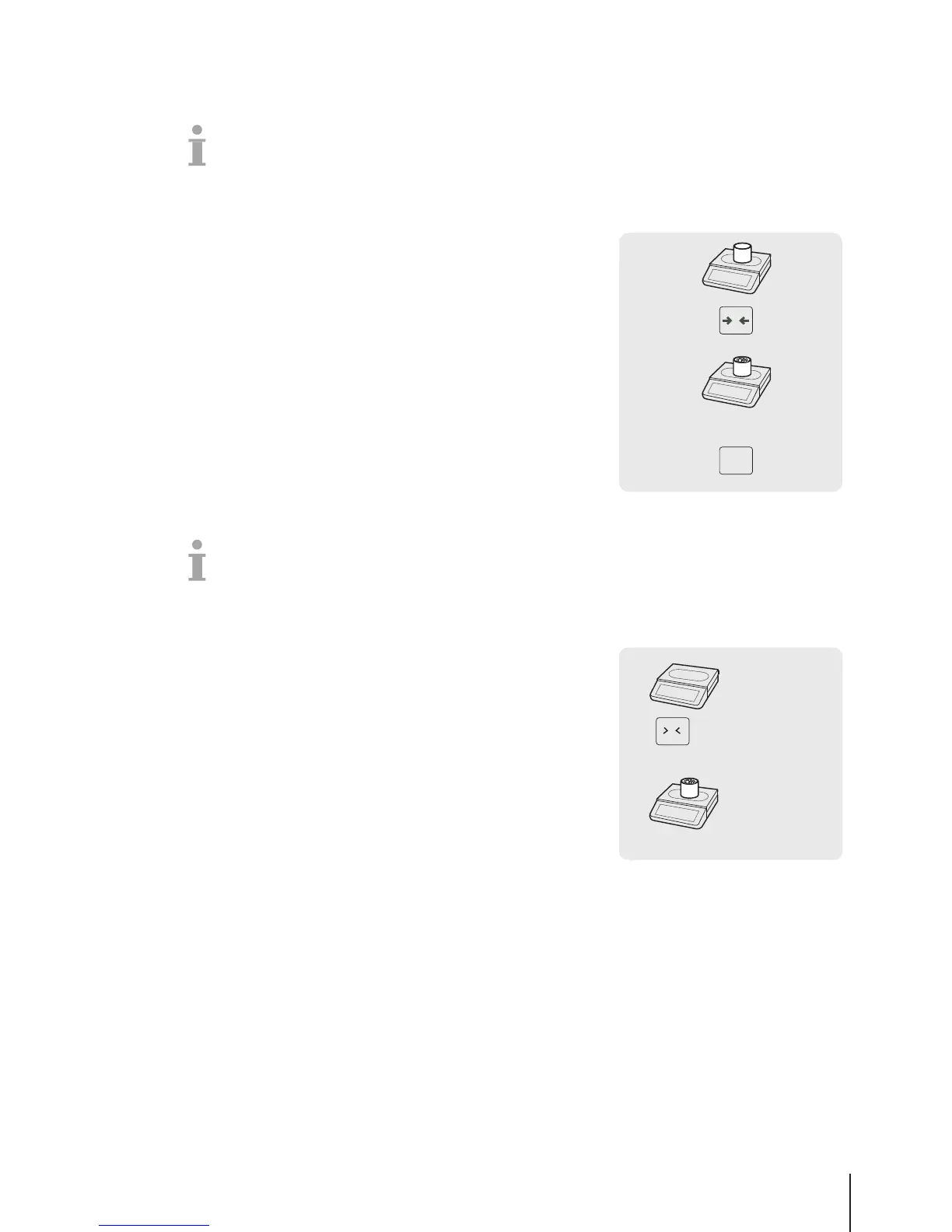
3.4.1 Taring a container
This function depends on the metrological limitation of the scale.
If you fill containers with your products or customers bring their own container, the tare function
makes sure that only the contents are weighed and paid.
1 Place the empty container on the scale.
2 Press the Tare key.
ð The scale is tared.
ð The weight display is reset to 0.000 kg and the NET symbol
appears.
3 Fill the container with the goods to be weighed.
4 Call up the PLU by PLU number or directly enter the unit price.
5 Confirm the entry with the Vendor key.
6 Complete the transaction as described in section [Free
input}Page14].
3.4.2 Manual tare
This function depends on the metrological limitation of the scale.
If you know the weight of the container you can enter the tare weight via keyboard and weigh the full
container.
§ The scale is empty and the weight display is 0.
1 Press the Tare key.
2 Enter the tare weight via keyboard.
ð The scale is tared.
ð The weight display shows the negative tare weight.
3 Place the full container on the scale.
ð The net weight and the tare weight are displayed.
4 Call up the PLU by PLU number or directly enter the unit price.
5 Confirm the entry with the Vendor key.
6 Complete the transaction as described in section [Free
input}Page14].
0 … 9
0.000 kg
-0.345 kg
PT 0.345 kg
1.375 kg
PT 0.345 kg
…
T
Fast and easy operation 17Skippper 5000



 To Next Page