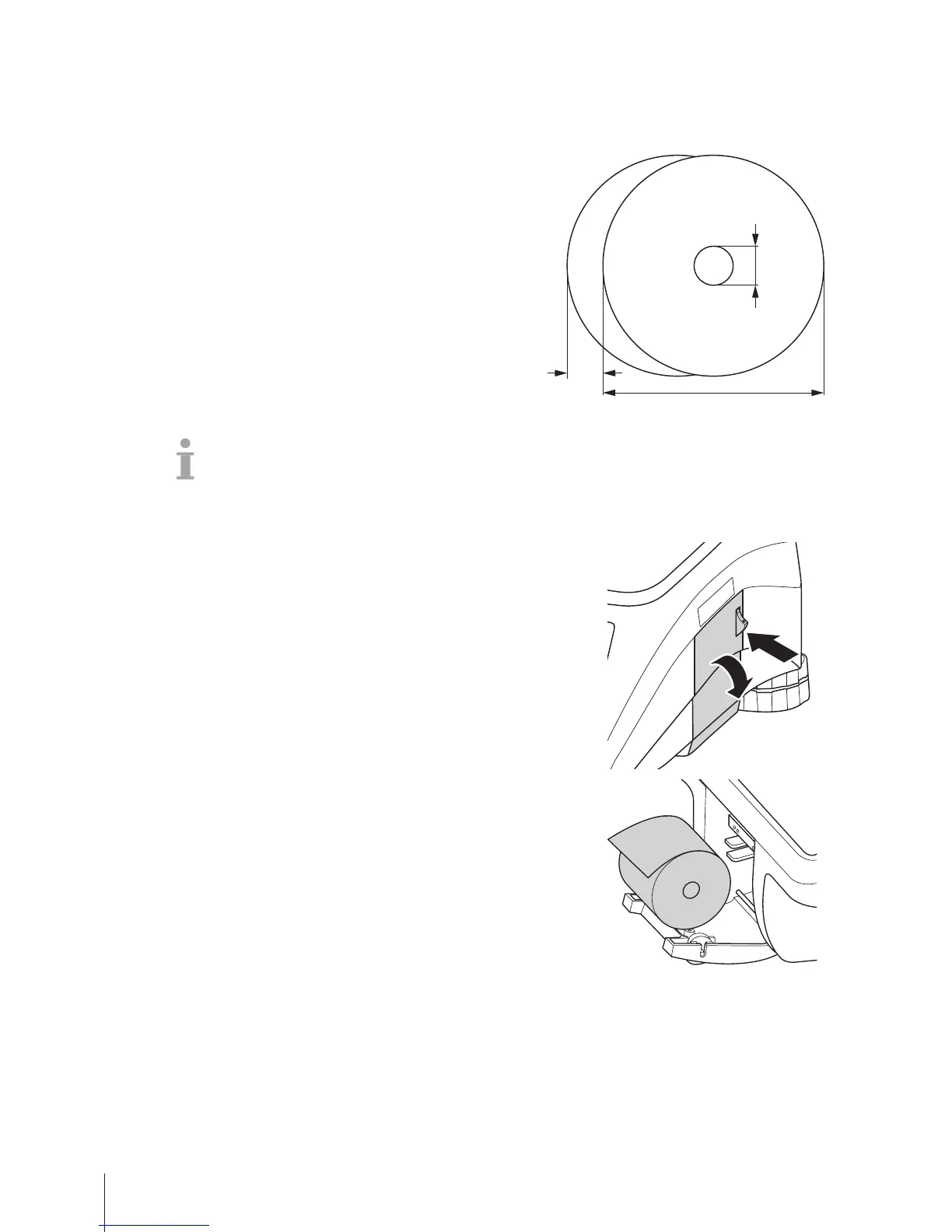
B
max. 63 mm
C
10.5 - 14 mm
• The paper used must not be thicker than 0.12 mm.
• The paper weight should not be less than 48 g/m
2
, the paper weight recommended is 55 g/m
2
.
• Do not slam the printer door as this will damage the printer.
2.3.2 Inserting the ticket roll
− To open the printer door press the button on the printer door.
1 Put the ticket roll into the paper compartment.
2 Pull the paper to the outside.
3 Close the printer door and tear off the excess paper.
Setup and device settings10 Skippper 5000



 To Next Page