EasyManua.ls Logo

OHAUS Skipper 5000 - Keyboard; Function Keys

OHAUS Skipper 5000
60 pages
Print Icon
To Next Page IconTo Next Page
To Previous Page IconTo Previous Page
Loading...
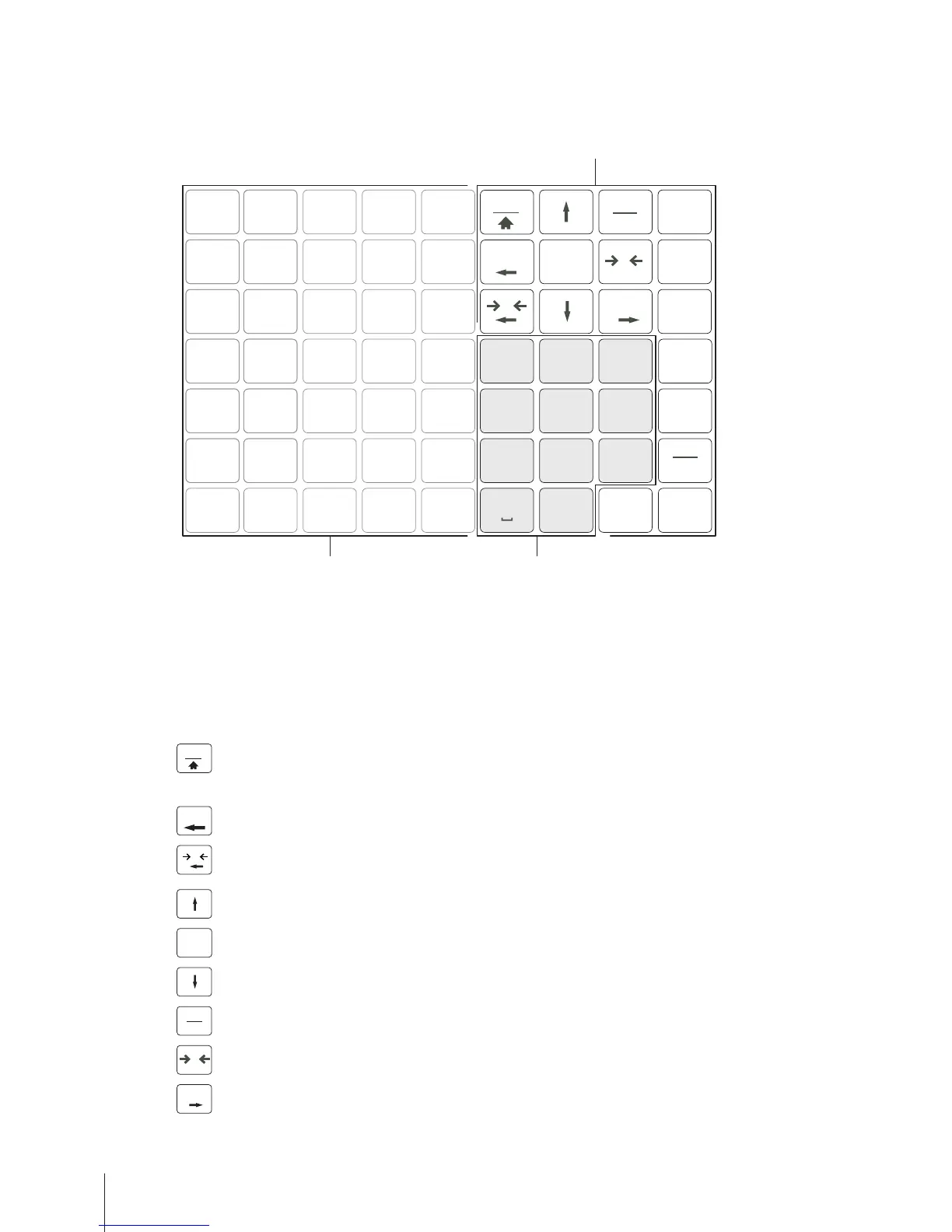
1.7.2 Keyboard
The keyboard is divided into three sections:
7
!?
8
ABC
9
DEF
5
JKL
4
GHI
6
MNO
2
TUV
1
PQRS
3
WXYZ
0
_
00
#
C
1
2
3
Menu
Login
Logout
Fn
Disc
TOK
Back
-
Void
X
PLU
*
Pay
V
0
1
Number keys
3
Preset keys
2
Function keys
In addition to their main function, some function keys have one or more auxiliary functions.
1.7.3 Function keys
Key Name Function
Menu
Menu key Enter the menu
Press and hold or double click to quickly return to the
weighing mode
Back
Back key Go back to previous screen or clear booking and PLU calling
0
Zero key Zeroing
Left key Go to left item
Arrow up key Go to previous item
OK
OK key Confirm selection
Arrow down key Go to next item
Login
Logout
Login / Logout key Enter the vendor assignment menu
T
Tare key Tare the scale
Void
Void key Cancel the item
Right key Go to right item
Your new retail scale6 Skippper 5000

Table of Contents

Related product manuals