10
4. Type a maximum 7-digit [unit price] to assign to a specific item and then assign it to a department by
pressing the related to key. Use for departments from 8 to 14. Use , the related numeric
keys
.... and and for departments from 14 to 40.
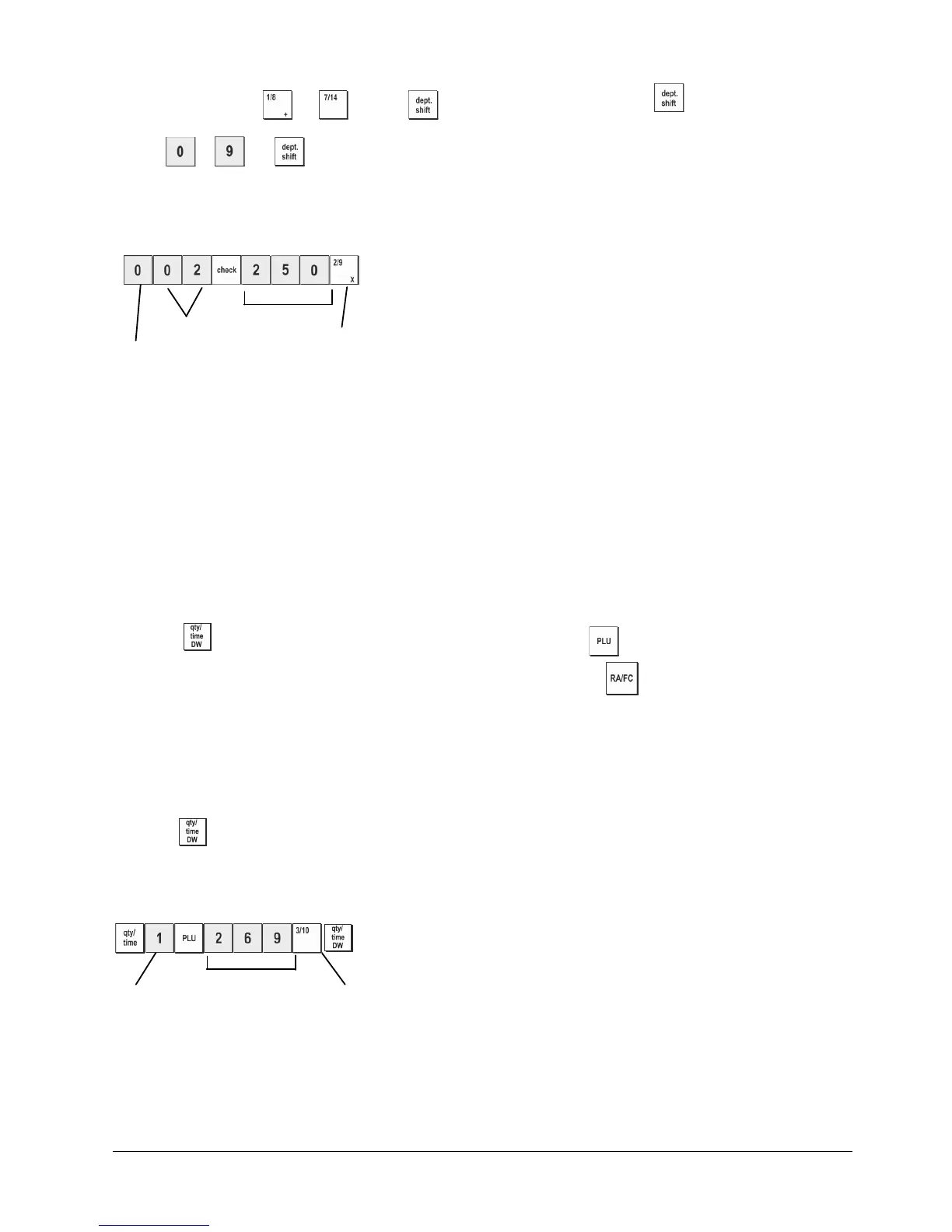
Example: Program a multiple positive item sale, VAT 2 and a price of €2.50 to an item in Department 2.
Type/Press:
Unit Price
Tax status
Department
Multiple positive item sales
After you have programmed your departments, you can print a report that indicates the programmed values. See section
"Department Programming Report" for details.
5. Program a Fixed Price Look-Up (PLU)
Up to 999 PLUs can be programmed. You can also define the number of items in stock for each individual PLU
programmed. Every time an item is sold, the inventory number decrements automatically so as to keep track of the
remaining number of items in stock.
1. Control switch position: PRG
2. Press
, type the [PLU number (between 1 and
999)] and then press .
3. Type the [number between 1 and 9999] of PLU items in stock and then press .
4. Type the [unit price] that you wish to assign to the PLU.
5. Press the related department key(s) to assign the PLU to a Department. If tax is required for a particular PLU item, be
sure to link the PLU number related to the item to a department that is programmed for tax. To program a department for
tax, refer to the section Link a Multiple/Single Item Sale, Tax Status and Item Price to a Department.
6. Press
.
Example: Create PLU 1 with a unit price of €2.69 assigned to Department 1. Define a total of 200 items in stock.
Type/Press:
PLU number PLU items in stock
Department
After you have programmed your PLU items, you can print a report that indicates the programmed values. See section "PLU
Programming Report" for details.















 To Next Page