15
Calculator Mode
The calculator mode is a non-print mode that can only be accessed in the REG or JRNL position outside of a sales
transaction. The calculator mode can only be accessed if Calculator Mode Password is setted up.
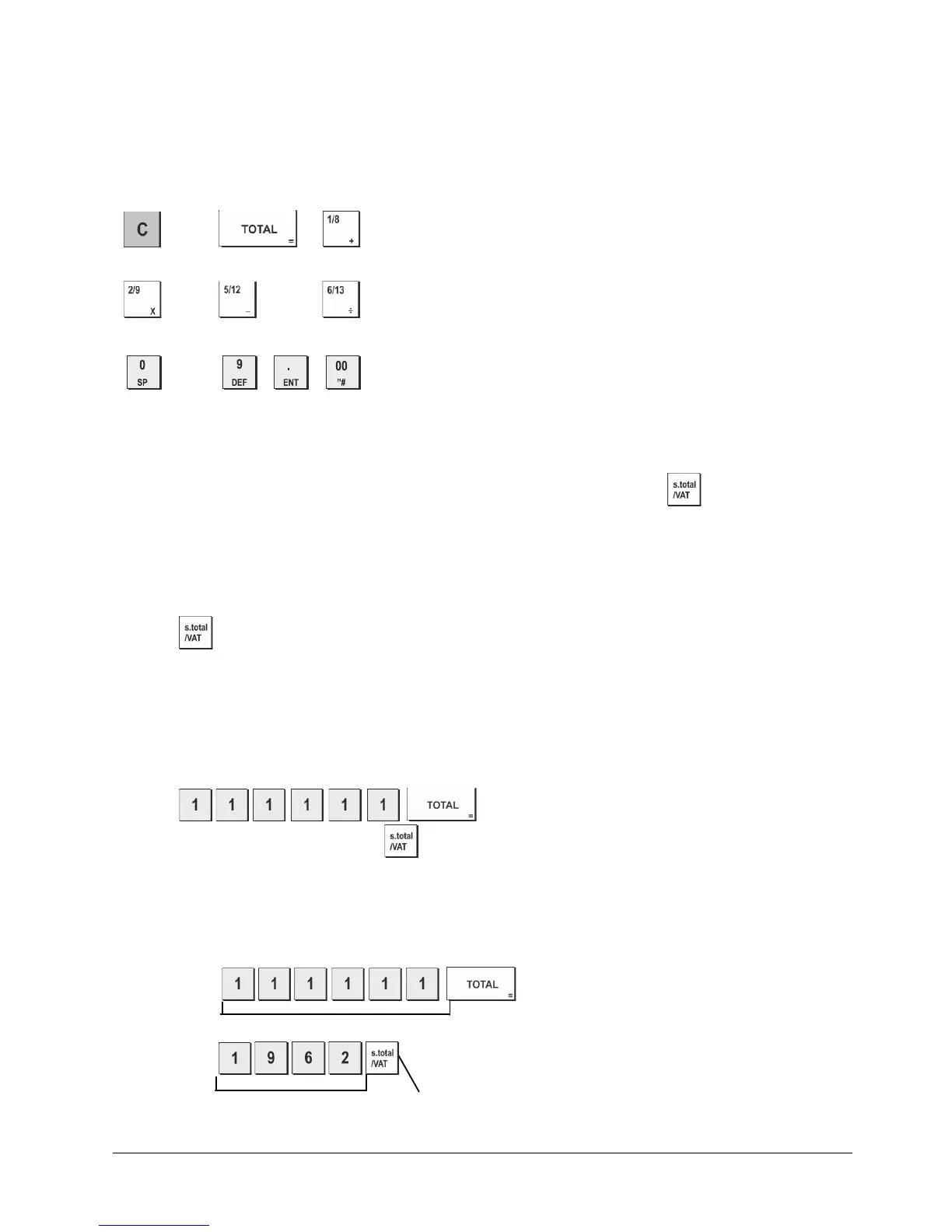
The following keys can be used in the calculator mode:
Key
to
Entering the Calculator Model
1. Control switch position: REG or JRNL.
2. If a calculator mode password was defined, type the [four-digit password] and press .
3. A dot will appear on the far left-hand side of the display indicating that the calculator mode is in operation.
Exiting the Calculator Mode
1. Control switch position: REG or JRNL.
2. Press
.
3. The dot will disappear from the display and a beep will sound indicating that you are now back into the normal
register mode.
Programming a Calculator Mode Password
1. Control switch position: PRG
2. Press ,
enter the [4-digit password] and press
.
NOTE: Default value password 0000: The password security protection feature will not work No protection.
Example: Define calculator mode password 1962.
Type/Press:
,
Switch to Calculator mode password definition
Calculator password defined Confirm password















 To Next Page