19
Programming a Training Mode Password
A training mode password prevents unauthorized access to the training mode and allows training to be performed in the
REG or JRNL mode.
1. Control switch position: PRG.
2. Press
,
enter the [4-digit password] and press .
NOTE: If you define a password by 0000 or you leave it as default value, the training mode will not be accessible.
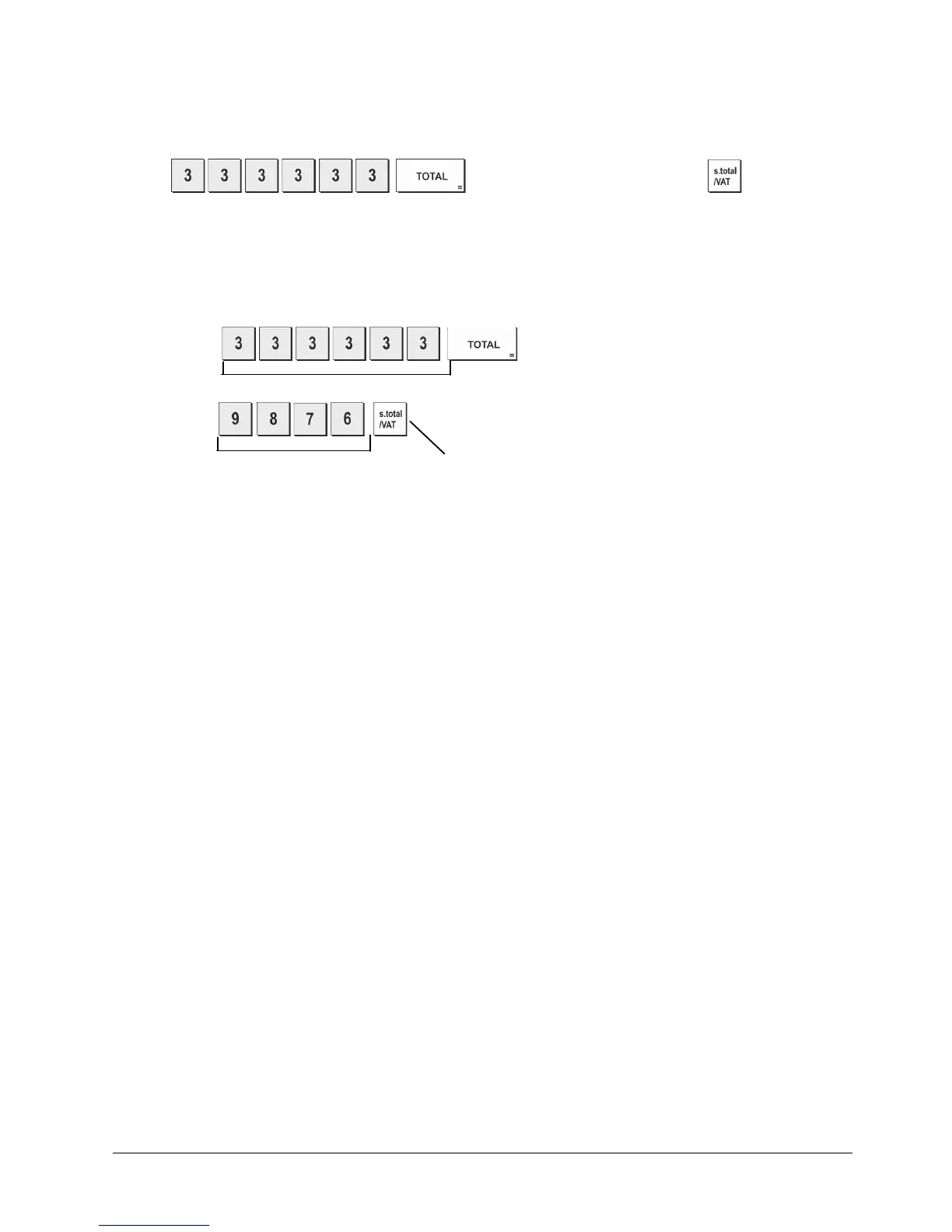
Example: Define Training mode password 9876.
Type/Press:
,
Switch to Training Mode password definition mode
Training Mode password defined Confirm entered password
System Options
Your cash register's system options programming feature includes a number of options for the operation of the cash
register. Each of the functions described in this section is already set upon delivery of the cash register to meet the most
frequent requirements.
The cash register's factory default settings, which you can reprogram at any time, are indicated in bold print in the table below.
At any time you can print a report indicating how your cash register is programmed. See " Cash Register Programming
Report" for details.
1 0 = Date format - DD-MM-20YY (day-month-year)
1 = Date format - MM-DD-20YY (month-day-year)
2 0 = Time display - 24 hour format
1 = Time display - 12 hour format
3 0 = Decimal point position – n
1 = Decimal point position – n.n
2 = Decimal point position – n.nn
3 = Decimal point position – n.nnn
4 Electronic Journal
0 = Dynamic electronic journal operation
1 = Standard electronic journal operation
5 Electronic Journal storage selection
0 = Stores sales receipt only on electronic journal
1 = Full registration on electronic journal
6 Sound warning beep for EJ memory nearly full condition at the start of the transaction
0 = Do not sound
1 = Sound
7 Sound warning beep for EJ memory nearly full condition at the end of the transaction
0 = Do not sound
1 = Sound















 To Next Page